Espresso
What Espresso is
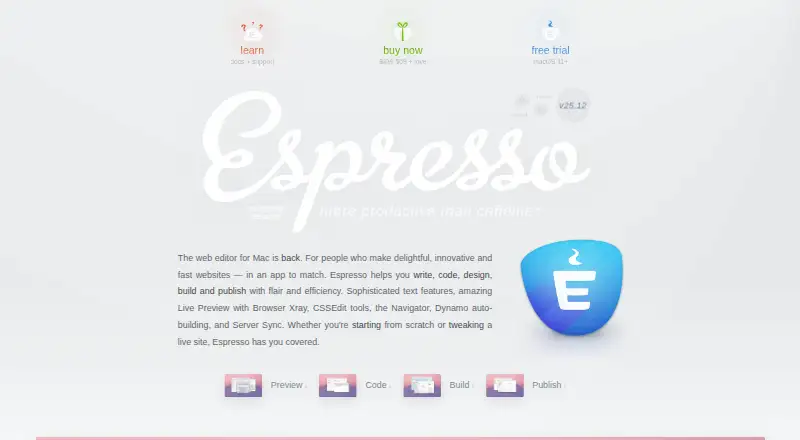
Espresso is a paid desktop web editor for macOS used to write, code, design, build, and publish websites. Live Preview supports Chrome, Firefox, Safari, and Safari Technology Preview, while Browser Xray helps edit relevant styles. Visual CSSEdit tools support CSS, SCSS, and LESS. Editing tools include snippets, templates, multi-edit, project find and replace, regular-expression search, CodeSense, and a Navigator. Built-in language support covers HTML, (S)CSS, LESS, JavaScript, CoffeeScript, PHP, Ruby, Python, Apache, and XML. Dynamo handles SCSS, LESS, Markdown, and HTML imports and templates. Publishing includes Server Sync, Quick Publish, Quick Browse, and upload on save. Espresso supports plug-ins, remote development, language servers, and extensions. It has no built-in cloud features; project data remains on the Mac and connected servers. The listed license is $119 a month, with 12 months of free updates and new features and no subscription.
Who it suits
Espresso suits Mac users building and publishing websites who want visual CSS tools, language support, previews, publishing controls, and extensibility. Its local data model also suits users avoiding built-in cloud storage.
What it does well
- Live Preview across major browsers
- Visual CSS editing tools
- Broad built-in language support
- Publishing and upload-on-save tools
- Plug-in API and extensions
What to know first
- macOS only
- $119 a month
- No built-in cloud features
- No free plan
Plans
| Plan | Billed and limits | Price |
|---|---|---|
| Espresso license | One-time purchase · 12 months of free updates and new features · single-user license | $119, paid once |
As espressoapp.com lists them, read 7 Oct 2026. The maker's own page has the final word.
Verdict
Espresso brings coding, visual CSS editing, previews, build tools, and publishing into a macOS desktop editor. The $119 a month license includes 12 months of free updates and new features and is listed as having no subscription.
Facts from Espresso's own pages
- AI privacy
- The maker says optional LatteAI features process data locally on the Mac and do not send project files or code to its servers. · espressoapp.com, 7 Oct 2026
- Build system
- Dynamo is Espresso’s built-in build infrastructure and supports SCSS, LESS, and Markdown and HTML imports and templates. · espressoapp.com, 7 Oct 2026
- Crash reporting
- Crash reports are anonymized, do not include private project data, and are sent only after the user is asked. · espressoapp.com, 7 Oct 2026
- CSS tools
- Espresso includes visual CSSEdit tools and supports standard CSS, SCSS, and LESS. · espressoapp.com, 7 Oct 2026
- Editor features
- Editor features include snippets, templates, multi-edit, project find and replace, regex search, CodeSense, and a Navigator. · espressoapp.com, 7 Oct 2026
- Editor type
- desktop · espressoapp.com, 20 Sept 2026
- Extensions
- Espresso has a plug-in API for actions, syntaxes, formatting, and other extensions, and its plug-in documentation covers JavaScript, XML, CSS, and regular expressions. · espressoapp.com, 7 Oct 2026
- Extension support
- The listed plug-ins and syntax themes are not officially supported; the maker directs feature requests to their authors. · espressoapp.com, 7 Oct 2026
- Free plan
- No · espressoapp.com, 20 Sept 2026
- Languages
- Built-in language support includes HTML, (S)CSS, LESS, JavaScript, CoffeeScript, PHP, Ruby, Python, Apache, and XML. · espressoapp.com, 7 Oct 2026
- Language server support
- Yes · espressoapp.com, 20 Sept 2026
- Live preview
- Live Preview supports Chrome, Firefox, and Safari, including Safari Technology Preview, and provides Browser Xray for editing relevant styles. · espressoapp.com, 7 Oct 2026
- Supported platforms
- macos · espressoapp.com, 20 Sept 2026
- Privacy
- Espresso runs on the user's computer, has no built-in cloud features, and keeps project data on the computer and servers the user connects to. · espressoapp.com, 7 Oct 2026
- Privacy compliance
- The maker says it complies with Australia's Privacy Act 1988 and the Australian Privacy Principles. · espressoapp.com, 7 Oct 2026
- Product
- Espresso is a web editor for Mac for writing, coding, designing, building, and publishing websites. · espressoapp.com, 7 Oct 2026
- Publishing
- Espresso offers Server Sync, Quick Publish, Quick Browse, and automatic upload on save for project servers. · espressoapp.com, 7 Oct 2026
- Remote development
- Yes · espressoapp.com, 20 Sept 2026
- Support
- The maker offers documentation and email support at [email protected]. · espressoapp.com, 7 Oct 2026
Where Espresso stands on Freedom251
- Code editors#42 of 45
- Text Editors#77 of 82