Freedom251 › File Comparison Software
SmartSynchronize
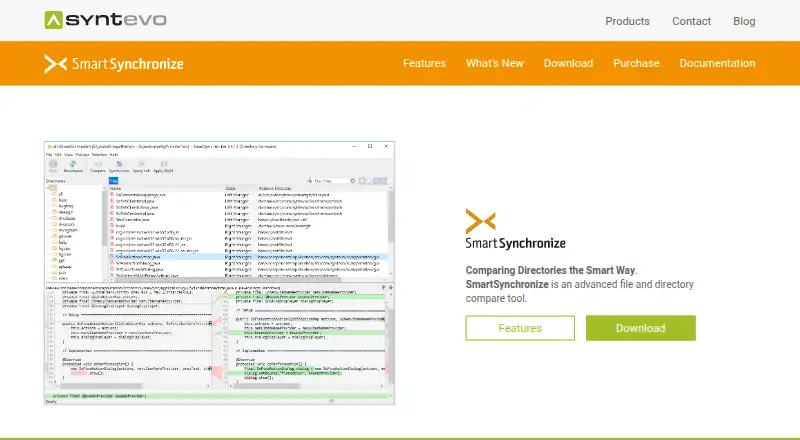
What SmartSynchronize is
SmartSynchronize is a file and directory comparison tool from syntevo GmbH, located in Ainring, Germany. It compares individual files, combines changes from multiple versions, and helps keep directory structures synchronized. File Compare detects changes within lines, lets users edit the compared files, and transfer changed blocks between them. Directory Compare checks two local directory structures and shows added, removed, and modified line counts for each file.
Its three-way merge helps bring together two independent changes made to a base file, with each of the three files available for editing. A dual-pane file manager supports copying, moving, deleting, working with archives, and searching by file name or content. Directory synchronization can run automatically using file times and the time of the previous synchronization. Version 4.2 release notes describe SFTP actions for remote servers: uploading and downloading files, deleting files, and creating directories. The command-line interface can be invoked from other applications.
SmartSynchronize has a free plan and a 31-day trial. The download page provides packages for Windows 10 or later, macOS 10.14 or later for Intel, macOS 11 or later for Apple Silicon, and 64-bit Linux with GTK 3.24 or later. Its paid license is per user and includes bug-fix releases for the current version, plus use of major versions released within one year after purchase.
Who it suits
SmartSynchronize suits people who need to compare files or folders, edit differences, merge independent changes, or synchronize directory structures. Its command-line interface and SFTP actions may also suit users who work with other applications or remote servers.
What it does well
- File Compare detects line changes and transfers changed blocks.
- Three-way merge lets users edit all three files.
- Directory comparison reports added, removed, and modified line counts.
- Dual-pane file manager includes archive handling and content search.
- SFTP supports file transfers and remote directory creation.
What to know first
- The 31-day trial is time-limited.
- The paid license is per user.
- Windows packages require Windows 10 or later.
Limits
The listed trial lasts 31 days. The free plan's limits are not described in the supplied facts.
Plans
| Plan | Billed and limits | Price |
|---|---|---|
| SmartSynchronize license | Perpetual license, single payment · per-user license · valid for unlimited time · includes bug-fix releases of current version · major versions released within one year after purchase | On request |
As syntevo.com lists them, read 2 Oct 2026. The maker's own page has the final word.
Getting started
- Visit the SmartSynchronize website.
- Choose a package for Windows, macOS, or 64-bit Linux that meets the listed system requirements.
- Use the free plan or start the 31-day trial.
- For a paid license, purchase a per-user license.
Verdict
Choose SmartSynchronize if you need file and directory comparison alongside merging and synchronization tools. Look elsewhere if your work depends on a license price you can confirm before purchase, since no price is listed here.
Questions
Does SmartSynchronize have a free plan?
Yes. A free plan and a 31-day trial are listed.
What does a SmartSynchronize license cost?
No price is listed. The license is described as a perpetual, single-payment, per-user license.
Which platforms does SmartSynchronize support?
It supports Windows, macOS, and Linux. Listed packages require Windows 10 or later, macOS 10.14 or later on Intel, macOS 11 or later on Apple Silicon, or 64-bit Linux with GTK 3.24 or later.
What does the paid license include?
It includes bug-fix releases of the current version and use of major versions released within one year after purchase. One user can use the license on as many machines as they like.
Can SmartSynchronize access remote servers?
Its 4.2 release notes describe SFTP support for uploading, downloading, and deleting files, and creating directories on remote servers.
Who makes SmartSynchronize?
The maker is syntevo GmbH, located in Ainring, Germany.
Facts from SmartSynchronize's own pages
- Command-line use
- SmartSynchronize provides a command-line interface for invocation from other applications. · syntevo.com, 2 Oct 2026
- Directory comparison
- Directory Compare compares two local directory structures and shows added, removed, and modified line counts for each file. · syntevo.com, 2 Oct 2026
- File comparison
- File Compare detects changes within lines, lets users edit compared files, and transfer changed blocks between them. · syntevo.com, 2 Oct 2026
- File manager
- Its dual-pane file manager supports file tasks including copy, move, delete, archive handling, and searching by name or content. · syntevo.com, 2 Oct 2026
- Headquarters
- Ainring, Germany · syntevo.com, 28 Sept 2026
- License limits
- A license is per user rather than per machine, and each user can use it on as many machines as they like. · syntevo.com, 2 Oct 2026
- Maker
- The maker is syntevo GmbH, located in Ainring, Germany. · syntevo.com, 2 Oct 2026
- Purpose
- SmartSynchronize is a file and directory comparison tool that can compare files, perform three-way merges, and keep directory structures synchronized. · syntevo.com, 2 Oct 2026
- Remote file support
- The 4.2 release notes say SFTP support allows uploading, downloading, deleting, and creating directories on remote servers. · syntevo.com, 2 Oct 2026
- Security and privacy
- Syntevo's privacy policy says its website uses SSL or TLS encryption to protect transmission of personal data and other confidential content. · syntevo.com, 2 Oct 2026
- Support
- The download page directs users to contact support, and the contact page says paid how-to support is available to license purchasers. · syntevo.com, 2 Oct 2026
- Supported systems
- The download page provides packages for Windows 10 or later, macOS 10.14 or later for Intel, macOS 11 or later for Apple Silicon, and 64-bit Linux with GTK 3.24 or later. · syntevo.com, 2 Oct 2026
- Synchronization
- Directory comparison can automatically synchronize based on file times and the time of the previous synchronization. · syntevo.com, 2 Oct 2026
- Three-way merge
- The three-way merge helps combine two independent changes to a base file and lets users edit each of the three files. · syntevo.com, 2 Oct 2026
- Updates
- The purchase page says a license includes bug-fix releases of the current version and allows use of major versions released within one year after purchase. · syntevo.com, 2 Oct 2026
Where SmartSynchronize stands on Freedom251
- File Comparison Software#10 of 33