Freedom251 › Screenshot Software
SmartShot
What SmartShot is
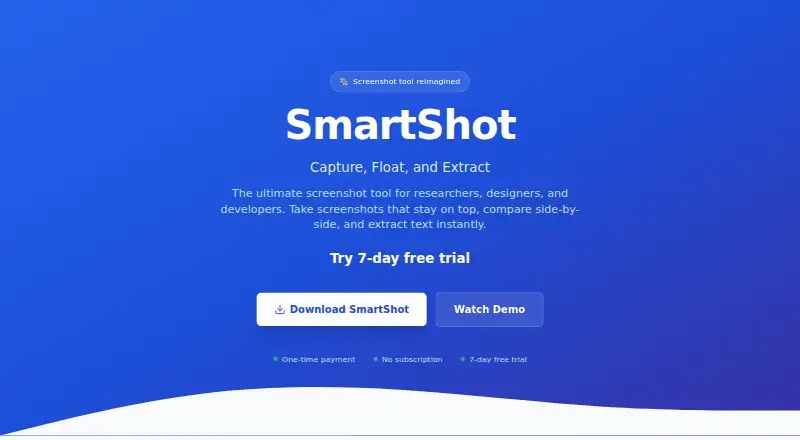
SmartShot is a Windows screenshot tool for capturing, keeping visible, and extracting text from images. It supports full-page scrolling, smart element, and area capture, along with customizable hotkeys; Ctrl+Q is the default. Screenshots can float above other windows, allowing several to remain visible for comparison, and a toolbar offers one-click copying to the clipboard. The tool supports multi-monitor capture and exports PNG, JPEG, and WebP files. OCR text extraction is listed among the features of the Free Trial and Lifetime Access plans. The maker says processing happens locally and screenshots remain on the user’s computer. The download instructions describe running an installer named SmartShot.exe; supported browsers include Chrome, Edge, Brave, and other Chromium browsers. The Free plan costs nothing and lists scrolling, smart element, and area capture, image export, and offline operation. The 7-day Free Trial costs nothing and requires no credit card. Lifetime Access costs $9.99, paid once, includes free updates forever, and has a stated 30-day refund policy.
Who it suits
SmartShot is intended for researchers, designers, and developers who need to capture screenshots and keep them visible while working. Its multi-monitor support and OCR features may suit users comparing images or extracting text.
What it does well
- Supports scrolling, element, and area capture.
- Multiple screenshots can stay above other windows.
- Exports PNG, JPEG, and WebP.
- Maker says processing is local.
- Trial requires no credit card.
What to know first
- Lifetime Access costs $9.99, paid once.
- Requires running a Windows installer.
Limits
The Free plan lists scrolling, smart element, and area capture, image export, and offline operation, but not OCR, floating screenshots, or multi-monitor support. The Free Trial lasts seven days; Lifetime Access is a one-time payment of $9.99, paid once.
Plans
| Plan | Billed and limits | Price |
|---|---|---|
| Free | Full-page scrolling capture · Smart element capture · Area capture · PNG, JPEG, and WebP export · Offline operation | Free |
| Free Trial | For 7 days · Unlimited screenshots · Always-on-top floating · One-click copy to clipboard · Advanced OCR text extraction · Multi-monitor support · + 4 more features | Free |
| Lifetime Access | One-time payment · Unlimited screenshots · Always-on-top floating · One-click copy to clipboard · Advanced OCR text extraction · Multi-monitor support · Customizable hotkeys · Local processing · Free updates forever | $9.99, paid once |
As ibrahimpopatiya.github.io lists them, read 22 Sept 2026. The maker's own page has the final word.
Getting started
- Visit https://ibrahimpopatiya.github.io/smartshot-website/
- Download SmartShot.exe and run its installer
- Use the Free plan or start the seven-day Free Trial, which requires no credit card
- Choose Lifetime Access for a one-time payment of 9.99 USD if you want that plan
Verdict
SmartShot combines several capture modes with floating screenshots, clipboard copying, and local processing. The Free plan includes multiple capture and export options, while OCR appears in the trial and Lifetime Access details.
Questions
How much does SmartShot cost?
The Free plan costs nothing. The Free Trial costs nothing for seven days, and Lifetime Access is $9.99, paid once.
Is there a free trial?
Yes. The Free Trial lasts seven days, costs nothing, and requires no credit card.
Which platforms and browsers does SmartShot support?
Windows is listed as a platform. Supported browsers include Chrome, Edge, Brave, and other Chromium browsers.
Does SmartShot include OCR?
Advanced OCR text extraction is listed for the Free Trial and Lifetime Access plans, but not for the Free plan.
Is SmartShot open source?
The listed facts do not identify SmartShot as open source.
What does Lifetime Access include?
It includes unlimited screenshots, floating screenshots, clipboard copying, advanced OCR, multi-monitor support, customizable hotkeys, local processing, and free updates forever. The pricing page states a 30-day refund policy for Lifetime Access.
Facts from SmartShot's own pages
- Capture
- Users can capture screenshots with customizable hotkeys; the default hotkey is Ctrl+Q. · ibrahimpopatiya.github.io, 8 Oct 2026
- Export formats
- PNG,JPEG,WebP · chromewebstore.google.com, 22 Sept 2026
- Clipboard
- The floating toolbar includes a one-click option to copy screenshots to the clipboard. · ibrahimpopatiya.github.io, 8 Oct 2026
- Cloud storage
- 0 · chromewebstore.google.com, 22 Sept 2026
- Floating screenshots
- Screenshots stay on top of other windows, and users can keep multiple screenshots visible for comparison. · ibrahimpopatiya.github.io, 8 Oct 2026
- Free plan
- Yes · chromewebstore.google.com, 22 Sept 2026
- Multi-monitor support
- SmartShot supports capturing from multiple monitors. · ibrahimpopatiya.github.io, 8 Oct 2026
- OCR
- SmartShot extracts text from screenshots using OCR technology. · ibrahimpopatiya.github.io, 8 Oct 2026
- Platform and installation
- The maker's download instructions name SmartShot.exe and describe running its installer. · ibrahimpopatiya.github.io, 8 Oct 2026
- Supported platforms
- Chrome,Edge,Brave,and other Chromium browsers · chromewebstore.google.com, 22 Sept 2026
- Privacy
- The maker says all processing happens locally and screenshots never leave the user's computer. · ibrahimpopatiya.github.io, 8 Oct 2026
- Purpose
- SmartShot is a screenshot tool for researchers, designers, and developers that lets users capture, float, and extract text from screenshots. · ibrahimpopatiya.github.io, 8 Oct 2026
- Refund policy
- The pricing page states a 30-day refund policy for lifetime access. · ibrahimpopatiya.github.io, 8 Oct 2026
- Scrolling capture
- Yes · chromewebstore.google.com, 22 Sept 2026
- Support
- The maker lists [email protected] as its contact email. · ibrahimpopatiya.github.io, 8 Oct 2026
- Trial terms
- The maker says the 7-day free trial requires no credit card. · ibrahimpopatiya.github.io, 8 Oct 2026
- Updates
- The lifetime access plan includes free updates forever. · ibrahimpopatiya.github.io, 8 Oct 2026
Where SmartShot stands on Freedom251
- Screenshot Software#35 of 39
- Screenshot tools#38 of 40