Freedom251 › Presentation Sharing Software

SlideShare
What SlideShare is
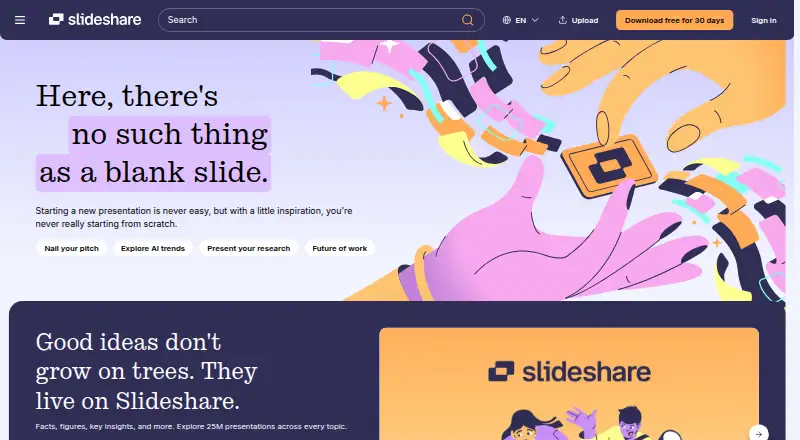
SlideShare is a web platform for finding, reading, and sharing presentations. Its homepage describes a library of more than 25 million presentations across topics and a community of 70 million users. Browsing, reading, and uploading are available without a subscription, with on-page ads; a Scribd account is needed for access to all features. Supported uploads include PowerPoint PPT, PPTX, PPSX, and POTX, PDF, and Word DOC and DOCX files. Google Drive, Box, and OneDrive are also offered as upload sources. Presentations can be embedded on another site using the presentation page’s Share option and embed code. A subscription includes downloads of complete presentations in their original file format, copying slide text, ad-free access across devices, access to 250M+ documents, and AI tools to rewrite, rephrase, or simplify existing slide content. The subscription is Free for 30 days, then €10.99/month, and can be canceled anytime. SlideShare is a Scribd, Inc. product and became part of the Scribd community in 2020. Its public API has been permanently retired, with no replacement public or private API. Profiles are public and can display names, uploaded and liked content, followers, following, and About information.
Who it suits
SlideShare suits people who want to browse or share presentations on the web, and subscribers who need original-file downloads or AI tools for existing slide content. It may also suit presenters who want to embed decks on another site.
What it does well
- Browsing, reading, and uploading are free
- Accepts PowerPoint, PDF, and Word uploads
- Offers Google Drive, Box, and OneDrive as upload sources
- Presentations can be embedded on other sites
- Subscription includes original-file downloads and AI text tools
What to know first
- Free access includes on-page ads
- Direct downloads require a subscription
- Public API has been permanently retired
- Profiles are public
Limits
Free browsing, reading, and uploading include on-page ads, and direct downloads require a subscription. The subscription is free for 30 days, then costs €10.99/month.
Plans
| Plan | Billed and limits | Price |
|---|---|---|
| Free | Access at no cost with on-page ads · Browse 25M+ presentations and documents · upload and share content · ads | Free |
| Slideshare subscription | Free for 30 days, then €10.99/month; cancel anytime. · Original presentation downloads · AI rewrite, rephrase, or simplify · Copy and paste slide text · Ad-free across devices · Access to 250M+ documents | €10.99 a month |
| Subscription | Free for 30 days, then $11.99/month; cancel anytime · Download original presentations · AI rewrite, rephrase, or simplify · copy and paste text · ad-free browsing · Scribd document access | $11.99 a month |
As slideshare.net lists them, read 15 Oct 2026. The maker's own page has the final word.
Getting started
- Open https://www.slideshare.net/ in a web browser.
- Browse and read presentations, or upload without a subscription.
- Create or use a Scribd account to access all SlideShare features.
- Upload a supported file or choose Google Drive, Box, or OneDrive as a source.
- Start the 30-day subscription trial for subscriber features; it then costs €10.99/month.
Verdict
SlideShare offers free presentation browsing and uploading, with paid access for downloads, AI tools, and other subscription features. Note that its API is retired and user profiles are public.
Questions
Is SlideShare free?
Browsing, reading, and uploading are available without a subscription, with on-page ads. The subscription is free for 30 days, then costs €10.99/month.
Which platforms does SlideShare support?
SlideShare is available on the web.
What does the subscription include?
It includes original-file presentation downloads, AI rewriting tools, copying slide text, ad-free access across devices, and access to 250M+ documents.
Can I upload presentations from cloud storage?
The upload section offers Google Drive, Box, and OneDrive as sources.
Can I use SlideShare without a Scribd account?
Browsing and uploading remain free, but a Scribd account is needed to access all SlideShare features.
Does SlideShare have an API?
Its public API was permanently retired, and there is no replacement public or private API.
Facts from SlideShare's own pages
- Account
- Slideshare says users need a Scribd account to access all Slideshare features, and browsing and uploading remain free. · support.scribd.com, 9 Oct 2026
- Acquisition history
- LinkedIn announced a 2012 acquisition valued at approximately $118.75 million, and Scribd later acquired SlideShare from LinkedIn in 2020. · prnewswire.com, 15 Oct 2026
- Advertising
- The free experience is ad-supported, while the subscription removes ads across devices. · slideshare.net, 15 Oct 2026
- AI feature
- Subscribers can use AI to rewrite, rephrase, or simplify existing slide content. · slideshare.net, 9 Oct 2026
- AI tools
- Subscribers can use AI to rewrite, rephrase or simplify slide content. · slideshare.net, 15 Oct 2026
- Analytics
- G2 reviewers report analytics for views, likes, downloads, shares and link clicks. · g2.com, 15 Oct 2026
- API documentation depth
- The legacy API material describes required parameters, authentication fields, upload requests and optional metadata such as tags and descriptions. · slideshare.net, 15 Oct 2026
- API limit
- Slideshare’s public API was permanently retired, and the Help Center says there is no replacement public or private API. · support.scribd.com, 9 Oct 2026
- Audience
- The homepage says users can upload and share knowledge with a global community of 70 million users. · slideshare.net, 9 Oct 2026
- Audience size
- The product page claims more than 70 million active users and over 25 million presentations. · slideshare.net, 15 Oct 2026
- Cloud uploads
- The upload section offers Google Drive, Box, and OneDrive as sources for uploading presentations. · slideshare.net, 9 Oct 2026
- Community functions
- Users can like, comment on and download other users' presentations. · g2.com, 15 Oct 2026
- Content types
- The service supports presentations, documents, PDFs, videos and webinars. · g2.com, 15 Oct 2026
- Copy and paste
- The subscription includes copying and pasting text from presentations. · slideshare.net, 15 Oct 2026
- Current owner
- Scribd, Inc. identifies SlideShare as one of its products. · prnewswire.com, 15 Oct 2026
- Deployment
- GetApp lists web, Android and iPhone/iPad availability. · getapp.com, 15 Oct 2026
- Downloads
- Subscribers can download presentations in their original file format. · slideshare.net, 15 Oct 2026
- Embedding
- G2 reviewers report that presentations can be embedded in websites, blogs and social platforms. · g2.com, 15 Oct 2026
- Founder and launch
- SlideShare was founded in 2006 and launched as a professional content-sharing community. · sec.gov, 15 Oct 2026
- Free access
- Browsing, reading, and uploading are available without a subscription, with on-page ads; additional features require a trial or subscription. · slideshare.net, 9 Oct 2026
- Headquarters
- San Francisco, California, United States · slideshare.net, 23 Sept 2026
- Library
- The homepage says Slideshare has over 25 million presentations across topics. · slideshare.net, 9 Oct 2026
- Limit: advertising
- Reviewers complain that ads beside or between slides make browsing distracting and inefficient. · capterra.com, 15 Oct 2026
- Limit: editing and interactivity
- Reviewers repeatedly report limited editing, customization, animation, transition and interactive engagement features. · g2.com, 15 Oct 2026
Where SlideShare stands on Freedom251
- Presentation Sharing Software#9 of 27