Freedom251 › Presentation software

SlideServe
by SlideServe
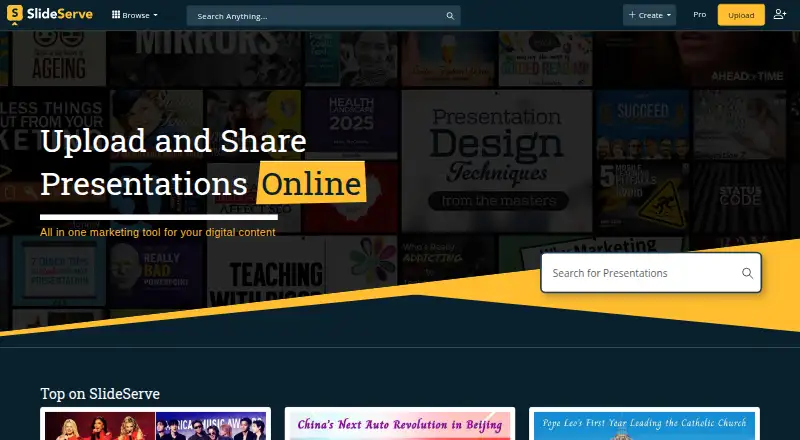
What SlideServe is
SlideServe hosts presentations and documents online for viewing, sharing, and downloading. Its web-based creator lets users select a design, add text and shapes, build slides, and publish a presentation. Users can also upload PPT, PPS, PPTX, PPSX, POT, POTX, PDF, and video files up to 100 MB. Uploaded material can be published as a slideshow, a scroll-style document, or a 3D flipbook. Publishers can set visibility and decide whether viewers may download their content. Depending on the subscription, content may be public, available to anyone with its link, or password-protected. Sharing options include social networks, email, and an embed code. The Basic plan includes 100 uploads and 10 daily uploads. Pro costs $19.99 a month and includes unlimited uploads, 100 daily uploads, and up to 10 video uploads per day, along with analytics, lead generation, ad-free pages, high-quality video uploads, surveys, quizzes, branded pages, and priority support. SlideServe describes its users as individuals sharing presentations and organizations archiving documents or promoting branded content. The service is web-only, and its pricing page lists app integrations as coming soon.
Who it suits
SlideServe suits individuals who want to publish and share presentations online, as well as organizations archiving documents or promoting branded content. Pro may suit publishers who need analytics, lead generation, or its additional publishing features.
What it does well
- Create slides online or upload presentations and documents
- Publish uploads as slideshows, scroll-style documents, or 3D flipbooks
- Choose content visibility and whether viewers can download
- Share by social network, email, or embed code
- Pro includes analytics, lead generation, and priority support
What to know first
- The service is web-only
- Uploads are limited to 100 MB each
- Surveys require a Pro account
- App integrations are marked as coming soon
Limits
Basic includes 100 uploads and 10 daily uploads. Pro costs $19.99 a month and includes unlimited uploads, 100 daily uploads, and up to 10 video uploads per day; surveys require Pro.
Plans
| Plan | Billed and limits | Price |
|---|---|---|
| Pro | $19.99/month; automatically renewed, cancellable at any time · Unlimited uploads · 100 daily uploads · 10 video uploads per day · Detailed analytics · Lead generation · Priority support | $19.99 a month |
| Basic | 100 uploads · 10 daily uploads | Free |
As slideserve.com lists them, read 7 Oct 2026. The maker's own page has the final word.
Getting started
- Open SlideServe in a web browser.
- Create slides with the online creator, or upload a supported presentation, document, or video file.
- Choose whether the published content is public or private and whether viewers can download it.
- Publish the content as a slideshow, scroll-style document, or 3D flipbook.
- Share using a social network, email, or an embed code.
- Choose Basic or Pro according to the upload allowances and features you need.
Verdict
Choose SlideServe to create or host presentations and documents for online viewing and sharing, with visibility and download controls. Pro is the paid option for higher upload allowances and added publishing tools; look elsewhere if you need a listed app integration or a non-web platform.
Questions
Is SlideServe free?
SlideServe offers a Basic plan. Its pricing details list 100 uploads and 10 daily uploads for Basic.
How much does Pro cost?
Pro costs $19.99 a month. It automatically renews and can be cancelled at any time.
What file types can I upload?
Uploads support PPT, PPS, PPTX, PPSX, POT, POTX, PDF, and video files, up to 100 MB.
Can I control who sees or downloads a presentation?
The upload form offers public or private visibility and a download choice. Depending on the plan, content can also be link-accessible or password-protected.
What does Pro include?
Pro includes detailed analytics, lead generation, ad-free pages, high-quality video uploads, surveys, quizzes, branded pages, and priority support.
Where is SlideServe based?
SlideServe lists its headquarters as London, UK.
Facts from SlideServe's own pages
- Free plan
- Yes · slideserve.com, 20 Sept 2026
- Headquarters
- London, UK · slideserve.com, 28 Sept 2026
- Integrations
- The pricing page lists app integrations as “Coming Soon.” · slideserve.com, 7 Oct 2026
- Intended users
- SlideServe describes its audience as including individuals sharing presentations and organizations archiving presentations or documents and promoting branded content. · slideserve.com, 7 Oct 2026
- PowerPoint import
- Yes · slideserve.com, 20 Sept 2026
- Presentation creator
- Its online creator lets users choose a design, add text and shapes, create slides, and publish presentations. · slideserve.com, 7 Oct 2026
- Privacy and security
- SlideServe says payment vendors process payment information and that it does not ordinarily directly collect or store card numbers. · slideserve.com, 7 Oct 2026
- Privacy controls
- Depending on the subscription plan, uploaded content can be public, accessible to anyone with its link, or password-protected. · slideserve.com, 7 Oct 2026
- Privacy options
- The upload form offers public or private visibility and lets publishers choose whether users can download content. · slideserve.com, 7 Oct 2026
- Pro features
- Pro includes detailed analytics, lead generation, ad-free pages, high-quality video uploads, surveys, quizzes, branded pages, and priority support. · slideserve.com, 7 Oct 2026
- Publishing formats
- Uploaded content can be published as a slideshow, scroll-style document, or 3D flipbook. · slideserve.com, 7 Oct 2026
- Service
- SlideServe hosts presentations and documents for people to view, share, and download online. · slideserve.com, 7 Oct 2026
- Sharing
- Published presentations can be shared through Facebook, Twitter, Google Plus, Pinterest, email, and an embed code. · slideserve.com, 7 Oct 2026
- Support
- SlideServe lists priority support as a Pro feature and directs support queries to its support team by email. · slideserve.com, 7 Oct 2026
- Supported platforms
- web · slideserve.com, 20 Sept 2026
- Survey limit
- The online survey page says a SlideServe Pro account is required to use the survey feature. · slideserve.com, 7 Oct 2026
- Upload formats
- Uploads support PPT, PPS, PPTX, PPSX, POT, POTX, PDF, and video files, with a maximum file size of 100 MB. · slideserve.com, 7 Oct 2026
Where SlideServe stands on Freedom251
- Presentation software#40 of 93
- Presentation Sharing Software#20 of 27