Freedom251 › School Communication Software
Skool Loop
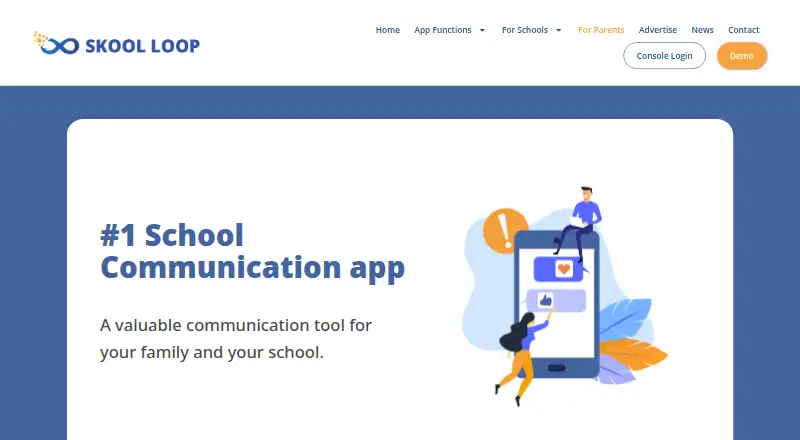
What Skool Loop is
Skool Loop is a parent-teacher communication app for school notices, appointments, interviews and other school updates. Parents can receive newsletters and push notifications, check the school calendar, choose interview times offered by teachers, respond to permission slips and find school contacts. The app also supports absentee messaging: its send-text option opens the phone’s messaging function, where standard phone plan charges may apply. Parents can subscribe to notice groups so updates reach them from the school channels they select. Translation is available between English, German and Mandarin. The school calendar can connect to a school Google calendar or student management system and synchronize with other calendar programs. Skool Loop is available for Android and iOS and caters to schools in Australia, New Zealand and Fiji. The maker says parent form information goes to the selected school and is not accessed by Skool Loop or sold for database use. It also says data is hosted on AWS, browsers connect to the backend over HTTPS, stored passwords are encrypted, and files are held in private storage with controlled access. Parents use the app free; schools have a free option and a paid subscription with a small monthly fee.
Who it suits
Skool Loop suits parents and school communities looking for mobile access to notices, calendars, interviews and school forms. It is intended for schools in Australia, New Zealand and Fiji, and parents need to subscribe to the notice groups they want to follow.
What it does well
- Free for parents.
- Available on Android and iOS.
- Offers school calendars, interviews and permission slips.
- Translations cover English, German and Mandarin.
- Calendar can connect to Google calendars or student management systems.
What to know first
- Parents receive notices only from groups they subscribe to.
- A school may not appear if it has not signed up.
- Absentee texts may incur standard phone plan charges.
Limits
Parents receive notices only from the groups they subscribe to, and a school may not appear if it has not signed up. The absentee send-text option uses the phone’s messaging function, so standard phone plan charges may apply.
Plans
| Plan | Billed and limits | Price |
|---|---|---|
| Skool Loop App | Free for schools and parents on the Australia parents page | Free |
As skoolloop.com lists them, read 8 Oct 2026. The maker's own page has the final word.
Getting started
- Open the Skool Loop parent website.
- Install the app on an Android or iOS device.
- Check whether your school is available on the service.
- Subscribe to the notice groups you want to receive updates from.
- Use the school calendar, interview slots, forms or messaging features as needed.
Skool Loop brings school notices, dates and routine parent-school tasks into a mobile app for families in Australia, New Zealand and Fiji. It is most useful when a child’s school has adopted it and uses its notice groups and calendar tools; parents pay nothing, but the app cannot replace communication channels their school does not use.
Overview
The app gathers newsletters, push notifications, school contacts, permission slips, interview bookings and absence messages in one place. Parents can follow selected notice groups, which can keep updates focused but puts the onus on families to subscribe to the channels they need. A school must sign up before its community can use Skool Loop.
The calendar can connect to a school Google calendar or student management system and synchronize with other calendar programs. This makes it a practical option for families who want school dates alongside their other calendar entries, provided the school has connected its calendar.
Skool Loop says it serves schools in Australia, New Zealand and Fiji. Its stated translation languages are English, German and Mandarin, a narrower range than some families may need.
Key features
School communication and tasks
Newsletters, notices and push alerts cover routine updates, while permission slips and school contacts support everyday school administration. Interview booking lets parents choose from time slots teachers make available; that is useful for coordinating meetings, though it depends on the school using the feature.
Absences and translations
The absentee send-text option opens the phone’s messaging function rather than sending a message inside the app, so standard phone-plan charges may apply. Translation between English, German and Mandarin can help families who use those languages, but does not cover every language community.
Privacy and security
Skool Loop says it hosts data on AWS, uses HSTS so browsers connect to its backend over HTTPS, encrypts stored passwords and keeps images and documents in private storage with controlled access. It also says information entered in forms is directed to the selected school and is not accessed by Skool Loop or sold for database use. The school app page says the service has been assessed by Safer Technologies 4 Schools, an Australian and New Zealand government education initiative.
Pricing
The parent app is free, and the Australia parents page describes it as free for parents. The school app page offers a free option as well as a paid subscription with a small monthly fee; paid school access has custom pricing. The free school option is the natural starting point for schools evaluating the service, while schools needing a paid subscription should request its current price before budgeting.
The plan named Skool Loop App is free. Parents do not pay for access, but sending an absence text through the phone’s messaging function may incur the phone plan’s standard charges. No parent subscription tier is described.
Platforms
Skool Loop has Android and iOS apps. The service also supports SMS notifications, family and staff mobile app coverage, and SIS integrations. The app’s usefulness for any family still depends on its school being a participating school.
Who it's for
Skool Loop suits parents whose school uses it for notices, calendars, interviews or permission slips, especially families who want school dates synchronized with another calendar. It is a weaker fit for families whose school has not signed up, or for parents who need notices from channels they have not subscribed to. Schools in Australia, New Zealand and Fiji are the stated service audience.
Pros and cons
Pros
- Free for parents: families can use the parent app without a subscription charge.
- Several routine tasks in one app: notices, calendar information, interview slots, permission slips and school contacts are covered.
- Calendar connections and SIS integration: schools can link a Google calendar or student management system, and the calendar can synchronize with other calendar programs.
- Published security measures: the maker describes HTTPS transport, encrypted passwords and controlled private file storage, and says the service has undergone an ST4S assessment.
Cons
- School participation is essential: a family cannot use it for a school that has not signed up.
- Parents must select notice groups: updates arrive only for subscribed groups, so families can miss messages if they do not follow the relevant channels.
- Absence texting may cost extra: the option opens the phone’s messaging service, where normal plan charges may apply.
- Three named translation languages: English, German and Mandarin may not serve every family.
Alternatives
School Communication Software is a useful starting point for comparing school communication apps. Consider ClassDojo instead if you want its free teacher messaging, class points and class story updates; it also offers a free trial and web access.
Remind is worth considering if its free Remind Chat plan’s two-way text messaging, app integrations and limits of 10 classes and 150 participants per class suit your needs. School Stream is another free-for-families option, with a school plan described as one simple fee billed annually.
Schoolvoice may fit schools looking for a free plan with unlimited parent messaging and core features, or a paid Advanced plan at $15 a year. TalkingPoints offers free individual teacher access with two-way translated family messaging, making it an alternative when that messaging model is the priority.
Schoolzine SZapp is a free parent app for families at participating schools. Bloomz may suit schools that want a paid Essentials plan at $3 a year, which includes 250+ language translation and unlimited messaging; annual minimums apply to smaller schools and districts. BrightArrow is an alternative for buyers considering a paid automated messaging service with usage limits defined at purchase and additional fees if those limits are exceeded.
Verdict
Choose Skool Loop when your school already uses it and you want a free parent app for its notices, calendar, interviews and forms. Its combination of routine school tasks and calendar connections is useful, but school participation and notice-group subscriptions determine what families receive. If your school is not on the service, or your family needs a different communication model or broader translation coverage, compare alternatives before relying on it.
Verdict
Choose Skool Loop if your school uses it and you want notices, calendar information and school tasks in a parent app. Check whether your school has signed up and subscribe to the notice groups you need; sending an absentee text may carry your phone plan’s standard charges.
Questions
Is Skool Loop free for parents?
Yes. The parent page says the app is completely free for parents.
What does Skool Loop cost schools?
Schools have a free option and a paid subscription with a small monthly fee. The school pricing information gives no amount.
Which devices support Skool Loop?
The app is available on Android and iOS.
Which languages does it translate?
The app offers translation between English, German and Mandarin.
Where is Skool Loop available?
The service caters to schools in Australia, New Zealand and Fiji.
How does absentee messaging work?
The send-text option opens the phone’s messaging function. Standard phone plan charges may apply.
Facts from Skool Loop's own pages
- Absentee texts
- The app's absentee send-text option opens the phone's messaging function; standard phone plan charges may apply. · skoolloop.com, 8 Oct 2026
- Audience
- The app is intended for parents and school communities, and the maker says it serves schools in Australia, New Zealand and Fiji. · skoolloop.com, 8 Oct 2026
- Availability
- The parent page says the service caters to schools in New Zealand, Australia, and Fiji. · skoolloop.com, 8 Oct 2026
- Calendar integration
- The school calendar can connect to a school Google calendar or student management system and synchronize with other calendar programs. · skoolloop.com, 8 Oct 2026
- Core functions
- App functions include newsletters, push notifications, a school calendar, interviews, permission slips, absentee messaging, translations, school contacts, and notices. · skoolloop.com, 8 Oct 2026
- Cost for parents
- The parent page says the app is completely free for parents. · skoolloop.com, 8 Oct 2026
- Features
- App functions include newsletters, push notifications, a school calendar, interviews, permission slips, absentee messaging, translations, school contacts and notices. · skoolloop.com, 8 Oct 2026
- Hosting and transport security
- The maker says Skool Loop data is hosted on AWS and HSTS ensures browsers connect to its backend over HTTPS. · skoolloop.com, 8 Oct 2026
- Interviews
- Parents can choose from interview time slots made available by teachers. · skoolloop.com, 8 Oct 2026
- Languages
- The parent page names English, German, and Mandarin as available app translation languages. · skoolloop.com, 8 Oct 2026
- Notable limit
- Parents receive notices only for the notice groups they have subscribed to, and a school may not appear if it has not signed up for the service. · skoolloop.com, 8 Oct 2026
- Notice groups
- Parents can subscribe to selected notice groups to receive communication from those groups or channels. · skoolloop.com, 8 Oct 2026
- Platforms
- The maker says the app is available on Android and iOS. · skoolloop.com, 8 Oct 2026
- Privacy
- The parent page says information entered in app forms is directed to the selected school and is not accessed by Skool Loop or sold for database use. · skoolloop.com, 8 Oct 2026
- Purpose
- Skool Loop is a parent-teacher communication app for school notices, appointments, interviews, and other school updates. · skoolloop.com, 8 Oct 2026
- School pricing
- The school app page says a free option and a paid subscription with a small monthly fee are available, but gives no current amount. · skoolloop.com, 8 Oct 2026
- Security
- The maker says data is hosted on AWS, browsers use HSTS to connect to the backend over HTTPS, passwords are encrypted, and files are kept in private storage with controlled access. · skoolloop.com, 8 Oct 2026
- Security assessment
- The school app page says Skool Loop has been assessed by Safer Technologies 4 Schools (ST4S), an Australian and New Zealand government education initiative. · skoolloop.com, 8 Oct 2026
- Stored data security
- The maker says stored passwords are encrypted and images and documents are kept in private storage with controlled secure access. · skoolloop.com, 8 Oct 2026
- Support
- The contact page directs app users to customer support via its chat box or the app enquiry email [email protected]. · skoolloop.com, 8 Oct 2026
- Translations
- The app offers translations between English, German and Mandarin. · skoolloop.com, 8 Oct 2026
Where Skool Loop stands on Freedom251
- School Communication Software#10 of 29