Freedom251 › School Communication Software

ClassDojo
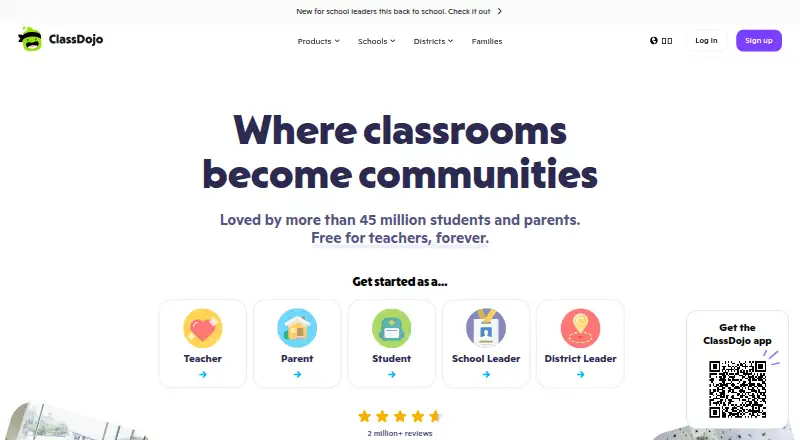
What ClassDojo is
ClassDojo is a school communication app for teachers, families, and children. Teachers can share class updates and learning moments through photos, videos, and messages, and use feedback points to recognize students’ skills and behaviors. Private teacher-family messaging supports direct contact, while class story updates give families a way to follow what is happening in class. The core ClassDojo plan is free and includes teacher messaging, class points, and class story updates. Families can optionally subscribe to ClassDojo Plus, which offers Homework Helper and more than 2,000 Magic Books stories. Plus can also add school events automatically to a Google or Apple calendar, and the subscription can be shared with up to three other grown-ups. ClassDojo is available on the web, iOS, and Android. Its latest app requires iOS 17 or later or Android 8 or later; Kindle devices are no longer supported. Teachers can also use ClassDojo alongside Google Classroom to communicate with families and engage students. ClassDojo says it complies with COPPA and FERPA, and with GDPR in Europe, and is certified by iKeepSafe. It says information is stored with AWS, encrypted in transit and at rest, and restricted to authorized users.
Who it suits
ClassDojo suits teachers who want to share class updates, recognize student behavior, and message families privately. It also suits families who want to follow learning moments and, with Plus, use Homework Helper, Magic Books, and calendar event syncing.
What it does well
- Free core plan includes messaging, class points, and story updates.
- Teachers can recognize student skills and behaviors with feedback points.
- Plus includes Homework Helper and more than 2,000 Magic Books stories.
- Plus can add school events to Google or Apple calendars.
- Plus can be shared with up to three other grown-ups.
- Available on web, iOS, and Android.
What to know first
- The latest iOS app requires iOS 17 or later.
- The latest Android app requires Android 8 or later.
- Kindle devices are no longer supported.
Limits
The free plan covers teacher messaging, class points, and class story updates. Plus is an optional subscription with a 7-day free trial; the latest apps require iOS 17 or later or Android 8 or later, and Kindle devices are unsupported.
Plans
| Plan | Billed and limits | Price |
|---|---|---|
| ClassDojo | Core experience: teacher messaging · class points · class story updates | Free |
| ClassDojo core | Messaging · class points · class story updates · free for schools and teachers | Free |
| ClassDojo Plus annual | in-app purchase · Enhanced messaging · progress reports · Memories · calendar sync · Homework Helper · Magic Books | $69.99 a year |
| ClassDojo Plus monthly | in-app purchase · Enhanced messaging · progress reports · Memories · calendar sync · Homework Helper · Magic Books | $7.99 a month |
| ClassDojo Plus | Monthly or annual subscription; prices are not stated on the page. · Optional family subscription · 7-day free trial · share with up to 3 other grown-ups | On request |
As classdojo.com lists them, read 8 Oct 2026. The maker's own page has the final word.
Getting started
- Visit the ClassDojo website or use its web, iOS, or Android platform.
- Use the free ClassDojo plan for teacher messaging, class points, and story updates.
- Families can choose the optional ClassDojo Plus subscription, which includes a 7-day free trial.
- Use a supported iOS or Android version if installing the latest app.
ClassDojo brings teachers, families, and children together to share classroom updates and recognize student behavior. It is a strong fit for school communities that want those basics in one place, with optional learning and calendar tools for families who need more.
Overview
ClassDojo links school and home through private teacher-family messages, class updates, and photos or videos of learning. Teachers can award feedback points for students’ skills and behaviors, while activity monitoring helps keep classroom participation visible. The result is a focused communication and behavior tool rather than a broad school administration suite.
Teachers can use ClassDojo alongside Google Classroom to communicate with families and engage students. ClassDojo says it complies with COPPA and FERPA, follows GDPR in Europe, and holds iKeepSafe certification. It says data is stored with AWS, encrypted in transit and at rest, and restricted to authorized users; it also says it does not share user or student information with advertisers or marketers.
Key features
Family communication and class updates
Private messaging gives teachers a direct channel to families, and class updates let them share learning moments with the wider class community. Photos and videos can make those updates more concrete. This is useful for keeping families connected to school life, though the core plan’s emphasis is communication rather than a full learning-management toolkit.
Feedback points and activity monitoring
Teachers can use feedback points to recognize skills and behaviors, making ClassDojo a practical choice for classrooms that want behavior recognition alongside family communication. These tools suit ongoing classroom engagement; schools seeking a broader management system should compare alternatives built for that purpose.
Plus learning and calendar tools
ClassDojo Plus adds Homework Helper, more than 2,000 Magic Books stories, and automatic school-event syncing to Google or Apple calendars. These additions are aimed at families who want learning resources and calendar coordination at home. The subscription can be shared with up to three other grown-ups, but it is optional and the core messaging, points, and class updates remain free.
Pricing
| Plan | Price and terms | What it includes |
|---|---|---|
| ClassDojo | free | Teacher messaging, class points, and class story updates. |
| ClassDojo Plus | Price not listed; monthly or annual subscription, with a 7-day free trial | Optional family subscription with Homework Helper, Magic Books, automatic Google or Apple calendar syncing, and sharing with up to three other grown-ups. |
The free plan covers the main teacher-to-family communication and classroom recognition features, making it the sensible starting point for teachers and families who need those basics. Plus is for families who will use its extra learning content or calendar syncing; its monthly and annual terms are stated, but its price is not.
Platforms
ClassDojo is available on web, iOS, and Android. The latest app requires iOS 17 or later or Android 8 or later, and Kindle devices are no longer supported. That makes it a poor fit for households relying on Kindle hardware or older phones that cannot meet those requirements.
Who it's for
ClassDojo suits teachers and families who want regular school-to-home communication, shared class updates, and a way to recognize student behavior. Families who want Homework Helper, Magic Books, or event syncing can consider Plus. Schools looking for features beyond communication and classroom engagement should compare options in School Communication Software or Classroom Management Software.
Pros and cons
Pros
- The free plan combines teacher messaging, class updates, and feedback points, covering common classroom-to-home needs without a subscription.
- Plus adds more than 2,000 stories and calendar syncing, with sharing for up to three other grown-ups.
- ClassDojo says it encrypts data in transit and at rest, restricts access to authorized users, and does not share user or student information with advertisers or marketers.
Cons
- Kindle devices are unsupported, and the latest app requires iOS 17 or Android 8 or later.
- The core plan centers on messaging, updates, and points; schools seeking a wider set of school-management tools may need another product.
Alternatives
Remind is worth considering for schools that need two-way text messaging and app integrations: its free Remind Chat plan allows 10 classes per account and 150 participants per class.
School Stream may suit communities that want free family access, with a school plan billed annually at a price not listed.
Schoolvoice offers a free plan with unlimited parent messaging for every student; its Advanced plan is $15 a year, billed once per year.
Skool Loop is another free option for schools and parents, with Android and iOS apps.
TalkingPoints may be a better match for individual teachers who need two-way translated family messaging, which it offers free.
Schoolzine SZapp is free for parents to download and use through participating schools.
Bloomz offers an Essentials plan at $3 a year, billed annually, with 250+ language translation and unlimited messaging; annual minimums apply to smaller schools and districts.
BrightArrow is a paid automated messaging service with annual subscription terms; usage limits are defined at purchase and additional fees apply if they are exceeded.
Verdict
Choose ClassDojo if you want a free, focused way to connect teachers and families while recognizing student skills and behavior. Its optional Plus plan adds useful home learning and calendar tools, but families who need only the core communication features can stay on the free plan. Look elsewhere if Kindle support is essential or if your school needs a broader set of management tools.
Verdict
Choose ClassDojo if you need a free way for teachers to share class updates, recognize student behavior, and communicate with families. Families seeking Homework Helper, Magic Books, or calendar syncing need the optional Plus subscription; those using Kindle devices cannot use the latest app.
Questions
Is ClassDojo free?
Yes. The ClassDojo plan is free and includes teacher messaging, class points, and class story updates.
What does ClassDojo Plus include?
Plus includes Homework Helper and access to more than 2,000 Magic Books stories. It can also automatically add school events to a Google or Apple calendar.
Is there a free trial?
ClassDojo Plus has a 7-day free trial.
Which platforms support ClassDojo?
ClassDojo is available on the web, iOS, and Android. The latest app requires iOS 17 or later or Android 8 or later, and Kindle devices are no longer supported.
Can teachers use ClassDojo alongside Google Classroom?
Yes. ClassDojo provides a resource describing how teachers can use it alongside Google Classroom to communicate with families and engage students.
What privacy protections does ClassDojo describe?
ClassDojo says it complies with COPPA and FERPA, and GDPR in Europe, and is certified by iKeepSafe. It says information is stored with AWS, encrypted at rest and in transit, and restricted to authorized users.
Facts from ClassDojo's own pages
- Advertising
- ClassDojo says it does not share user or student information with advertisers or marketers. · classdojo.com, 8 Oct 2026
- API status
- ClassDojo is exploring an API and MCP server, but says access is not yet available and invites developers to request early access. · classdojo.com, 14 Oct 2026
- Calendar integration
- ClassDojo Plus can automatically add school events to a Google or Apple calendar. · classdojo.com, 8 Oct 2026
- Calendar integrations
- Plus can synchronize school events with Google or Apple calendars. · classdojo.com, 14 Oct 2026
- Classroom tools
- Teachers can use feedback points to recognize student skills and behaviors. · classdojo.com, 8 Oct 2026
- Company identity
- Crunchbase identifies the legal name as ClassDojo, Inc., founded by Sam Chaudhary and Liam Don. · crunchbase.com, 14 Oct 2026
- Company profile
- LinkedIn lists ClassDojo as a privately held San Francisco software company founded in 2011 with 51–200 employees. · linkedin.com, 14 Oct 2026
- Data protection
- ClassDojo says information is stored with AWS, encrypted at rest and in transit, and restricted to authorized users. · classdojo.com, 8 Oct 2026
- Documentation and support
- The Help Center is organized into family, school and district, and privacy-and-safety sections with searchable support articles. · help.classdojo.com, 14 Oct 2026
- Events
- The Events calendar provides automatic reminders for school activities. · classdojo.com, 14 Oct 2026
- Family communication
- ClassDojo supports private teacher-family messaging and class updates. · classdojo.com, 8 Oct 2026
- Funding
- A 2022 industry report states ClassDojo raised $125 million in Series D funding in July 2022 at a reported $1.3 billion post-money valuation. · capstonepartners.com, 14 Oct 2026
- Google Classroom
- ClassDojo provides a resource describing how teachers can use it alongside Google Classroom to communicate with families and engage students. · classdojo.com, 8 Oct 2026
- Headquarters
- San Francisco, California, United States · classdojo.com, 28 Sept 2026
- Homework Helper
- ClassDojo Plus includes photo-based, step-by-step AI homework guidance intended to build confidence rather than provide direct answers. · classdojo.com, 14 Oct 2026
- Integrations
- Capterra lists integrations or catalog connections including Google Workspace, Slack, Asana, SurveyMonkey, Zendesk Suite and SendGrid. · capterra.com, 14 Oct 2026
- Licence
- The service is proprietary; its terms reserve intellectual-property ownership to ClassDojo or licensors and prohibit reverse engineering. · github.com, 14 Oct 2026
- Limit: account and privacy management
- Capterra reports recurring complaints about confusing account setup, profile switching and privacy controls. · capterra.com, 14 Oct 2026
- Limit: notifications
- Capterra identifies inconsistent or excessive notifications, including delayed or missed alerts, as a recurring complaint. · capterra.com, 14 Oct 2026
- Limit: pricing
- An App Store reviewer considered Plus expensive for features such as read statuses and extra content. · apps.apple.com, 14 Oct 2026
- Limit: reliability
- Capterra includes reports that messages sometimes arrive late and the app can crash. · capterra.com, 14 Oct 2026
- Limit: usability and upselling
- Google Play reviewers report a cluttered interface, frequent promotional messages and difficulty understanding where to focus. · play.google.com, 14 Oct 2026
- Magic Books
- ClassDojo Plus provides access to more than 2,000 selected children’s stories. · classdojo.com, 14 Oct 2026
- Messaging
- Messages support communication among teachers, families and staff and are automatically translated into more than 190 languages. · classdojo.com, 14 Oct 2026
Where ClassDojo stands on Freedom251
- School Communication Software#1 of 29
- K-12 Software#2 of 26
- Classroom Management Software#3 of 25