Freedom251 › AI Sketch-to-Image Generators
Sketch To
What Sketch To is
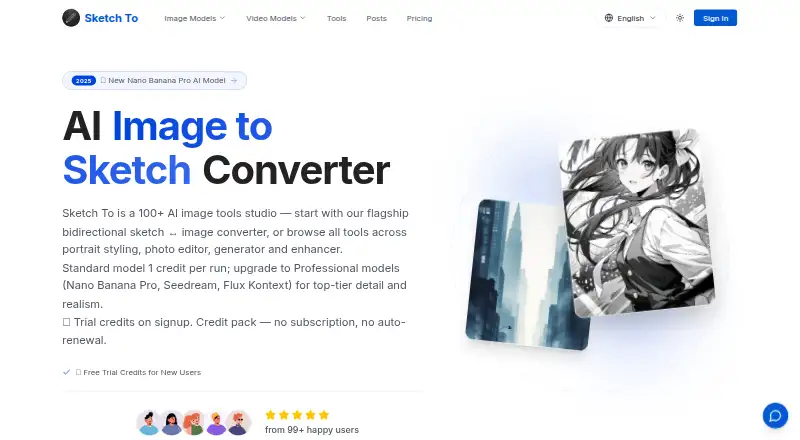
Sketch To is a bilingual AI creation studio on the web for turning sketches, photos, or text ideas into images or videos. Its catalog contains more than 100 focused image and video tools, including photo-to-sketch and sketch-to-image conversion, portrait styling, image editing, enhancement, and generation. New users receive four credits at signup without a credit card. A generated image typically uses two credits, while advanced features or higher resolutions may consume more. Basic costs $95.88 a year, billed $95.88/year, and includes 2,400 credits, standard generation, personal-use rights, image history, and standard-quality downloads. Pro costs $191.88 a year and includes 9,600 credits, a commercial license, priority support, and priority email support. Subscription credits reset each billing cycle; purchased packs remain valid for one year. Results appear in a private History for reuse, download, sharing, or deletion. Sign-in supports Google, GitHub, and Google One Tap, with JPG, PNG, and WEBP exports.
Who it suits
Sketch To suits hobbyists and people making drafts through its Standard model. Its Professional model and commercial license target professional creators and commercial projects.
What it does well
- More than 100 image and video tools
- Four signup credits require no card
- Sketch and image-to-image inputs supported
- Private History allows reuse and deletion
- Pro plan includes commercial rights
What to know first
- Basic images are for personal use
- Advanced features may use extra credits
- Subscription credits reset each billing cycle
- The service is web-based
Limits
The signup allowance is four credits, and a typical generated image uses two credits. Basic provides 2,400 annual credits for personal use, while Pro provides 9,600 annual credits and commercial licensing; advanced features or higher resolutions may consume more.
Plans
| Plan | Billed and limits | Price |
|---|---|---|
| Pro | $191.88/year · 9600 credits (≈ 4800 images / year) · Commercial License · Priority Support · Priority email support | $191.88 a year |
| Basic | $95.88/year · 2400 credits (≈ 1200 images / year) · Standard Generation · Personal use · Image history · Standard Quality Download | $95.88 a year |
As sketchto.com lists them, read 7 Oct 2026. The maker's own page has the final word.
Getting started
- Open the Sketch To website
- Sign in with Google, GitHub, or Google One Tap
- Start with the four signup credits without adding a credit card
- Choose the Basic or Pro annual plan if needed
- Create images or videos, and convert photos to sketches or sketches to images, then use History to download or share results
Verdict
Sketch To offers varied sketch, photo, text, image, and video creation tools with a small signup credit allowance. Commercial use requires Pro, while credit rules and annual billing shape ongoing use.
Questions
Does Sketch To have a free plan?
Yes. New users receive four free credits on signup, and no credit card is required.
How much do the paid plans cost?
Basic is $95.88 a year, billed $95.88/year. Pro is $191.88 a year, billed $191.88/year.
Can I use creations commercially?
Basic images are for personal use. Pro subscribers can use their creations commercially.
Which platforms and formats are supported?
Sketch To runs on the web. Exports are available in JPG, PNG, and WEBP.
How do credits work?
One generated image typically uses two credits, with advanced features or higher resolutions potentially using more. Subscription credits reset at the start of each billing cycle, while purchased packs remain valid for one year.
Facts from Sketch To's own pages
- Commercial rights
- The pricing page says Basic images are for personal use and Pro subscribers can use their creations commercially. · sketchto.com, 7 Oct 2026
- Credit expiry
- Subscription credits reset at the start of each billing cycle; purchased credit packs are one-time purchases that remain valid for one year. · sketchto.com, 7 Oct 2026
- Credit use
- The pricing page says one generated image typically uses 2 credits, and advanced features or higher resolutions may use more. · sketchto.com, 7 Oct 2026
- History and results
- The About page says generated results appear in a private History where users can reuse, download, share, or delete them. · sketchto.com, 7 Oct 2026
- Image conversion
- Its tools convert photos to sketches and sketches to images. · sketchto.com, 7 Oct 2026
- Other capabilities
- The site lists portrait styling, image editing, image enhancement, and image and video generation among its offerings. · sketchto.com, 7 Oct 2026
- Privacy and security
- The privacy policy says the service uses encryption in transit, access controls, and regular reviews, and does not store full card numbers on its servers. · sketchto.com, 7 Oct 2026
- Support
- The site lists [email protected] for questions, feedback, or bug reports. · sketchto.com, 7 Oct 2026
- Supported sign-in
- The About page says users can sign in with Google, GitHub, or Google One Tap. · sketchto.com, 7 Oct 2026
- Tool catalog
- The site says it offers more than 100 focused image and video tools. · sketchto.com, 7 Oct 2026
- Trial credits
- New users receive 4 free credits on signup, with no credit card required. · sketchto.com, 7 Oct 2026
- What it does
- Sketch To describes itself as a bilingual AI creation studio for turning sketches, photos, or text ideas into images or videos. · sketchto.com, 7 Oct 2026
- Who it is for
- The site describes the Standard model for hobbies and drafts and the Professional model for commercial projects and professional creators. · sketchto.com, 7 Oct 2026
Where Sketch To stands on Freedom251
- AI Sketch-to-Image Generators#19 of 29