Freedom251 › Container Registries
Singularity Registry HPC
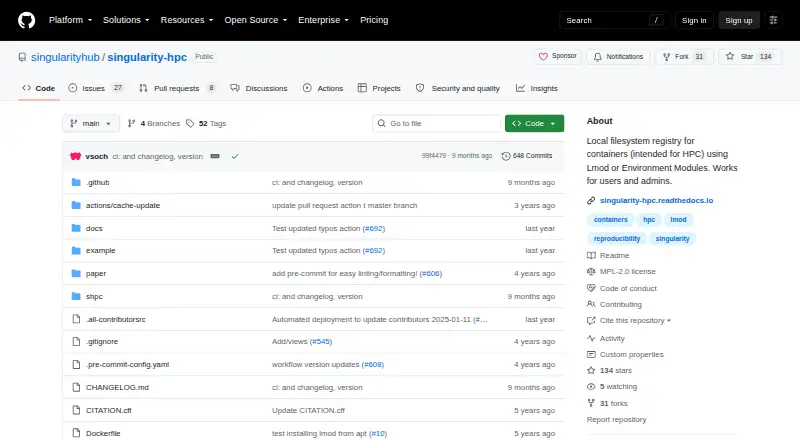
What Singularity Registry HPC is
Singularity Registry HPC, also known as shpc, installs container images as modules for high-performance computing environments. It is aimed at Linux cluster administrators and users who manage custom modules or obtain Singularity images as GitHub packages. A module system is required: shpc supports Lmod and Environment Modules (Tcl). Its documentation lists Singularity, Podman, and Docker as supported container technologies, and the selected technology must already be installed and available on the system path before container modules can be installed.
Users can install community recipes or create their own, using registries from remote GitHub repositories or local filesystem directories; the default registry is remote. Generated modules expose commands to run, execute, open a shell in, inspect, and manage containers. Configuration options include NVIDIA or AMD GPU support, X11 file binding, and a custom home path. Users can also create module views that group installed modules through symlinks, so containers need not be stored redundantly. The tool is available from source or PyPI, and installation adds the shpc executable to the user's path. It is free and open source under the MPL 2.0 license.
Who it suits
shpc suits Linux cluster administrators who need to manage containers through cluster module systems, as well as cluster users maintaining custom modules. It may also fit users who pull Singularity images as GitHub packages and want to work from community or local container recipes.
What it does well
- Supports both Lmod and Environment Modules (Tcl).
- Works with Singularity, Podman, and Docker.
- Recipes can come from GitHub repositories or local directories.
- Generated modules expose run, exec, shell, inspect, and container commands.
- Module views group installed modules through symlinks.
What to know first
- A module technology must be installed in every case.
- The selected container technology must be installed and available on PATH.
- Targets Linux cluster environments rather than general desktop use.
Plans
| Plan | Billed and limits | Price |
|---|---|---|
| Singularity Registry HPC | Open-source software under MPL-2.0 | Free |
As github.com lists them, read 11 Oct 2026. The maker's own page has the final word.
Getting started
- Open the project repository on GitHub.
- Install shpc from source or PyPI.
- Install a module system such as Lmod or Environment Modules (Tcl).
- Install the chosen container technology and make it available on the system path.
- Use community recipes or provide a local or remote registry of container recipes.
Verdict
Choose shpc if you manage containers in a Linux cluster and want them installed as modules using Lmod or Environment Modules. Look elsewhere if you do not have the required module system or a supported container technology installed on the system.
Questions
Is Singularity Registry HPC free?
Yes. It is free and open source under the MPL 2.0 license.
Which platforms does it support?
It is listed for API, Linux, and self-hosted use, and is intended for Linux cluster environments.
Which module systems can it use?
It supports Lmod and Environment Modules (Tcl), and a module technology is required.
Which container technologies are supported?
The documentation lists Singularity, Podman, and Docker. The selected technology must be installed and available on the system path to install container modules.
Where can recipes come from?
Users can draw on community recipes or write their own. Registries can be remote GitHub repositories or local filesystem directories, with remote as the default.
How can I install shpc?
It can be installed from source or PyPI. Installation adds the shpc executable to the user's path.
Facts from Singularity Registry HPC's own pages
- Community recipes
- The library provides community container module recipes, and users can create their own registry entries. · singularity-hpc.readthedocs.io, 11 Oct 2026
- Configuration
- Settings include module and container locations, registry sources, default container technology, and options such as GPU and X11 support. · singularity-hpc.readthedocs.io, 11 Oct 2026
- Container technologies
- The project lists Singularity, Podman, and Docker as supported container technologies. · github.com, 11 Oct 2026
- GPU and X11
- Configurable features include GPU options for NVIDIA or AMD, X11 file binding, and a custom home path. · singularity-hpc.readthedocs.io, 5 Oct 2026
- Installation
- The documentation describes installation from the repository and PyPI, while recommending a repository installation of a known release. · singularity-hpc.readthedocs.io, 11 Oct 2026
- Installation requirement
- The selected container technology must be installed and available on the system path to install container modules. · singularity-hpc.readthedocs.io, 5 Oct 2026
- Intended users
- The project describes use by Linux cluster administrators and cluster users who manage custom modules or pull Singularity images as GitHub packages. · github.com, 5 Oct 2026
- License
- The GitHub repository identifies the code license as MPL 2.0. · github.com, 11 Oct 2026
- Local or remote registries
- The tool can search local filesystem registries or remote GitHub repositories for container recipes, and its default registry is remote. · singularity-hpc.readthedocs.io, 11 Oct 2026
- Module commands
- Generated modules provide commands for run, exec, shell, inspect, and container operations. · singularity-hpc.readthedocs.io, 11 Oct 2026
- Module systems
- It supports Lmod and Environment Modules, and a module technology is required in all cases. · github.com, 11 Oct 2026
- Purpose
- Singularity Registry HPC installs containers as modules for high-performance computing environments. · singularity-hpc.readthedocs.io, 11 Oct 2026
- Registries
- shpc can use remote GitHub repositories or local filesystem directories as registries for container recipes. · singularity-hpc.readthedocs.io, 5 Oct 2026
- Requirements
- A module system must be installed, and the selected container technology must be installed and available on PATH to install container modules. · singularity-hpc.readthedocs.io, 11 Oct 2026
- Security
- The project pages reviewed do not state security certifications or compliance claims. · github.com, 5 Oct 2026
- Security and compliance
- The opened project and documentation pages do not state security certifications or compliance claims. · github.com, 11 Oct 2026
- Support
- The documentation directs users to the GitHub issue tracker for bugs and feature requests and to GitHub for contributions. · singularity-hpc.readthedocs.io, 11 Oct 2026
- Target users
- The project describes use by Linux administrators managing cluster containers, cluster users maintaining custom modules, and users pulling Singularity images as GitHub packages. · github.com, 11 Oct 2026
- Views
- Users can create module views that group installed modules using symlinks so containers are not stored redundantly. · singularity-hpc.readthedocs.io, 5 Oct 2026
Where Singularity Registry HPC stands on Freedom251
- Container Registries#25 of 60