Freedom251 › Lesson Planning Software
Simple Mondays
What Simple Mondays is
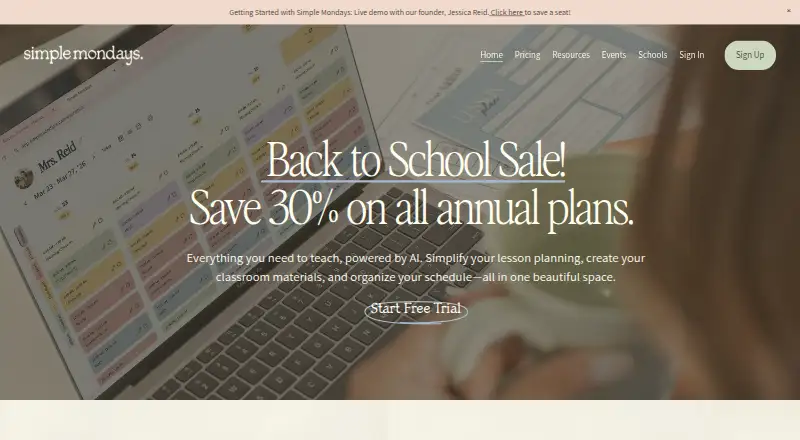
Simple Mondays brings an AI teacher planner, lesson planning, classroom material creation, and schedule organization together in a web platform for educators. Its AI tools can make curriculum-aligned lessons, worksheets, activities, rubrics, parent emails, unit plans, and differentiated resources. The planner offers day, week, and month views, with drag-and-drop lessons, to-dos, reminders, and support for fixed or rotating schedules. Teachers can add quick links, a random name picker, a timer, and an agenda to the class board. The Classroom Hub organizes class details and can track birthdays and returned permission forms. Essentials costs $14 a month, billed monthly, and includes 50 Teacher AI Tools uses per month. Pro costs $26 a month, billed monthly, and includes 200 uses, additional class board widgets, custom reports, student data tracking, and AI-generated report card comments. There is no free plan, but a 14-day trial is available. Schools can request custom pricing for onboarding, prioritized support, additional AI usage, and school branding.
Who it suits
Simple Mondays is intended for busy K–12 teachers who want planning, classroom materials, and schedules in one place. Schools can consider its custom-priced plan for staff onboarding and school branding.
What it does well
- AI can create curriculum-aligned lessons and classroom resources.
- Planner includes day, week, and month views.
- Supports fixed and rotating schedules.
- Classroom Hub tracks birthdays and returned permission forms.
- 14-day trial is available.
What to know first
- No free plan is listed.
- Essentials limits AI tools to 50 uses monthly.
- Advises against submitting identifiable student information.
Limits
Essentials provides 50 Teacher AI Tools uses per month, while Pro provides 200. The trial lasts 14 days, and school plans use custom pricing.
Plans
| Plan | Billed and limits | Price |
|---|---|---|
| Essentials | Monthly · Teacher AI Tools: 50 uses per month · Customizable digital planner · Class Board · Gradebook · Student dashboard | $14 a month |
| Pro | Monthly · Teacher AI Tools: 200 uses per month · Additional class board widgets · Custom reports · Student data tracking · AI-generated report card comments | $26 a month |
| Schools | Custom school pricing · Everything in Pro · Staff onboarding · Prioritized support · Additional AI usage · School branding | On request |
As simplemondays.ca lists them, read 7 Oct 2026. The maker's own page has the final word.
Getting started
- Open the Simple Mondays website
- Start the 14-day trial or select Essentials or Pro
- Sign up with Google
- Choose the planner and class board tools you need
- Create lessons, materials, schedules, and classroom information
- Contact the maker for custom school pricing
Verdict
Simple Mondays combines planning, classroom organization, and AI resource creation for educators. Check the monthly AI-use limits and privacy guidance before choosing a plan.
Questions
How much does Simple Mondays cost?
Essentials costs $14 a month, billed monthly. Pro costs $26 a month, billed monthly; Schools uses custom pricing.
Is there a free plan or trial?
There is no free plan. A 14-day trial is available.
What platforms are supported?
Simple Mondays is a web platform, with mobile access listed as web-only.
How many AI uses are included?
Essentials includes 50 Teacher AI Tools uses per month. Pro includes 200 uses per month.
What does the Schools plan include?
It includes everything in Pro, staff onboarding, prioritized support, additional AI usage, and school branding.
Can I sign in with Google?
Yes. Users can sign up via Google, and the stated policy says Google account data is not used for advertising or to train, develop, or improve AI or machine-learning models.
Facts from Simple Mondays's own pages
- AI content
- Its AI tools can generate curriculum-aligned lessons, worksheets, classroom activities, rubrics, parent emails, unit plans, and differentiated resources. · simplemondays.ca, 7 Oct 2026
- Audience
- The product is built for educators, and its site describes it as intended for busy K–12 teachers. · simplemondays.ca, 7 Oct 2026
- Class information
- The Classroom Hub lets teachers organize class information and track items such as birthdays and returned permission forms. · simplemondays.ca, 7 Oct 2026
- Classroom tools
- The class board can include widgets such as quick links, a random name picker, a timer, and an agenda. · simplemondays.ca, 7 Oct 2026
- Company
- The maker identifies the operator as 1001242485 Ontario Inc., doing business as Simple Mondays, and describes it as Canadian-owned and operated. · simplemondays.ca, 7 Oct 2026
- Google data policy
- The privacy policy says Google account data is not used for advertising or to train, develop, or improve AI or machine-learning models. · simplemondays.ca, 7 Oct 2026
- Integration
- Users can sign up via Google, and the privacy policy says Google account data is used for sign-in and requested platform functionality. · app.simplemondays.ca, 7 Oct 2026
- Planner
- The planner supports day, week, and month views, drag-and-drop lessons, to-dos, reminders, and fixed or rotating schedules. · simplemondays.ca, 7 Oct 2026
- Privacy and security
- The privacy policy describes commercially reasonable safeguards and encryption for sensitive information transmitted online, and advises users not to submit confidential or sensitive information, including identifiable student information. · simplemondays.ca, 7 Oct 2026
- Purpose
- Simple Mondays combines an AI teacher planner, lesson planning, classroom material creation, and schedule organization in one platform. · simplemondays.ca, 7 Oct 2026
- School option
- The school plan offers custom pricing and lists staff onboarding, prioritized support, additional AI usage, and school branding. · simplemondays.ca, 7 Oct 2026
- Support
- The contact page says the team aims to respond within 1–2 business days. · simplemondays.ca, 7 Oct 2026
Where Simple Mondays stands on Freedom251
- Lesson Planning Software#21 of 23
- AI Lesson Plan Generators#25 of 26