Freedom251 › Lesson Planning Software
GGC Digital Teacher Planner
What GGC Digital Teacher Planner is
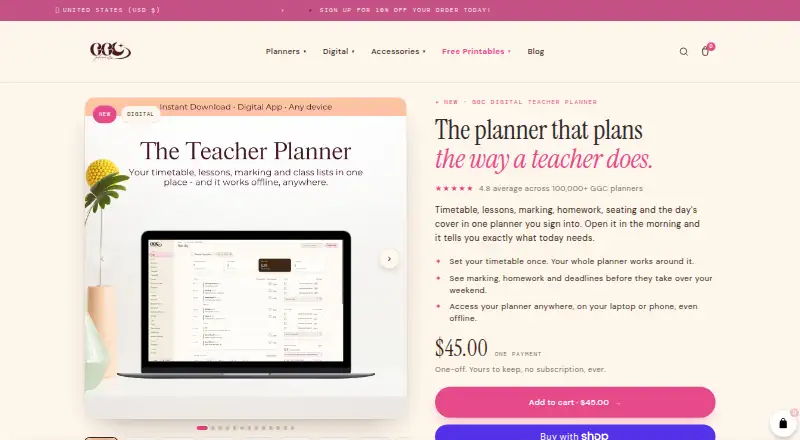
GGC Digital Teacher Planner is a browser-based planner that brings timetables, lessons, marking, homework, seating plans, and cover plans together behind one sign-in. It is designed for primary and secondary teachers, with support for two-week timetables and rotating cycles of up to 19 days. If a disruption changes the day, a one-tap control moves lessons that have not yet been taught into later slots.
For marking, the planner shows upcoming work over six weeks in estimated hours and indicates how changing an assessment or collection date affects workload. Teachers can track homework hand-ins, calendar dates, and related marking. Lessons can link to Google Drive, Docs, Sheets, Forms, Classroom, YouTube, OneDrive, and PDFs; an optional read-only Google Calendar connection is also described.
The planner works offline and syncs when reconnected, as well as across devices. It can be added to a device’s home screen. The price is €3,500, paid once, as one payment with no subscription, and users can export anytime. The maker says data is encrypted in transit and at rest, passwords are hashed, and account access controls keep planner content private. It is not intended for sensitive student records such as medical, dietary, safeguarding, or behaviour information.
Who it suits
This planner suits primary or elementary teachers and secondary or high school teachers who want timetables, lessons, marking, homework, seating, and cover planning together. Its offline access and rotating-cycle timetable support may be useful for teachers managing changing schedules.
What it does well
- Supports two-week schedules and rotating cycles of up to 19 days.
- A one-tap control shifts untaught lessons after disruptions.
- Shows estimated marking hours across six weeks.
- Tracks homework hand-ins, dates, and associated marking.
- Works offline and syncs again when reconnected.
What to know first
- Costs €3,500, paid once.
- It is web-based rather than a listed native mobile platform.
- It is not designed to hold sensitive student records.
- Plan collaboration is not available.
Plans
| Plan | Billed and limits | Price |
|---|---|---|
| GGC Digital Teacher Planner | One payment · No subscription · Works offline · Export anytime | €3,500, paid once |
As ggcplanners.com lists them, read 8 Oct 2026. The maker's own page has the final word.
Getting started
- Open the GGC Digital Teacher Planner website in a browser.
- Make the one-time purchase for €3,500, paid once.
- Add the browser-based planner to your device’s home screen if desired.
- Set up your timetable using a two-week schedule or a rotating cycle of up to 19 days.
- Link lessons to supported resources such as Google Drive, Classroom, OneDrive, or PDFs.
Verdict
Choose GGC Digital Teacher Planner if you want a single planner for teaching schedules, marking, homework, and lesson resources, including offline access. Look elsewhere if you need collaboration or a place to store sensitive student records; the planner is not designed for those records.
Questions
How much does GGC Digital Teacher Planner cost?
It costs €3,500, paid once, as one payment with no subscription.
Does the planner work offline?
Yes. It works offline and syncs when reconnected, as well as across devices.
Which devices and platforms does it support?
It is browser-based and can be added to a device’s home screen. Mobile access is listed as web-only.
What teaching schedules can it handle?
It supports primary and secondary teaching styles, two-week schedules, and rotating cycles of up to 19 days.
Which services can lessons link to?
Lessons can link to Google Drive, Docs, Sheets, Forms, Classroom, YouTube, OneDrive, and PDFs. An optional read-only Google Calendar connection is also described.
Can I store sensitive student records in it?
The planner is not designed to hold medical, dietary, safeguarding, or behaviour records; those belong in schools’ own systems.
Facts from GGC Digital Teacher Planner's own pages
- Data controls
- Users can download a planner copy, edit or delete individual items, and request deletion of their account and associated planner data. · ggcplanners.com, 8 Oct 2026
- Disruptions
- A one-tap control moves lessons not yet taught into later slots after a disruption. · ggcplanners.com, 8 Oct 2026
- Headquarters
- Blackrock, Dublin, Ireland · ggcplanners.com, 28 Sept 2026
- Homework
- Teachers can track student hand-ins, calendar dates and associated marking for homework sets. · ggcplanners.com, 8 Oct 2026
- Integrations
- Lessons can link to Google Drive, Docs, Sheets, Forms, Classroom, YouTube, OneDrive and PDFs; the privacy policy also describes an optional read-only Google Calendar connection. · ggcplanners.com, 8 Oct 2026
- Intended users
- The planner is designed for both primary or elementary teachers and secondary or high school teachers. · ggcplanners.com, 8 Oct 2026
- Marking
- It displays upcoming marking across six weeks in estimated hours and shows how changing an assessment or collection date affects workload. · ggcplanners.com, 8 Oct 2026
- Offline and devices
- The browser-based planner can be added to a device’s home screen, works offline with syncing when reconnected, and syncs across devices. · ggcplanners.com, 8 Oct 2026
- Purpose
- The planner brings teachers’ timetables, lessons, marking, homework, seating plans and cover plans into one sign-in planner. · ggcplanners.com, 8 Oct 2026
- Security
- The maker says planner data is encrypted in transit and at rest, passwords are hashed, and per-account access controls keep users’ planner content private. · ggcplanners.com, 8 Oct 2026
- Student data limits
- The planner is not designed to hold medical, dietary, safeguarding or behaviour records, which the maker says belong in schools’ own systems. · ggcplanners.com, 8 Oct 2026
- Support
- The maker lists [email protected] for data protection questions and requests. · ggcplanners.com, 8 Oct 2026
- Timetables
- It supports primary and secondary teaching styles, two-week schedules and rotating cycles of up to 19 days. · ggcplanners.com, 8 Oct 2026
Where GGC Digital Teacher Planner stands on Freedom251
- Lesson Planning Software#17 of 23