Freedom251 › Lesson Planning Software

OnCourse Lesson Planner
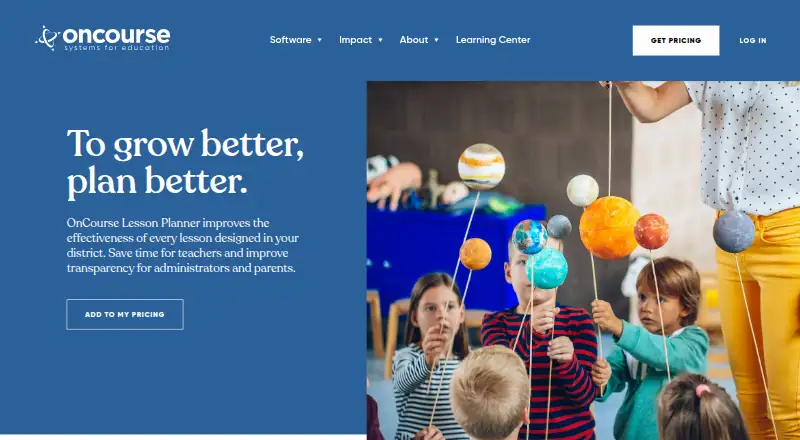
What OnCourse Lesson Planner is
OnCourse Lesson Planner is a cloud-based lesson planning service for K–12 schools and districts. Teachers can create weekly plans with personalized templates, find and post earlier lessons, and move plans forward or backward when schedules change. Districts can customize templates around their preferred approach, including Understanding by Design, or let teachers create and share templates. Teachers can collaborate on plans, submit them to administrators and receive supervisor feedback.
The annual subscription includes updated academic standards for common content areas. OnCourse says its Academic Benchmarks library contains more than 4 million standards. Teachers can connect instructional resources from Google or OneDrive, and the service can automatically post homework or resources online. Teacher Websites are included with every subscription. Native iOS and Android apps support writing and submitting plans, and let supervisors review plans and leave feedback. Reports cover standards coverage, plans reviewed, supervisor comments and use of linked items such as accommodations and strategies. OnCourse describes the service as requiring no software installation and having no contracts or multi-year obligations. Pricing is provided on request.
Who it suits
OnCourse Lesson Planner is aimed at K–12 schools and districts that need teachers to plan against curriculum and standards and share work for review. It also serves supervisors and curriculum staff, with online homework and resources and Teacher Websites for families.
What it does well
- Templates can be customized by districts or created and shared by teachers.
- Teachers can share plans and receive supervisor feedback.
- Includes updated academic standards for common content areas.
- Google and OneDrive resources can be connected.
- Native iOS and Android apps support planning and review.
- Teacher Websites are included with every subscription.
What to know first
- There is no free plan.
- Pricing is provided on request.
- Multiple Measures is an add-on.
Limits
The annual subscription includes Teacher Websites and state standards for all 50 states, with the Curriculum Portal included at no cost. Multiple Measures is an add-on.
Plans
| Plan | Billed and limits | Price |
|---|---|---|
| OnCourse Lesson Planner | Annual subscription; pricing is provided by request. · Includes Teacher Websites and state standards for all 50 states · Curriculum Portal included at no cost · Multiple Measures is an add-on | On request |
As oncoursesystems.com lists them, read 7 Oct 2026. The maker's own page has the final word.
Getting started
- Visit https://oncoursesystems.com/software/lesson-planner/.
- Contact OnCourse for pricing and subscription details.
- Use the cloud-based service without installing software.
- Use the web service or native iOS and Android apps to plan and review.
Verdict
Consider OnCourse Lesson Planner if your K–12 school or district needs shared planning, standards alignment and supervisor review across web and mobile. The annual subscription and quote-based pricing may be less suitable if you need a free option or a listed price before contacting the provider.
Questions
Is OnCourse Lesson Planner free?
No. It is a paid product with an annual subscription.
How much does it cost?
Pricing is provided on request.
Which platforms are supported?
The service is cloud-based and has native iOS and Android apps.
Does it include standards?
The subscription includes updated academic standards for common content areas and state standards for all 50 states.
Can teachers connect Google or OneDrive resources?
Yes. Teachers can connect instructional resources from Google or OneDrive.
Is Multiple Measures included?
Multiple Measures is an add-on; the Curriculum Portal is included at no cost.
Facts from OnCourse Lesson Planner's own pages
- Audience
- The product is presented for K–12 schools and districts, with features for teachers, supervisors, curriculum staff, students, and parents. · oncoursesystems.com, 7 Oct 2026
- Collaboration
- Teachers can share plans with colleagues, submit them to administrators, and receive supervisor feedback. · oncoursesystems.com, 7 Oct 2026
- Family communication
- Lesson Planner can automatically post homework or resources online, and Teacher Websites are included with every subscription. · oncoursesystems.com, 7 Oct 2026
- Hosting and subscription
- OnCourse describes its platform as 100% cloud-based, with an annual subscription, no contracts or multi-year obligations, and no software to install. · oncoursesystems.com, 7 Oct 2026
- Integrations
- Teachers can connect instructional resources from Google or OneDrive, and the page describes bringing Google content into Lesson Planner. · oncoursesystems.com, 7 Oct 2026
- Mobile apps
- Native iOS and Android apps let teachers write and submit plans and let supervisors review plans and leave feedback. · oncoursesystems.com, 7 Oct 2026
- Planning workflow
- Teachers can use personalized weekly templates, search and post past lessons, and move plans forward or backward when schedules change. · oncoursesystems.com, 7 Oct 2026
- Purpose
- OnCourse Lesson Planner is designed for K–12 lesson planning and aligning lessons with a district’s curriculum. · oncoursesystems.com, 7 Oct 2026
- Reporting
- Available metrics include standards coverage, the percentage of plans reviewed, supervisor comments, and use of linked items such as accommodations and strategies. · oncoursesystems.com, 7 Oct 2026
- Security
- OnCourse’s security page provides a process for responsibly reporting vulnerabilities and asks reporters not to disclose unresolved issues publicly. · oncoursesystems.com, 7 Oct 2026
- Standards
- The subscription includes updated academic standards for common content areas; OnCourse says its Academic Benchmarks library contains more than 4 million standards. · oncoursesystems.com, 7 Oct 2026
- Student data
- OnCourse says it will not sell or share student data. · oncoursesystems.com, 7 Oct 2026
- Support
- Support requests are answered seven days a week, while live chat or telephone support is available from 7:30 a.m. to 5:00 p.m. Eastern Time. · oncoursesystems.com, 7 Oct 2026
- Templates
- Districts can customize templates for their preferred planning approach, including Understanding by Design, or allow teachers to create and share templates. · oncoursesystems.com, 7 Oct 2026
Where OnCourse Lesson Planner stands on Freedom251
- Lesson Planning Software#19 of 23