Freedom251 › Code Signing Software

SignServer
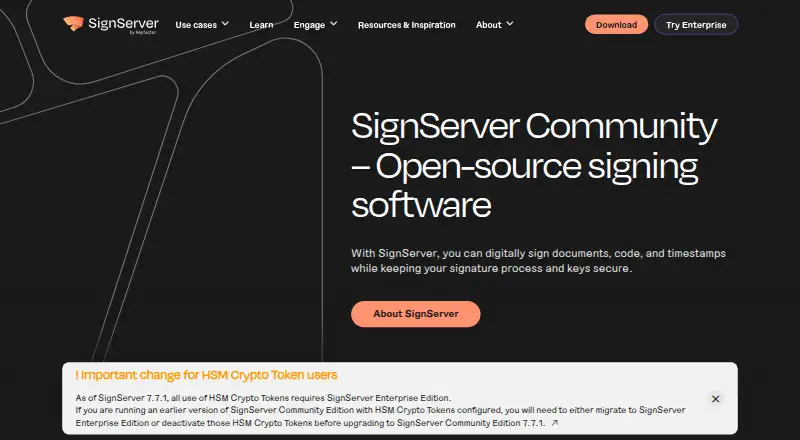
What SignServer is
SignServer is a server-side platform for managing signing keys and digitally signing code, documents, and timestamps. It brings multiple signing tasks into one installation, including container and firmware signing for IoT and DevOps uses. It can connect to CI/CD pipelines, firmware build processes, document workflows, identity platforms, and other applications through standard interfaces. Community is available as a Docker container, Helm chart, source code, or GitHub release, and through SourceForge. Interfaces include SOAP, HTTP, REST, and a command-line client; Community REST does not include every endpoint. Community is licensed under LGPL V2.1 or later and is intended for learning, testing, and prototypes, not production. Its production limitations include missing audit, compliance, SLA, high availability, and security capabilities. The maker recommends Hardware Security Modules for key protection and says secure-file storage is only suitable for testing and prototypes. Enterprise adds professional support with an SLA, security updates, and maintenance. Community is free. The Enterprise Cloud trial is free for 30 days through AWS or Azure marketplaces.
Who it suits
SignServer suits teams that need centralized signing for code, documents, firmware, containers, or timestamps, particularly in automated workflows. Community is positioned for learning, testing, and prototyping; production users may need Enterprise capabilities.
What it does well
- Centralizes signing keys and multiple use cases.
- Supports CI/CD and document workflow integrations.
- Community supports several deployment formats.
- Supports HSM key protection and trusted timestamping.
- Community plan costs nothing.
What to know first
- Community is not intended for production.
- Community REST lacks some endpoints.
- Secure-file key storage is for testing and prototypes.
- Enterprise Cloud trial lasts 30 days.
Limits
Community is intended for learning, testing, and prototyping and lacks the audit, compliance, SLA, high availability, and security capabilities needed for production workloads. Its REST interface also omits some endpoints. The Enterprise Cloud trial lasts 30 days.
Plans
| Plan | Billed and limits | Price |
|---|---|---|
| SignServer Community | Basic code, document, container signing and timestamping · source code or container deployment · intended for learning, testing, and prototyping | Free |
| SignServer Enterprise Cloud trial | 30-day trial on AWS or Azure marketplaces · Enterprise edition functionality · AWS or Azure cloud deployment | Free |
As signserver.org lists them, read 30 Sept 2026. The maker's own page has the final word.
Getting started
- Visit the SignServer website.
- Choose Community for learning, testing, or prototyping, or start the Enterprise Cloud trial through AWS or Azure marketplaces.
- Download Community as a Docker container, Helm chart, source code, or GitHub release; it is also listed on SourceForge.
- Deploy the selected Community package in a supported self-hosted environment.
- Plan to store signing keys in a Hardware Security Module for key protection.
SignServer is a server-side signing platform for teams that need code, documents, firmware, containers, or timestamps handled through one managed installation. It suits organizations wiring signing into CI/CD, document, IoT, or business workflows more than individuals signing occasional files. The central trade-off is clear: Community is useful for learning and prototypes, while production use calls for an Enterprise deployment with stronger operational assurances.
Overview
SignServer centralizes signing keys and signing operations so multiple use cases can share the same service. The supported target list is unusually broad: Windows PE executables, MSI, CAB, APPX/MSIX, PowerShell scripts, Java archives, Android APKs, Debian packages, Git commits, OpenPGP and CMS data, firmware, containers, documents, and ePassports. That breadth helps organizations avoid separate signing tools for each build artifact, although edition-specific differences matter.
The project dates to PrimeKey's first release in 2005, with Enterprise following in 2012. Community is LGPL V2.1-or-later software and can be deployed from source, a Docker container, a Helm chart, or a GitHub release; it is also listed on SourceForge. Download verification is supported through SHA-512 hashes from GitHub or OpenPGP signatures from SignServer Keys.
Key features
Centralized keys and automation
One installation can manage keys for code, container, firmware, document, and timestamp signing, including IoT and DevOps scenarios. Standard interfaces connect it to CI/CD pipelines, firmware build systems, document workflow engines, identity platforms, and other business applications. This is the main practical advantage for teams that need repeatable, policy-driven signing rather than manual desktop actions.
The interface set includes SOAP, HTTP, REST, and the SignClient command-line client. Community REST does not expose every endpoint, so an integration that depends on a missing endpoint may require Enterprise. The edition comparison also includes CA/EJBCA integration and secure automatic certificate renewal, useful where certificate lifecycle work should stay tied to signing operations.
Protection, formats, and timestamps
SignServer supports cloud signing, trusted timestamping, CI/CD signing, and HSM key protection. The maker recommends an HSM for signing keys; secure-file storage is positioned only for testing and prototyping. Community includes CMS, OpenPGP, Debian, and Java code signing, while Microsoft and Android code signing are listed for Enterprise and Cloud. That distinction is important for release teams shipping Windows or Android software.
Pricing
SignServer Community
free includes basic code, document, and container signing plus timestamping, with source-code or container deployment. It is intended for learning, testing, and prototyping, not production. Community lacks the audit, compliance, SLA, high-availability, and security capabilities the maker says production workloads require, making it a poor choice for a live signing service despite the zero price.
SignServer Enterprise Cloud trial
free is a billed 30-day trial through the AWS or Azure marketplaces. It provides Enterprise-edition functionality with AWS or Azure cloud deployment, giving teams a way to assess production-oriented capabilities before selecting a paid arrangement. The trial term is fixed at 30 days, so it is better for evaluation than an ongoing free tier.
Enterprise offers professional support with an SLA, timely security updates, and maintenance. The published plans do not provide a standard Enterprise price, so organizations needing those commitments should expect custom pricing.
Platforms
SignServer is offered through an API and web interfaces and supports Linux, macOS, and Windows environments, with self-hosted deployment alongside cloud signing. Docker, Helm, source, and release packages make Community adaptable to infrastructure teams, while the trial runs on AWS or Azure marketplaces.
Who it's for
Choose SignServer when several signing types must be centralized and invoked automatically from builds or business systems. It is especially relevant to software publishers, IoT and firmware teams, DevOps groups, and organizations managing document workflows that also need timestamps. Community fits experimentation and integration proof-of-concepts. Production teams should budget for Enterprise, HSM-backed key protection, and the support and availability controls that Community omits.
Pros and cons
Pros
- Broad signing coverage: one platform spans software packages, containers, firmware, documents, timestamps, and ePassports.
- Automation-ready interfaces: SOAP, HTTP, REST, and a command-line client connect signing to build and business workflows.
- Deployment flexibility: self-hosted source, Docker, and Helm options sit alongside AWS and Azure cloud deployment.
- Enterprise safeguards: HSM protection, trusted timestamps, support with an SLA, and security maintenance address regulated production needs.
Cons
- Community is not production-ready: audit, compliance, SLA, high availability, and required security capabilities are absent.
- Edition gaps affect workflows: Community REST lacks some endpoints, and Microsoft and Android signing are reserved for Enterprise and Cloud.
- Operational responsibility remains substantial: the recommended HSM setup and self-hosted deployment require infrastructure expertise.
Alternatives
Code Signing Software is the broader category to browse when you want to compare multiple approaches. Pick AWS Signer instead if your signing already runs in AWS services and its no-additional-charge integrations fit your environment. Cosign suits teams wanting free, open-source signing without a hosted service or stated usage limits. OpenPubkey is a free Apache 2.0 reference implementation. SignPath targets eligible open-source projects through its free Open Source Code Signing plan. Notation is a free Apache 2.0 CLI project. Sigstore is free for developers and software providers. SignPath Foundation offers a free OSS subscription for eligible, actively maintained projects. Aujas Automated Code Signing Platform is an alternative with pay-as-use signing licenses and custom pricing.
Verdict
SignServer is a strong choice for organizations that need one automated, centrally managed service for many signing formats and workflow integrations. Its main reason to choose is breadth combined with deployment and interface flexibility. Its main reason to look elsewhere is the production boundary: Community is only for prototypes, while Enterprise capabilities and support require a paid engagement.
Verdict
SignServer brings several digital-signing tasks and integrations into one server-side platform. Community is free for learning and prototyping, while the listed production limitations make edition choice important.
Questions
Is SignServer free?
SignServer Community is listed as free, and the Enterprise Cloud trial is also listed as free for 30 days.
Which platforms does SignServer support?
The listed platforms are API, Linux, macOS, self-hosted, web, and Windows.
Is SignServer open source?
SignServer Community is released under LGPL V2.1 or later.
How can I deploy Community?
Community is available as a Docker container, Helm chart, source code, or GitHub release, and is also listed on SourceForge.
What does the Enterprise Cloud trial include?
It provides Enterprise edition functionality through AWS or Azure marketplaces for 30 days.
What key storage does the maker recommend?
The maker recommends a Hardware Security Module. Secure-file storage is described as suitable only for testing and prototyping.
Facts from SignServer's own pages
- Automation
- SignServer can integrate with CI/CD pipelines, firmware build processes, document workflow engines, identity platforms, and other business applications through standard interfaces. · signserver.org, 30 Sept 2026
- Centralized signing
- It centrally stores and manages signing keys and supports multiple signing use cases in one installation. · signserver.org, 30 Sept 2026
- Community production limit
- Community Edition is not intended for production and lacks audit, compliance, SLA, high availability, and security capabilities needed for production workloads. · signserver.org, 30 Sept 2026
- Deployment
- Community can be downloaded as a Docker container, Helm chart, source code, or release from GitHub, and is also listed on SourceForge. · signserver.org, 30 Sept 2026
- Download verification
- The maker recommends verifying downloads with SHA-512 hashes from GitHub or OpenPGP signatures from SignServer Keys. · signserver.org, 30 Sept 2026
- Enterprise support
- Enterprise offers professional support with an SLA, timely security updates, and maintenance. · signserver.org, 30 Sept 2026
- Founded
- 2005 · signserver.org, 28 Sept 2026
- History
- The first version of SignServer was released by PrimeKey in 2005, and the Enterprise edition was released in 2012. · signserver.org, 30 Sept 2026
- Integrations
- The comparison lists integration and secure automatic certificate renewal with CA/EJBCA, and the maker describes integration with third-party applications through standard interfaces. · signserver.org, 30 Sept 2026
- Interfaces
- The edition comparison lists SOAP, HTTP, REST, and the SignClient command-line interface; Community REST support does not include all endpoints. · signserver.org, 30 Sept 2026
- Key protection
- The maker recommends storing signing keys in a Hardware Security Module; secure-file storage is described as suitable only for testing and prototyping. · signserver.org, 30 Sept 2026
- License
- SignServer Community is released under LGPL V2.1 or later. · signserver.org, 30 Sept 2026
- Purpose
- SignServer is a server-side platform for digitally signing code, documents, and timestamps. · signserver.org, 30 Sept 2026
- Signing formats
- The edition comparison lists code signing for CMS, OpenPGP, Debian, and Java in Community, with Microsoft and Android code signing listed for Enterprise and Cloud. · signserver.org, 30 Sept 2026
- Signing use cases
- The site lists code, container, firmware, document, and timestamp signing, including IoT and DevOps use cases. · signserver.org, 30 Sept 2026
Where SignServer stands on Freedom251
- Code Signing Software#8 of 28