Freedom251 › Code Signing Software
Signo
What Signo is
Signo is a free, open-source signing service that you host on Linux. It signs files through an HTTP API, with two signature options: a binary signature for plain signing, or Authenticode signing for Windows executables. The project is designed for CI applications that need to sign executables using certificates kept on PKCS#11 hardware tokens, such as YubiKey.
Several users can manage tokens, signing engines, and signees, Signo’s name for API clients. Administrators can grant each signee access to selected signing engines, and API requests use HMAC signatures. Before a token can sign, someone must activate it by entering its PIN. Configuration can use MySQL or SQLite.
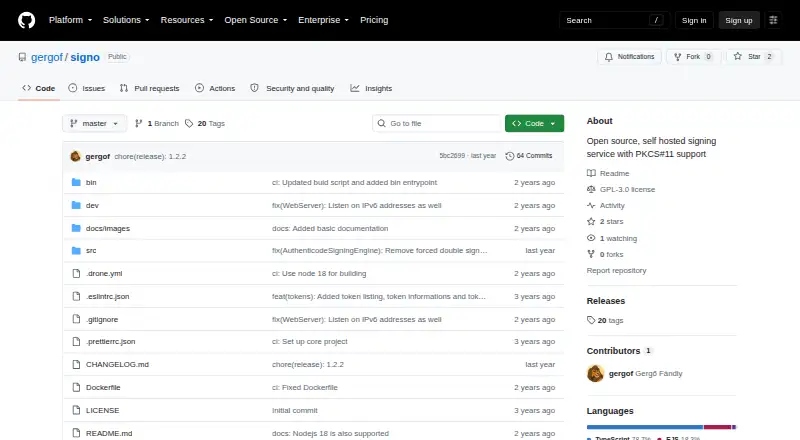
Signo’s setup requires an SSL certificate for its HTTPS service and the PKCS#11 modules to be listed. It can be installed through NPM or Docker Hub; the project describes NPM as the simplest route. The quick start calls for Linux and Node.js 16 or 18. The repository displays a GPL-3.0 license. PDF signing, a cryptographically verifiable operations log, key and CSR generation, and certificate import to tokens are planned features.
Who it suits
Signo suits teams that run CI applications on Linux and need to sign files or Windows executables with certificates stored on PKCS#11 hardware tokens. It also fits teams that need multiple users and per-client permissions for signing engines.
What it does well
- Signs files through an HTTP API.
- Supports plain signatures and Authenticode for Windows executables.
- Uses PKCS#11 tokens for hardware-stored certificates.
- Lets administrators assign signees to specific signing engines.
- Supports MySQL or SQLite configuration.
- Available through NPM or Docker Hub.
What to know first
- Requires a Linux machine with Node.js 16 or 18 for the quick start.
- A token must be activated by entering its PIN before signing.
- Setup requires an SSL certificate and PKCS#11 module configuration.
Getting started
- Use the Linux setup route, with Node.js 16 or 18 installed.
- Install Signo through NPM, the described simplest route, or use Docker Hub.
- Configure an SSL certificate for the HTTPS service.
- List the PKCS#11 modules used by your tokens.
- Configure MySQL or SQLite and set up users, tokens, signing engines, and signees.
Verdict
Choose Signo if your Linux-based CI workflow needs API signing with certificates held on PKCS#11 tokens, along with controls for signees and signing engines. Look elsewhere if you need PDF signing or the other planned capabilities now, rather than as future features.
Questions
Is Signo free?
Yes. Its pricing model is free, and the project is open source.
What can Signo sign?
It signs files through an HTTP API, providing plain binary signatures and Authenticode signatures for Windows executables.
Which platforms does it support?
The listed platforms are API, Linux, and self-hosted. The quick start calls for Linux with Node.js 16 or 18.
Does Signo support hardware tokens?
Yes. It supports PKCS#11 tokens, and a token must be activated by entering its PIN before signing.
How are API clients controlled?
Signo calls API clients signees. Administrators can enable specific signing engines for each signee, and API requests are HMAC signed.
How can I install Signo, and what license does it use?
The project offers NPM and Docker Hub installation and describes NPM as the simplest route. Its repository displays a GPL-3.0 license.
Facts from Signo's own pages
- API access
- API clients, called signees, can be assigned access to individual signing engines, and API requests are HMAC signed. · github.com, 4 Oct 2026
- API authentication
- API requests are HMAC signed. · github.com, 10 Oct 2026
- Databases
- Configuration supports either MySQL or SQLite. · github.com, 10 Oct 2026
- Distribution
- The project says Signo is available through NPM or Docker Hub, with NPM described as the simplest installation route. · github.com, 4 Oct 2026
- File signing
- It signs files through an HTTP API and supports plain signatures and Authenticode signing for Windows executables. · github.com, 4 Oct 2026
- Installation
- The README offers installation through NPM or Docker Hub and describes a Linux setup requiring Node.js 16 or 18. · github.com, 10 Oct 2026
- Integrations
- The README names YubiKey as a hardware-token example and points to a separate signo-client NPM package for API use. · github.com, 10 Oct 2026
- Intended use
- The project aims to let CI applications generate signed executables using certificates stored on hardware tokens. · github.com, 4 Oct 2026
- License
- The repository identifies the project as GPL-3.0 licensed. · github.com, 10 Oct 2026
- PKCS#11
- Signo supports PKCS#11 tokens and is intended to help CI applications use hardware-stored code-signing certificates. · github.com, 10 Oct 2026
- Planned features
- The README lists a cryptographically verifiable operation log, PDF signing, key and CSR generation, and importing certificates to tokens as planned features. · github.com, 10 Oct 2026
- Purpose
- Signo is an open source, self-hosted signing service that signs files through an HTTP API. · github.com, 10 Oct 2026
- Runtime requirement
- The quick start calls for a Linux machine with NodeJS 16 or 18 installed. · github.com, 4 Oct 2026
- Security setup
- The setup instructions require configuring an SSL certificate and listing PKCS#11 modules. · github.com, 4 Oct 2026
- Signature types
- It supports plain signing, which returns a binary signature, and Authenticode signing for Windows executables. · github.com, 10 Oct 2026
- Signing permissions
- Administrators can enable specific signing engines for each signee, which represents an API client. · github.com, 10 Oct 2026
- Token controls
- The service lists detected tokens and their keys and certificates; a token must be activated by entering its PIN before it can sign. · github.com, 10 Oct 2026
- Transport security
- The setup instructions require an SSL certificate for the HTTPS service, and say a self-signed certificate can be used if the infrastructure trusts it. · github.com, 10 Oct 2026
- User management
- Multiple users can manage tokens, signing engines, and signees. · github.com, 10 Oct 2026
Where Signo stands on Freedom251
- Code Signing Software#9 of 28