Freedom251 › Music notation software
Sibelius
by Sibelius
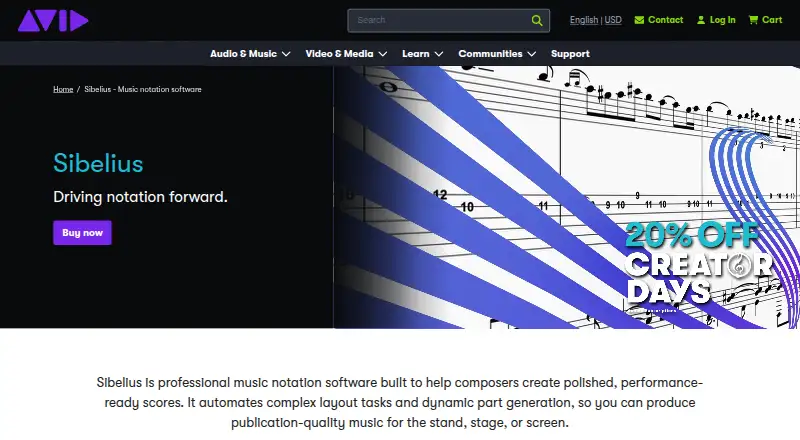
What Sibelius is
Sibelius is professional music notation software for creating, editing, and sharing scores on desktop, mobile, and web. Enter notes with MIDI, a keyboard, or Apple Pencil, and import MusicXML or MIDI while preserving performance data. It supports tablature, VST3 and AU virtual instruments, and AI chord suggestions that generate or complete chord symbols. Edits to dynamic parts stay synchronized with the score. Scores can be published to a private dashboard for browser viewing and playback; classroom tools let teachers share files and guide student focus from a workstation. Sibelius First is described as free notation software for people new to music notation. Artist allows up to 24 staves per score and cloud sharing for 20 scores. Ultimate offers unlimited staves and cloud sharing, complete engraving features, video sync, and timecode support. Artist costs $79 a year, Ultimate costs $159 a year, and the Ultimate Perpetual Bundle costs $899, paid once. Displayed prices exclude VAT and applicable taxes.
Who it suits
Sibelius suits composers, arrangers, and educators who need notation tools across desktop, mobile, or web. Its classroom features and student licensing options may also suit teaching settings.
What it does well
- Enter notes with MIDI, keyboard, or Apple Pencil.
- Imports MusicXML and MIDI with performance data preserved.
- Dynamic part edits synchronize with scores.
- Private dashboard supports browser viewing and playback.
- Free Sibelius First plan is available.
What to know first
- Artist limits scores to 24 staves and 20 shared scores.
- Artist costs $79 a year.
- Ultimate costs $159 a year.
- Displayed prices exclude VAT and applicable taxes.
Limits
Sibelius First is described as free notation software for users new to music notation. Artist allows up to 24 staves per score and cloud sharing for 20 scores, with limited symbols, lines, and text styles.
Plans
| Plan | Billed and limits | Price |
|---|---|---|
| Sibelius First | Free notation software for users new to music notation | On request |
| Artist | Desktop and mobile access · Up to 24 staves per score · Cloud sharing for 20 scores · Limited symbols, lines, and text styles | On request |
| Ultimate | Unlimited staves per score · Unlimited cloud sharing · Complete engraving features · Video sync and timecode support · Educational worksheet creator | On request |
| Ultimate Perpetual Bundle | one-time lifetime purchase · Unlimited staves per score · Unlimited cloud sharing · Complete engraving features · Video sync and timecode support · PhotoScore Ultimate and AudioScore Ultimate included | $899, paid once |
| Sibelius Ultimate | billed annually at $159 | $159 a year |
| Sibelius Artist | billed annually at $79 | $79 a year |
As avid.com lists them, read 28 Sept 2026. The maker's own page has the final word.
Getting started
- Visit the Sibelius website.
- Choose Sibelius First, Artist, Ultimate, or the Ultimate Perpetual Bundle.
- Use the download option for Sibelius First or select a paid plan.
- Use Sibelius on desktop, mobile, or web; supported devices include Mac, PC, iPad, iPhone, and Chromebook.
- Enter notes with MIDI, a keyboard, or Apple Pencil, or import MusicXML or MIDI.
Overview
Sibelius is professional music notation software for composing, arranging, and preparing scores and parts. It suits musicians who need notation across devices, and teachers who want tools for distributing and guiding student work. Its strongest case is the combination of score-to-parts synchronization, cloud publishing, and classroom resources; its main drawback is that most plans have no stated price here.
Key features
Writing and importing
Notes can be entered with MIDI, a keyboard, or Apple Pencil, making Sibelius usable from both conventional computer setups and supported Apple mobile devices. It imports MusicXML and MIDI while preserving performance data, and supports both formats plus tablature. AI chord suggestions generate and complete chord symbols, a focused aid for harmonic notation rather than a substitute for composing decisions.
Scores, parts, and playback
Dynamic parts synchronize edits between a score and its parts, reducing the risk of working from mismatched materials when an arrangement changes. Support for VST3 and AU virtual instruments adds playback options. Ultimate adds video sync and timecode support, which is relevant when notation needs to align with video; those capabilities are not included among Artist’s stated features.
Sharing and teaching
Cloud publishing gives users a private dashboard for browser-based score viewing and playback. Artist caps cloud sharing at 20 scores, while Ultimate offers unlimited sharing. For educators, classroom management supports sharing files and directing student focus from a workstation. More than 1,700 built-in projects, exercises, and resources, along with an educational worksheet creator in Ultimate, make the teaching case more substantial than simple file distribution.
Pricing
Sibelius is freemium, with a free option and paid plans. It is the natural starting point for beginners who want to try notation without a paid commitment; the available plan description does not establish its score or cloud limits.
Artist costs $79 a year, billed annually at $79. The offer says 20% off new purchases and renews at standard pricing; displayed prices exclude VAT and applicable taxes. Artist provides desktop and mobile access, up to 24 staves per score, cloud sharing for 20 scores, and limited symbols, lines, and text styles. That is a practical fit for individual work within those score and sharing caps, but the limits and restricted notation elements may constrain larger or more demanding engraving projects.
Ultimate costs $159 a year, billed annually at $159, with the same 20% offer for new purchases and renewal at standard pricing; VAT and applicable taxes are extra. It removes the staff and cloud-sharing caps, adds complete engraving features, video sync and timecode support, and an educational worksheet creator. It is the stronger subscription choice for larger scores, extensive sharing, or teaching workflows, at a higher annual price.
The Ultimate Perpetual Bundle costs $899, paid once as a one-time lifetime purchase. It includes a perpetual license, unlimited staves and cloud sharing, complete engraving, video sync and timecode support, plus PhotoScore Ultimate and AudioScore Ultimate. It suits buyers who prefer a one-time purchase and need the included extras, though the initial cost is substantially higher than either stated annual price.
The listed discount period runs from August 18, 2026 through September 30, 2026. Artist’s and Ultimate’s prices are given annually, despite the separate “Paid from” figure of 79 /mo.
Platforms
Sibelius is available on desktop, mobile, and web, with device support for Mac, PC, iPad, iPhone, and Chromebook. That breadth helps users work across common computer and mobile environments; Apple Pencil entry is specifically useful on compatible Apple devices. The stated Artist access is desktop and mobile.
Who it's for
Sibelius is best suited to composers, arrangers, and educators who need structured notation, synchronized parts, or browser sharing. The free First option gives newcomers a way into notation; Artist fits score work within 24 staves and a 20-score cloud library. Choose Ultimate for unlimited score size and sharing, complete engraving, or its education and video-related tools. Readers who need a published price before comparing plans should note that only Artist, Ultimate, and the perpetual bundle have stated prices.
Pros and cons
- Pro: Dynamic parts synchronize with score edits, helping keep separate materials aligned.
- Pro: MusicXML and MIDI imports preserve performance data, while MIDI, keyboard, and Apple Pencil support provide several entry routes.
- Pro: Cloud publishing, classroom management, and more than 1,700 teaching resources support both distribution and instruction.
- Con: Artist is limited to 24 staves and 20 shared scores, making it a poor fit for users who exceed either cap.
- Con: Artist has limited symbols, lines, and text styles; users needing complete engraving must move to Ultimate or the perpetual bundle.
Alternatives
Fender Notion is worth considering for users who want a free plan with unlimited staves, full editing, and cross-platform notation and tablature.
Flat may suit users who prioritize real-time collaboration and MIDI device transcription in a free plan, while accepting its 15-score limit.
Dorico is an option for readers seeking an iOS notation app.
MuseScore Studio is the clearest alternative for readers who want free, open-source notation software with no stated limitations or account requirement.
Noteflight is a web-only alternative for readers who prefer a browser-based service and a monthly plan; its Premium Monthly plan is $7.95 a month.
LilyPond is an option for readers looking for free software on Linux, macOS, or Windows.
Denemo is another free option for Windows, macOS, and Linux.
Crescendo Music Notation Software is an alternative for readers comparing freemium notation software across desktop and mobile platforms.
Browse more music notation software to compare options across the category.
Verdict
Choose Sibelius if you need capable score and part workflows, sharing, or classroom support in one notation product. Its synchronized parts and Ultimate’s uncapped scores and cloud sharing are compelling for sustained professional or educational use. Look elsewhere if Artist’s caps and notation restrictions are too tight, or if you need prices for every plan before making a decision.
Verdict
Sibelius combines score writing with synchronized parts, cloud publishing, and classroom tools. Compare the plan limits and listed prices with the notation features you need.
Questions
Is Sibelius free?
Yes. Sibelius First is free notation software for users new to music notation.
How much do the paid plans cost?
Sibelius Artist is $79 a year, and Sibelius Ultimate is $159 a year. The Ultimate Perpetual Bundle costs 899.00 USD as a one-time purchase. Displayed prices exclude VAT and applicable taxes.
Which platforms does Sibelius support?
Sibelius is available on desktop, mobile, and web, with support for Mac, PC, iPad, iPhone, and Chromebook.
What does Artist include?
Artist provides desktop and mobile access, up to 24 staves per score, and cloud sharing for 20 scores. It has limited symbols, lines, and text styles.
What does the Ultimate Perpetual Bundle include?
It includes a perpetual license, unlimited staves and cloud sharing, complete engraving features, video sync and timecode support, PhotoScore Ultimate, and AudioScore Ultimate.
Can Sibelius import music files?
Yes. It imports MusicXML and MIDI while preserving performance data.
Facts from Sibelius's own pages
- AI chord suggestions
- Automatically generates and completes chord symbols · avid.com, 28 Sept 2026
- Artist cloud limit
- Cloud sharing for 20 scores · avid.com, 28 Sept 2026
- Artist staff limit
- Up to 24 staves per score · avid.com, 28 Sept 2026
- Classroom management
- Share files and guide student focus from a workstation · avid.com, 28 Sept 2026
- Cloud publishing
- Private dashboard for browser-based viewing and playback · avid.com, 28 Sept 2026
- Collaboration features
- Yes · avid.com, 19 Sept 2026
- Deployment
- both · avid.com, 19 Sept 2026
- Device support
- Mac, PC, iPad, iPhone, and Chromebook · avid.com, 28 Sept 2026
- Discount period
- Offer available August 18, 2026 through September 30, 2026 · avid.com, 28 Sept 2026
- Dynamic parts
- Synchronizes edits between scores and parts · avid.com, 28 Sept 2026
- Free plan
- Yes · avid.com, 19 Sept 2026
- Licensing options
- Network or Team licensing for students · avid.com, 28 Sept 2026
- MIDI support
- Yes · avid.com, 19 Sept 2026
- Music import
- Imports MusicXML and MIDI while preserving performance data · avid.com, 28 Sept 2026
- MusicXML support
- Yes · avid.com, 19 Sept 2026
- Note entry methods
- MIDI, keyboard, and Apple Pencil · avid.com, 28 Sept 2026
- Parts extraction
- Yes · avid.com, 19 Sept 2026
- Perpetual extras
- Includes PhotoScore Ultimate and AudioScore Ultimate · avid.com, 28 Sept 2026
- Plugin support
- Supports VST3 and AU virtual instruments · avid.com, 28 Sept 2026
- Pricing taxes
- Displayed prices exclude VAT and applicable taxes · avid.com, 28 Sept 2026
- Product type
- Professional music notation software · avid.com, 28 Sept 2026
- Supported platforms
- Desktop, mobile, and web · avid.com, 28 Sept 2026
- Tablature support
- Yes · avid.com, 19 Sept 2026
- Teaching resources
- More than 1,700 built-in projects, exercises, and resources · avid.com, 28 Sept 2026
Where Sibelius stands on Freedom251
- Music notation software#4 of 38