Freedom251 › Music notation software
LilyPond
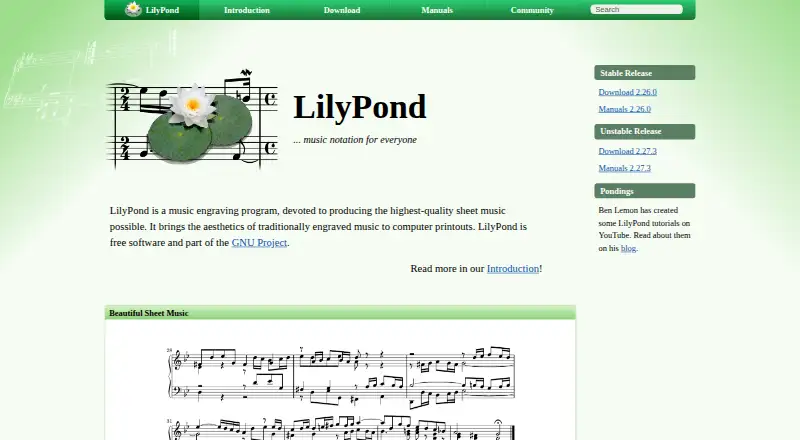
What LilyPond is
LilyPond is free desktop software for engraving music scores on GNU/Linux, macOS, and Windows. It takes score information in a human-readable text format and automatically lays out spacing, line and page breaks, and clashes among lyrics, notes, and chords. It also shapes slurs and beams. Its notation range includes classical, early, and modern music, along with tablature, vocal music, lead sheets, educational materials, and orchestral projects. Users can adjust layout settings, create text-based style sheets, and extend the software with its built-in Scheme language. Programs and scripts can edit or generate LilyPond files, and other applications can use its command-line tool. The official site describes integration with LaTeX and HTML and an extension for OpenOffice.org and LibreOffice. User-developed editing tools listed on the site include Frescobaldi, Denemo, and Spontini-Editor; these are outside LilyPond’s core. Its text workflow can work with speech recognition and screen readers. LilyPond is published under the GNU General Public License.
Who it suits
It suits musicians and arrangers who are comfortable working with score information as text, including those preparing educational or orchestral material. The text-based workflow may also suit users of speech-recognition software or screen readers.
What it does well
- Free software for GNU/Linux, macOS, and Windows.
- Supports tablature, vocal scores, and orchestral projects.
- Automatically handles layout and notation collisions.
- Files can be generated or edited by scripts.
- Text workflow can be used with screen readers.
What to know first
- Windows binaries do not support Windows 7 or 8.
- macOS binaries require macOS 10.15 or higher.
- Third-party editors are developed outside LilyPond’s core.
Limits
The free plan costs nothing. Windows binaries do not support Windows 7 or Windows 8, and macOS binaries require macOS 10.15 or higher.
Plans
| Plan | Billed and limits | Price |
|---|---|---|
| LilyPond | Free software; GNU/Linux, Windows, macOS | Free |
As lilypond.org lists them, read 4 Oct 2026. The maker's own page has the final word.
Getting started
- Visit lilypond.org and choose a stable release if unsure about installation.
- Select the download for GNU/Linux, macOS, or Windows.
- Prepare score information in LilyPond’s human-readable text format.
- Use a listed third-party editor such as Frescobaldi, Denemo, or Spontini-Editor, if desired.
- Use the command-line tool from another application or programmatically edit or generate LilyPond files.
Overview
LilyPond is a desktop music-engraving program that creates sheet music from human-readable text files. It is a strong fit for composers, arrangers, educators, and technically inclined musicians who care about finely controlled printed notation. The trade-off is fundamental: precision and automation come through a text-first workflow rather than a conventional point-and-click score editor.
Key features
The notation scope is unusually broad. LilyPond covers classical, complex, early, and modern music, plus vocal scores, lead sheets, educational materials, orchestral projects, and tablature. MusicXML and MIDI support help move material between systems, while parts extraction is useful when a project needs separate instrumental parts rather than only a conductor's score.
Its engraving engine automatically handles spacing, line and page breaks, collisions among lyrics, notes, and chords, and the shaping of slurs and beams. That removes much repetitive page-setting work and is particularly valuable on dense or multi-part scores. Users can override layout settings, build text-based style sheets, and add functions in the built-in Scheme language. These controls reward users who need a consistent house style; they also make LilyPond less approachable for anyone unwilling to learn a notation language and some programming concepts.
Files can be edited or generated by scripts, and the command-line tool can be called from other applications. That makes repeatable publishing pipelines practical, including integration of music into LaTeX or HTML. The OOoLilyPond extension supports adding scores to OpenOffice.org and LibreOffice. Third-party editors such as Frescobaldi, Denemo, and Spontini-Editor can provide a more guided editing environment, but they are developed outside LilyPond's core.
A text representation also works with speech-recognition software and screen readers, giving users who find visual notation interfaces difficult another route into score creation. LilyPond is released under the GNU General Public License, with the official Freedom material also identifying the GNU Free Documentation License.
Pricing
| Plan | Price | Best for |
|---|---|---|
| LilyPond | free | Anyone needing the complete free software package for GNU/Linux, Windows, or macOS |
There is no paid tier, seat charge, quota, trial period, or subscription renewal to weigh. The cost advantage is decisive for students, independent composers, and organizations that want to distribute or adapt GPL software. In exchange, users should expect to invest time in the text-based workflow and in choosing an editor or learning the command line rather than paying for a commercial, click-driven environment.
Platforms
LilyPond is desktop software for GNU/Linux, macOS, and Windows. Windows binaries do not support Windows 7 or Windows 8, and macOS binaries require macOS 10.15 or newer. The project separates stable releases from unstable development releases; users who are unsure about installation should choose a stable download. The lilypond-user mailing list is the main place for user discussion and peer help, with some additional support on IRC.
Who it's for
Choose LilyPond if you want publication-oriented engraving, repeatable layouts, extensive notation coverage, or programmatic score generation. It is especially well suited to technically minded composers, arrangers, educators, and teams producing many similarly styled scores. It is a weaker match for beginners who expect to enter notes by clicking a staff, or for performers seeking a primarily visual, immediately interactive editor.
Pros and cons
Pros
- Automatic spacing, pagination, collision handling, and slur and beam shaping reduce manual engraving work.
- Broad support for orchestral, vocal, educational, lead-sheet, modern, early, and tablature projects covers varied repertory.
- MusicXML, MIDI, and parts extraction support exchange and production beyond a single full score.
- Text files, scripting, Scheme functions, and command-line access enable reproducible and highly customized workflows.
- Free GPL software runs on three major desktop platforms and can work with screen readers and speech recognition.
Cons
- Entering and refining music as text has a steeper learning curve than a graphical note-entry workflow.
- Advanced customization depends on style sheets and Scheme, which adds programming overhead.
- Third-party graphical editors are outside the core project, so editor choice and support are separate considerations.
- Older Windows and macOS releases are excluded by the current platform requirements.
Alternatives
Browse Music notation software for a wider comparison. Fender Notion is the better choice when you want freemium software with web, mobile, and desktop availability and a free plan offering unlimited staves and full editing. Pick Flat instead for browser-based collaboration and a free plan capped at 15 scores. Dorico suits iOS users seeking a commercial notation environment. MuseScore Studio is a direct free, open-source desktop alternative with no stated score or account limits. Noteflight is for web users who want a subscription with unlimited scores and premium notation tools. Denemo is another free GPL option. TuxGuitar is the focused pick for free guitar tablature editing. ScoreCloud is preferable when notating from singing is more important than LilyPond's engraving control.
Verdict
LilyPond is the right choice for users who prioritize polished, consistent engraving and want the freedom to automate and script their scores at no software cost. Look elsewhere if you need an immediately visual note-entry experience, built-in collaborative editing, or a simpler path for occasional score writing.
Verdict
LilyPond offers extensive notation and layout control through a text-based workflow. Check the listed operating-system requirements before choosing a release.
Questions
How much does LilyPond cost?
The listed plan is free. LilyPond is free software.
Which platforms does LilyPond support?
The official site lists GNU/Linux, macOS, and Windows desktop platforms. Its Windows binaries do not support Windows 7 or 8, and its macOS binaries require macOS 10.15 or higher.
Does LilyPond support MIDI and MusicXML?
Yes. The listed feature facts include MIDI support and MusicXML support.
Is LilyPond open source?
It is published under the GNU General Public License. The official Freedom page also identifies the GNU Free Documentation License.
Can I use it with other applications?
Its command-line tool can be used from other applications. The official site also describes integration with LaTeX and HTML, and an extension for OpenOffice.org and LibreOffice.
Where can users get support?
The lilypond-user mailing list is the main place for discussion and peer help. Some support is also available on IRC.
Facts from LilyPond's own pages
- Accessibility
- The text-based workflow can be used with speech-recognition software and screen readers to write LilyPond files. · lilypond.org, 4 Oct 2026
- Automatic layout
- It automatically determines spacing, breaks lines and pages, resolves clashes between lyrics, notes, and chords, and slopes slurs and beams. · lilypond.org, 4 Oct 2026
- Customization
- Users can change layout settings, create text-based style sheets, and add functions using the built-in Scheme language. · lilypond.org, 4 Oct 2026
- Deployment
- desktop · lilypond.org, 19 Sept 2026
- Free plan
- Yes · lilypond.org, 19 Sept 2026
- Input format
- LilyPond processes text input containing score information in a human-readable form. · lilypond.org, 4 Oct 2026
- Integrations
- The official features page describes integrating music into LaTeX or HTML and adding it to OpenOffice.org and LibreOffice with the OOoLilyPond extension. · lilypond.org, 4 Oct 2026
- License
- LilyPond is published under the GNU General Public License, and the official Freedom page also identifies the GNU Free Documentation License. · lilypond.org, 4 Oct 2026
- MIDI support
- Yes · lilypond.org, 19 Sept 2026
- MusicXML support
- Yes · lilypond.org, 19 Sept 2026
- Notation range
- It supports engraving classical, complex, early, and modern music, tablature, vocal music, lead sheets, educational materials, and orchestral projects. · lilypond.org, 4 Oct 2026
- Parts extraction
- Yes · lilypond.org, 19 Sept 2026
- Platform limits
- The listed Windows binaries do not support Windows 7 or Windows 8, and the listed macOS binaries require macOS 10.15 or higher. · lilypond.org, 4 Oct 2026
- Programmatic use
- LilyPond input files can be edited or generated by programs and scripts, and the command-line tool can be used from other applications. · lilypond.org, 4 Oct 2026
- Purpose
- LilyPond is a music engraving program for producing sheet music. · lilypond.org, 4 Oct 2026
- Release channels
- The official site distinguishes stable releases from unstable development releases and recommends stable downloads for users unsure about installation. · lilypond.org, 4 Oct 2026
- Support
- The lilypond-user mailing list is the main place for users to discuss the program and help one another; some support is also available on IRC. · lilypond.org, 4 Oct 2026
- Supported desktop platforms
- The official site lists GNU/Linux, macOS, and Windows as supported platforms. · lilypond.org, 4 Oct 2026
- Tablature support
- Yes · lilypond.org, 19 Sept 2026
- Third-party editors
- The official site lists user-developed editing tools including Frescobaldi, Denemo, and Spontini-Editor, and notes these are developed outside LilyPond’s core. · lilypond.org, 4 Oct 2026
Where LilyPond stands on Freedom251
- Music notation software#8 of 38