Freedom251 › Tree Service Software
Sheltera
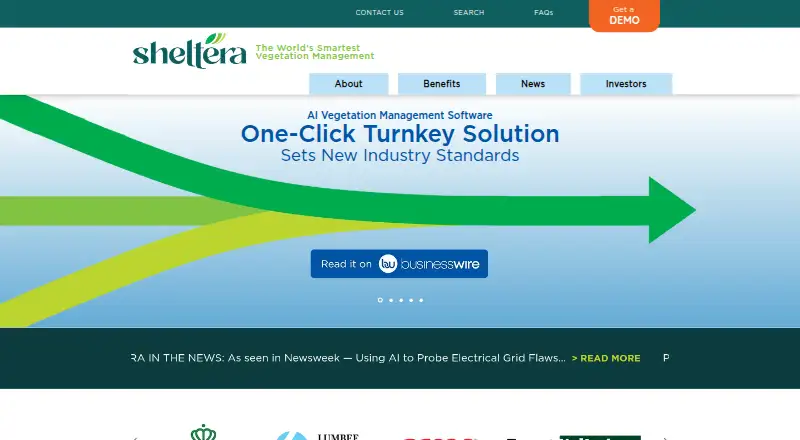
What Sheltera is
Sheltera is vegetation management software that helps utilities identify and prioritize threats from trees. It combines high-resolution multispectral satellite imagery, LiDAR and proprietary AI/ML to assess vegetation, with customizable assessments for utility needs. The company reports 95% accuracy in identifying threats and says it can survey a whole grid in days or weeks rather than months. A heat map and Threat Code system help direct attention, with Code 5 marking immediate concerns. Office tools include a problem-tree map, Street View images, Threat Codes and a dashboard for job bidding and resource mobilization. The mobile app supports GPS navigation, work orders, estimates and bids, before-and-after photos, and completed-work documentation. Time-stamped field records can help demonstrate compliance with local codes and mitigate liability. Sheltera describes its customers as utilities, municipalities, rural electric cooperatives, railways and forestry services. Its FAQ lists Android, iOS and Windows support and says the software can be installed offline or on-premises. The company says customer information is not saved on its servers. Pricing is on request; prospective customers can request a demo.
Who it suits
Sheltera is aimed at utilities and other organizations managing vegetation around infrastructure, including municipalities, rural electric cooperatives, railways and forestry services. It suits teams that need to prioritize field work and document completed jobs.
What it does well
- Uses satellite imagery, LiDAR and proprietary AI/ML
- Threat Code 5 marks immediate concerns
- Mobile app supports navigation, work orders and job photos
- Offline and on-premises installation are available
What to know first
- Pricing is available on request
- Prospective customers are invited to request a demo
Limits
Sheltera is paid software with pricing on request. The facts do not describe a free plan or a cheapest plan.
Getting started
- Visit Sheltera’s website.
- Request a demo.
- Ask Sheltera for pricing.
- Choose an offline or on-premises installation if it fits your deployment needs.
- Use the supported Android, iOS, or Windows mobile app.
Sheltera is vegetation management software that uses satellite imagery, LiDAR and AI to identify and rank threats across utility networks. It suits utilities and other organizations responsible for large areas of vegetation; its combination of broad-area assessment and field documentation is compelling, though custom pricing makes it harder to assess against alternatives upfront.
Overview
Sheltera’s assessments combine high-resolution multispectral satellite imagery, LiDAR and proprietary AI/ML, tailored to utility needs. The company reports 95% accuracy in identifying vegetation threats and says it can survey a whole grid in days or weeks rather than months. Those are useful ambitions for teams covering extensive service areas, but the accuracy and speed claims are Sheltera’s own, not a guarantee for every deployment.
A heat map and Threat Code system help teams rank tree clusters, with Code 5 marking immediate concerns. The office tools connect that prioritization to job bidding and resource mobilization, while the mobile app supports work in the field. This makes Sheltera more than an imagery-based inspection tool: it is aimed at coordinating assessment, response and records.
Key features
Threat assessment and response
The problem-tree heat map, Threat Codes and Street View images give office teams several ways to identify and communicate priority locations. The job-bidding and resource-mobilization dashboard can help connect urgent findings to work planning. Code 5 flags immediate concerns, a practical distinction for teams deciding what needs attention first.
Field work and records
The mobile app supports GPS navigation, work orders, estimates and bids, before-and-after photos, and completed-work documentation. Time-stamped records can help organizations demonstrate compliance with local codes and mitigate liability. That documentation is particularly relevant for utilities and municipalities managing consequential vegetation work.
Deployment and compliance
Sheltera says it can be installed offline or on-premises and that customer information is not saved on its servers. Its FAQ states that the software is NERC CIP and GSPR compliant. Files are transferred through a password-protected Dropbox link accessible to the customer team and Sheltera GIS staff, a defined transfer process buyers should weigh alongside their own security requirements.
Pricing
Sheltera is paid software with custom pricing; prospective customers can request a demo. That inquiry-led approach may suit organizations whose assessment needs call for tailored work, but buyers cannot compare a published Sheltera plan price before engaging sales.
No tiered plans, seat counts, quotas, trial terms or renewal terms are stated for Sheltera. Organizations should establish the cost and scope that apply to their deployment during the sales process.
Platforms
Sheltera is listed for Android, iOS, self-hosted deployment and Windows. Its FAQ specifically names Android, iOS and Windows as supported operating systems for the mobile app. Offline or on-premises installation may matter to organizations with deployment constraints, while the supported mobile systems cover the two major phone platforms.
Who it's for
Sheltera is aimed at utilities, municipalities, rural electric cooperatives, railways and forestry services. It is the stronger fit for organizations that need to assess vegetation threats at grid scale, prioritize them and coordinate field work with documented records. A smaller tree-care operation chiefly seeking straightforward scheduling or invoicing may find a dedicated service-business tool more relevant.
Pros and cons
- Pros: Imagery, LiDAR and AI/ML are combined to identify vegetation threats, with assessments customized to utility needs.
- Pros: Heat maps and Threat Codes connect threat identification to prioritization, including an immediate-concern Code 5.
- Pros: Field navigation, work orders, bids, photos and time-stamped records link assessment to completed work.
- Pros: Offline or on-premises deployment and the stated approach to customer data may suit organizations with specific operational or security needs.
- Cons: Custom pricing requires a sales inquiry, making early budget comparisons difficult.
- Cons: Sheltera’s reported 95% accuracy and days-or-weeks survey speed are company claims; buyers should establish how they apply to their own coverage and requirements.
Alternatives
For a broader category comparison, see Tree Service Software.
- Fieldified is worth considering for teams that want a free entry point: its Free plan includes scheduling, invoicing, CRM and reporting, subject to usage limits. Its Basic plan is $49 a month, billed for 5 users.
- Forester UVM is another paid vegetation-management option, with pricing available by requesting a demo.
- Clearion UVM is another paid option for buyers comparing vegetation-management software.
- Treetask may suit teams seeking a per-business price: its plan for up to 3 people is £40 a month, with all features and unlimited surveys, quotes and jobs. It starts December 2026.
- UDC Vegetation Management is an alternative for buyers willing to inquire about pricing and licensing; its customer-facing dashboard is an add-on.
- Arb Pro may be relevant to buyers comparing paid software with separately priced additional mobile and desktop users.
- ArbScribe offers a free plan and free trial for buyers comparing tree-care software options.
- ArborNote has a free trial and a $75 a month Works plan for 1 crew leader.
Verdict
Sheltera is best suited to utilities and similar organizations that need to identify vegetation threats over large areas, prioritize response and preserve field records. Its strongest reason to choose it is the link between imagery-based assessment, threat ranking and mobile work documentation. Look elsewhere if a published price is essential to shortlisting or if the priority is a lower-cost service-business plan rather than utility-scale vegetation management.
Verdict
Sheltera combines vegetation threat identification, prioritization and field documentation for organizations managing vegetation. Its pricing requires an inquiry, and buyers can request a demo.
Questions
How much does Sheltera cost?
Sheltera is paid software, and pricing is on request.
Which devices does Sheltera support?
The FAQ names Android, iOS, and Windows as supported operating systems for its mobile app.
Can Sheltera be installed offline or on-premises?
Yes. Sheltera’s FAQ says the software can be installed offline or on-premises.
How does Sheltera identify vegetation threats?
It combines high-resolution multispectral satellite imagery, LiDAR, and proprietary AI/ML.
Who is Sheltera for?
The site describes use by utilities, municipalities, rural electric cooperatives, railways, and forestry services.
Can prospective customers see a demo?
Yes. The site invites prospective customers to request a demo.
Facts from Sheltera's own pages
- Accuracy claim
- Sheltera says that, on average, 19 of 20 issues it flags are confirmed on the ground. · sheltera.ai, 10 Oct 2026
- Compliance
- Sheltera’s FAQ states that its software is NERC CIP and GSPR compliant. · sheltera.ai, 4 Oct 2026
- Compliance claim
- The FAQ states that Sheltera’s software is NERC CIP and GSPR compliant. · sheltera.ai, 10 Oct 2026
- Customization
- Sheltera says it customizes assessments to utilities’ needs and reports 95% accuracy in identifying vegetation threats. · sheltera.ai, 4 Oct 2026
- Data transfer
- The FAQ says files are transferred through a password-protected Dropbox link accessible to the customer team and Sheltera’s GIS staff. · sheltera.ai, 10 Oct 2026
- Deployment and security
- The FAQ says the software can be installed offline or on-premises and that customer information is not saved on Sheltera’s servers. · sheltera.ai, 4 Oct 2026
- Documentation
- Sheltera says time-stamped field documentation can help mitigate liability and demonstrate compliance with local codes. · sheltera.ai, 4 Oct 2026
- Field app
- The mobile app supports GPS navigation, work orders, job estimates and bids, before-and-after photos, and documentation of completed work. · sheltera.ai, 4 Oct 2026
- Field devices
- The FAQ says the mobile app supports Android, iOS, and Windows operating systems. · sheltera.ai, 10 Oct 2026
- Headquarters
- Dayton, Ohio, United States · sheltera.ai, 28 Sept 2026
- Imagery and AI
- Its process combines high-resolution multispectral satellite imagery, LiDAR, and proprietary AI/ML to identify vegetation threats. · sheltera.ai, 4 Oct 2026
- Imagery and analysis
- Sheltera combines high-resolution multispectral satellite imagery, LiDAR, and proprietary AI to identify vegetation threats near infrastructure. · sheltera.ai, 10 Oct 2026
- Maker and founder
- The About page identifies Rob Kabera as Sheltera’s CEO and founder; the site footer names Sheltera, LLC. · sheltera.ai, 4 Oct 2026
- Management tools
- The office offering includes a problem-tree heat map, a job-bidding and resource-mobilization dashboard, Threat Codes, and Street View images of threats. · sheltera.ai, 4 Oct 2026
- Mobile app
- The mobile app supports GPS navigation, work orders, job estimates and bids, before-and-after photos, and work documentation. · sheltera.ai, 10 Oct 2026
- Pricing
- The sitemap lists a Pricing page, but the opened page did not provide accessible pricing details. · sheltera.ai, 10 Oct 2026
- Prioritization
- A heat map and Threat Code system help prioritize tree clusters, with Code 5 identifying immediate concerns. · sheltera.ai, 4 Oct 2026
- Product
- Sheltera describes itself as AI vegetation management software for utilities. · sheltera.ai, 4 Oct 2026
- Purpose
- Sheltera describes itself as AI vegetation management software for utilities and other infrastructure operators. · sheltera.ai, 10 Oct 2026
- Sales and support
- The site invites prospective customers to request a demo; its Terms of Use lists [email protected] for questions about the terms. · sheltera.ai, 4 Oct 2026
- Security and deployment
- The FAQ says customer information is not saved on Sheltera’s servers and that the software can be installed offline or on customer premises. · sheltera.ai, 10 Oct 2026
- Support
- Sheltera’s Terms of Use list [email protected] for questions or concerns about the terms. · sheltera.ai, 10 Oct 2026
- Supported devices
- The FAQ names Android, iOS, and Windows as supported operating systems for its mobile app. · sheltera.ai, 4 Oct 2026
- Survey speed
- Sheltera says its surveys can be reported in days or weeks and can be refreshed territory-wide on request. · sheltera.ai, 10 Oct 2026
Where Sheltera stands on Freedom251
- Tree Service Software#26 of 27