Freedom251 › Print Management Software
Sharp Job Accounting II
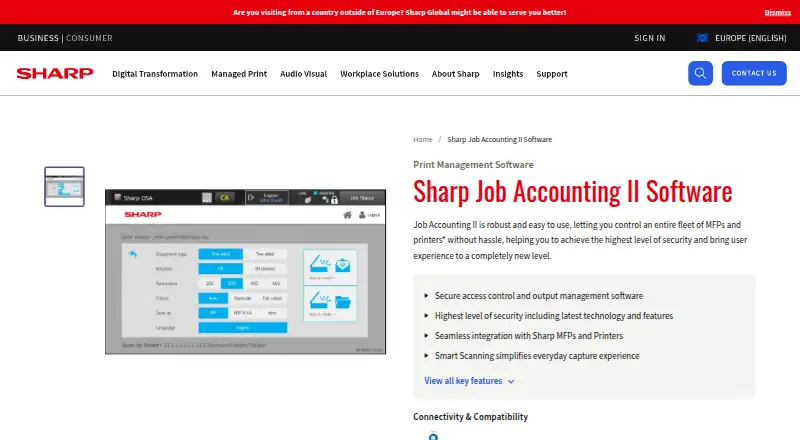
What Sharp Job Accounting II is
Sharp Job Accounting II is output management software for organizations controlling fleets of multifunction printers and printers. It tracks print, copy, scan, and fax activity, with reporting, user limits, and print policies. Its main module can secure access to office devices and apply rules to printing. The product consists of four modules: Job Accounting II, Pull Printing, Client Billing, and Smart Scanning. Pull Printing is an optional module that keeps jobs in a server queue until users release them at an authorized Sharp device on the network. Optional Client Billing assigns jobs to clients, cost centres, or project codes, and supports reports and invoices. Smart Scanning includes Quick Scan to email, password-protected Secure Scan, and conversion of scans into editable text. Sharp also describes printing from mobile devices and BYOD, and cites PayPal as an example of a third-party application integration. A Sharp OSA-enabled device is required. The product is deployed on premises and supports Windows Server and Windows; a brochure lists specific compatible Windows versions and minimum hardware requirements. Sharp lists a 383.97 MB v2.10.0 download containing installers and documentation. Pricing is by quote, with modular options available.
Who it suits
Job Accounting II suits organizations that need to govern printing and track activity across Sharp multifunction printers and printers. Its optional modules may also fit teams that need secure job release, client or project billing, or scan workflows with editable text conversion.
What it does well
- Tracks print, copy, scan, and fax activity with reporting and user limits.
- The main module secures device access and applies print rules.
- Optional Pull Printing holds jobs for release at permitted Sharp devices.
- Client Billing can allocate jobs to clients, cost centres, or project codes.
- Smart Scanning includes password protection and editable-text conversion.
What to know first
- Requires a Sharp OSA-enabled device.
- Deployment is on premises and requires Windows Server or Windows.
- Pricing is available by quote rather than as a published amount.
Limits
A Sharp OSA-enabled device is required. The listed plan is priced by quote, and modular options are available.
Plans
| Plan | Billed and limits | Price |
|---|---|---|
| Job Accounting II | Price by quote; modular options available | On request |
As sharp.eu lists them, read 8 Oct 2026. The maker's own page has the final word.
Getting started
- Visit Sharp's Job Accounting II product page.
- Confirm that your device is Sharp OSA-enabled and review the Windows compatibility and hardware requirements.
- Request pricing from Sharp, including any modular options you need.
- Download the listed v2.10.0 installers and documentation.
- Deploy the software on premises and configure its print controls and selected modules.
Verdict
Consider Job Accounting II if your organization needs print controls and activity reporting for Sharp devices, with optional modules for release, billing, or scanning. Look elsewhere if you cannot meet the Sharp OSA device requirement or need a different deployment environment. Buyers also need to request a quote for pricing.
Questions
How much does Job Accounting II cost?
Pricing is by quote; modular options are available.
Which platforms does it support?
The listed platforms are web and Windows, with Windows Server and Windows support also specified.
Does it require particular printer hardware?
Yes. It requires a Sharp OSA-enabled device.
What modules are available?
The modules are Job Accounting II (MX-SW310), Pull Printing (MX-SW311), Client Billing (MX-SW312), and Smart Scanning (MX-SW313).
Can users release held print jobs at a device?
The optional Pull Printing module holds jobs in a server queue until users release them from a permitted Sharp network device.
What system requirements are listed?
A brochure specifies a minimum 1.5 GHz processor, 25 GB hard drive, 1 GB RAM, and Sharp OSA 3.0-or-higher MFP. Concurrent MFP capacity depends on server hardware.
Facts from Sharp Job Accounting II's own pages
- Access and rules
- The main module can secure access to office devices and apply rules to printing. · sharp.eu, 8 Oct 2026
- Activity tracking
- It tracks print, copy, scan, and fax activity and provides reporting, user limits, and print policies. · sharp.eu, 8 Oct 2026
- Billing
- The optional Client Billing module assigns jobs to clients, cost centres, or project codes and supports reports and invoices. · sharp.eu, 8 Oct 2026
- Device requirement
- The product requires a Sharp OSA-enabled device. · sharp.eu, 8 Oct 2026
- Download
- Sharp lists Job Accounting v2.10.0, including installers and documentation, as a 383.97 MB download dated 12.05.2025. · sharp.eu, 8 Oct 2026
- Founded
- 1912 · sharp.eu, 28 Sept 2026
- Headquarters
- Osaka, Japan · sharp.eu, 28 Sept 2026
- Integration
- Sharp cites PayPal as an example of a third-party application integration. · sharp.eu, 8 Oct 2026
- Mobile printing
- The overview says the system allows printing from mobile devices and BYOD. · sharp.eu, 8 Oct 2026
- Modules
- The product has four modules: Job Accounting II (MX-SW310), Pull Printing (MX-SW311), Client Billing (MX-SW312), and Smart Scanning (MX-SW313). · sharp.eu, 8 Oct 2026
- Pull printing
- The optional Pull Printing module holds jobs in a server queue until users release them from a permitted Sharp device on the network. · sharp.eu, 8 Oct 2026
- Purpose
- Job Accounting II is output management software for controlling fleets of multifunction printers and printers. · sharp.eu, 8 Oct 2026
- Scanning
- Smart Scanning offers Quick Scan to email, Secure Scan with password protection, and conversion of scans to editable text. · sharp.eu, 8 Oct 2026
- Security and compliance
- Sharp says Pull Printing can enforce a Print Security Policy with GDPR compliance. · sharp.eu, 8 Oct 2026
- Server compatibility
- A Sharp brochure lists 32- or 64-bit Windows Server 2008, 2008 R2, 2012, 2012 R2, and 2016, plus Windows 7 Professional, 8.1 Professional, and 10 Professional as supported operating systems. · docs.aws.sharp.eu, 8 Oct 2026
- System requirements
- The brochure specifies a minimum 1.5 GHz processor, 25 GB hard drive, 1 GB RAM, and Sharp OSA 3.0-or-higher MFP; concurrent MFP capacity depends on server hardware. · docs.aws.sharp.eu, 8 Oct 2026
Where Sharp Job Accounting II stands on Freedom251
- Print Management Software#28 of 37