Freedom251 › 3D modeling software
Shade3D
by Shade3D
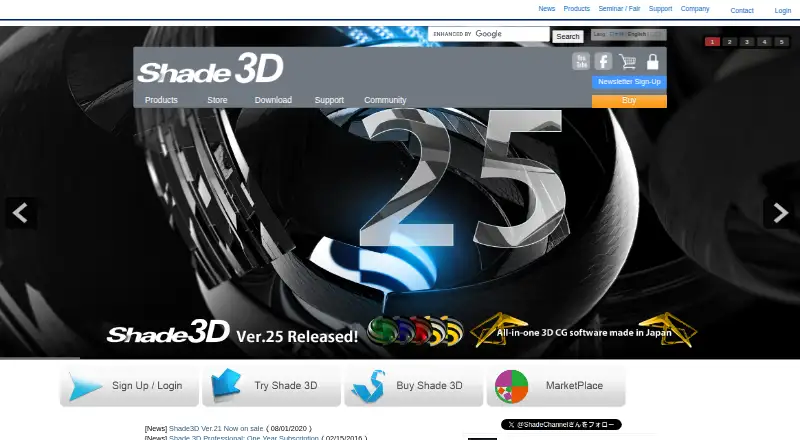
What Shade3D is
Shade3D combines 3D modeling, rendering, animation and 3D printing preparation in an application for Windows and macOS. It supports free-form surface, NURBS and polygon modeling, while rendering uses textures, materials, transparency and lighting settings. Its 3D Print Assistant checks models for errors and corrects them for printing. Listed file formats include OBJ, DXF, STL, FBX, COLLADA and 3ds Max. Animation capabilities include character animation, physics simulation and motion capture, with exports to FBX, COLLADA, 3ds Max or a movie with sound. The maker describes uses in architectural perspectives, interior and product design, event display design, game assets and programming education. A 30-day trial is available, but it limits rendering to 640 × 480 pixels and prevents saving or exporting. Annual subscriptions are listed at $198 a year for Basic, $480 a year for Standard and $980 a year for Professional in the first year; prices exclude tax. Shade3D was founded in 1987 and is based in Tokyo.
Who it suits
Shade3D may suit people creating architectural perspectives, interior or product designs, event displays, game assets, or programming education materials. It also covers modeling and preparation work for 3D printing.
What it does well
- Supports free-form surface, NURBS and polygon modeling.
- 3D Print Assistant checks and corrects model errors.
- Animation includes character, physics and motion capture tools.
- Exports animation in several listed formats.
- Runs on Windows and macOS.
What to know first
- No free plan is available.
- Trial rendering is limited to 640 × 480 pixels.
- Trial users cannot save or export data.
- Trial excludes support services and usage inquiries.
Limits
The 30-day trial limits rendering to 640 × 480 pixels and blocks saving and exporting. It also excludes support services and usage inquiries.
Plans
| Plan | Billed and limits | Price |
|---|---|---|
| Basic — first year | First year; prices exclude tax · Curved-surface, polygon, and NURBS modeling · Annual subscription | $198 a year |
| Basic — from year 2 | From year 2; price of a one-year subscription contract; prices exclude tax · Annual subscription renewal | $99 a year |
| Standard — first year | First year; prices exclude tax · Curved-surface, polygon, and NURBS modeling · Annual subscription | $480 a year |
| Standard — from year 2 | From year 2; price of a one-year subscription contract; prices exclude tax · Annual subscription renewal | $240 a year |
| Professional — first year | First year; prices exclude tax · Professional modeling and rendering capabilities · Annual subscription | $980 a year |
| Professional — from year 2 | From year 2; price of a one-year subscription contract; prices exclude tax · Annual subscription renewal | $392 a year |
| Professional rental — 1 month | 1 month | $343 a month |
| Professional rental — 2 months | 2 months | $450.80 a month |
The first 8 of 15 plans, as shade3d.jp lists them, read 22 Sept 2026. The maker's own page has the final word. Every plan
Getting started
- Open the Shade3D website
- Choose Basic, Standard, Professional, or a Professional rental
- Install the Windows or macOS application
- Alternatively start the 30-day trial
- Create models, render scenes, animate, or prepare files for 3D printing
Verdict
Shade3D brings modeling, rendering, animation and print preparation together, with capabilities spanning several design and education uses. The trial has significant output limits, so review the paid tiers and renewal prices before choosing a license.
Questions
What does Shade3D cost?
Basic is $198 a year for the first year and $99 a year from year 2. Standard is $480 a year initially and $240 a year from year 2; Professional is $980 a year initially and $392 a year from year 2. Professional rental terms range from $343 a month for one month to $676.20 a month for six months; listed annual-plan prices exclude tax.
Is there a free plan or trial?
There is no free plan. A 30-day trial is available, with 640 × 480 rendering and no saving or exporting.
Which platforms are supported?
Shade3D runs on Windows and macOS.
What can it export for animation?
Animation can be exported as FBX, COLLADA, 3ds Max, or a movie with sound.
Does it support floating licenses?
Optional floating licenses are available, allowing activation and use on any PC under a floating contract.
Facts from Shade3D's own pages
- 3D printing
- Its 3D Print Assistant checks and corrects model errors for 3D printing. · shade3d.jp, 29 Sept 2026
- File formats
- The feature page lists OBJ, DXF, STL, FBX, COLLADA, and 3ds Max input and output support. · shade3d.jp, 29 Sept 2026
- Founded
- 1987 · shade3d.jp, 28 Sept 2026
- Free plan
- No · shade3d.jp, 22 Sept 2026
- Headquarters
- Tokyo, Japan · shade3d.jp, 28 Sept 2026
- Integrations
- Ver.22.2 adds Suite Chidori Engine linkage to FBX export. · shade3d.jp, 29 Sept 2026
- License options
- The Ver.23 page offers optional floating licenses and says users can activate and use the program on any PC under a floating contract. · shade3d.jp, 29 Sept 2026
- Modeling
- The product supports free-form surface, NURBS, and polygon modeling. · shade3d.jp, 29 Sept 2026
- Paid-plan support
- The Ver.23 lineup page lists software upgrades, technical inquiries by email and telephone, downloads, and maintenance and update notifications as support. · shade3d.jp, 29 Sept 2026
- Purpose
- Shade3D combines 3D modeling, rendering, animation, and 3D printing in one application. · shade3d.jp, 29 Sept 2026
- Rendering
- Shade3D provides photorealistic rendering using textures, materials, transparency, and lighting settings. · shade3d.jp, 29 Sept 2026
- Target users
- The maker describes uses including architectural perspectives, interior and product design, event display design, game assets, and programming education. · shade3d.jp, 29 Sept 2026
- Trial
- The Ver.25 trial lasts 30 days, limits rendering to 640 × 480 pixels, and does not allow saving or exporting data. · shade3d.jp, 29 Sept 2026
- Trial support
- The trial version does not include support services or accept inquiries about how to use it. · shade3d.jp, 29 Sept 2026
- Version 22 features
- The Ver.22 comparison page lists GPU ray tracing for Professional and an AI denoiser for Standard and Professional. · shade3d.jp, 29 Sept 2026
Where Shade3D stands on Freedom251
- 3D modeling software#96 of 147
- 3D Rendering Software#33 of 46
- 3D Animation Software#29 of 32