Freedom251 › Session Recording Software
Session Replay
What Session Replay is
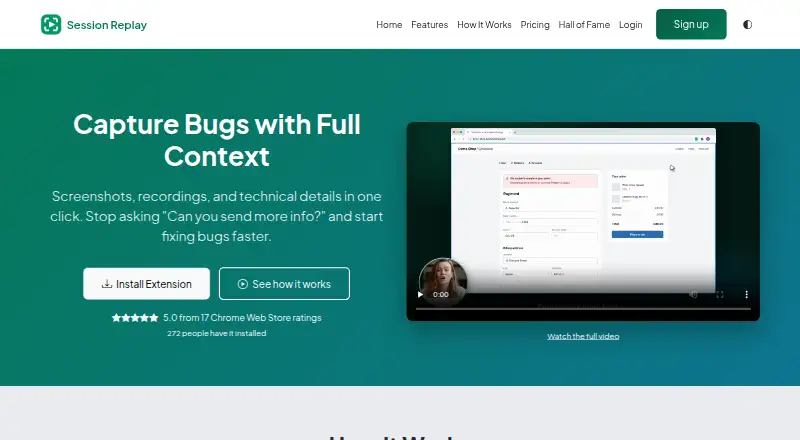
Session Replay creates shareable bug reports containing screenshots, video recordings, and technical details. Reports may include browser and system information, console output, network requests, a HAR file, and a timeline of user actions. When a report is first opened, an AI model suggests reproduction steps, a likely cause, and a severity, although the site warns these suggestions can be wrong. Reporters can submit bugs without an account, while site owners need a paid plan to receive and manage reports. Share links are public by default; paid plans can start reports as private and switch them between private and public. Connectors include Slack, Microsoft Teams, Jira Cloud, webhooks, GitHub, GitLab, Bitbucket, Linear, ClickUp, Trello, Asana, and Shortcut. The product works through an extension and the web, retains recordings for 30 days, and does not capture mobile apps. A free plan is available, with paid plans from $19/mo and a 14-day trial.
Who it suits
It is presented for QA engineers, developers, support teams, product managers, and founders who need detailed bug reports. It also suits teams using the listed collaboration and issue-tracking connectors.
What it does well
- Free plan with unlimited reports
- Captures screenshots and video
- Includes browser and system details
- Offers many listed connectors
- Paid plans support private reports
What to know first
- Mobile app capture is unavailable
- Share links are public by default
- AI suggestions can be wrong
- Connectors do not sync changes back
Limits
The Free plan provides unlimited reports, screenshots, video capture, link sharing, and optional account tracking. Starter limits usage to 100 reports per month, one domain, two team members, 30-day history, and 10-minute recordings; Professional allows 1,000 reports per month, five domains, 10 team members, 90-day history, and 30-minute recordings.
Plans
| Plan | Billed and limits | Price |
|---|---|---|
| Free | Forever free · Unlimited reports · screenshot and video capture · share via link · optional account for tracking | Free |
| Starter | $189/year - 2 months free · 100 reports/month · 1 domain · 2 team members · 30-day history · 10-minute recordings · API access | $189 a year |
| Starter | per month · 100 reports/month · 1 domain · 2 team members · 30-day history · 10-minute recordings · API access | $19 a month |
| Professional | $789/year - 2 months free · 1,000 reports/month · 5 domains · 10 team members · 90-day history · 30-minute recordings · API access | $789 a year |
| Professional | per month · 1,000 reports/month · 5 domains · 10 team members · 90-day history · 30-minute recordings · API access | $79 a month |
| Enterprise | Custom; contact us for pricing · Unlimited reports · unlimited domains · unlimited history and team members · custom integrations · SLA guarantees · on-premise option | On request |
As session-replay.com lists them, read 8 Oct 2026. The maker's own page has the final word.
Getting started
- Open session-replay.com
- Install or use the browser extension and web platform
- Choose the Free plan or a paid plan
- Submit bugs through a shareable report link
- Connect supported tools such as Slack, Jira Cloud, or GitHub
Verdict
Session Replay combines visual recordings with technical context and link-based sharing. Consider its public-link default, connector limits, 30-day retention, and lack of mobile capture alongside the available free and paid plans.
Questions
Is there a free plan?
Yes. Free is forever free at 0.00 USD and includes unlimited reports, screenshot and video capture, link sharing, and optional account tracking.
What do paid plans cost?
Starter is $19 a month and Professional is $79 a month. Enterprise uses custom pricing, and paid plans begin with a 14-day trial charged at $5 plus tax when subscribing.
Can reporters submit bugs without accounts?
Yes. Reporters can submit bugs without an account, but site owners need a paid plan to receive and manage reports.
Which integrations are available?
Connectors include Slack, Microsoft Teams, Jira Cloud, webhooks, GitHub, GitLab, Bitbucket, Linear, ClickUp, Trello, Asana, and Shortcut.
Are reports private?
Share links are public by default. Paid plans can start reports privately and switch them between private and public.
Does it capture mobile apps?
No. Mobile app capture is not supported.
Facts from Session Replay's own pages
- AI report reading
- When a report is first opened, a model suggests reproduction steps, a likely cause, and a severity, and the page cautions that it can be wrong. · session-replay.com, 8 Oct 2026
- Capture details
- Reports can include browser and system information, console output, network requests, a HAR file, and a timeline of user actions. · session-replay.com, 8 Oct 2026
- Compliance
- The maker says it is GDPR compliant and lists SOC 2 Type II and ISO 27001 certifications as planned. · session-replay.com, 8 Oct 2026
- Connector limitation
- Connectors do not sync changes back to Session Replay, and reports sent through them carry a share link that anyone holding it can open. · session-replay.com, 8 Oct 2026
- Integrations
- Available connectors include Slack, Microsoft Teams, Jira Cloud, webhooks, GitHub, GitLab, Bitbucket, Linear, ClickUp, Trello, Asana, and Shortcut. · session-replay.com, 8 Oct 2026
- Privacy setting
- Share links are public by default; on a paid plan, reports can start private and can be changed between private and public. · session-replay.com, 8 Oct 2026
- Purpose
- Session Replay captures screenshots, video recordings, and technical details in bug reports shared by link. · session-replay.com, 8 Oct 2026
- Reporting access
- The site says reporters can submit bugs without an account, while site owners need a paid plan to receive and manage reports. · session-replay.com, 8 Oct 2026
- Security
- The security page states that data uses TLS 1.3 in transit and AES-256 at rest and is hosted on dedicated servers in the EU. · session-replay.com, 8 Oct 2026
- Support
- Professional includes priority email support; Enterprise includes dedicated support. · session-replay.com, 8 Oct 2026
- Trial terms
- Paid plans start with a 14-day trial charged at $5 plus tax; the FAQ says the charge occurs when subscribing. · session-replay.com, 8 Oct 2026
- Who it serves
- The site presents use cases for QA engineers, developers, support teams, product managers, and founders. · session-replay.com, 8 Oct 2026
Where Session Replay stands on Freedom251
- Session Recording Software#20 of 30