Freedom251 › SEO Log File Analysis Tools
SEO Log File Analyzer
What SEO Log File Analyzer is
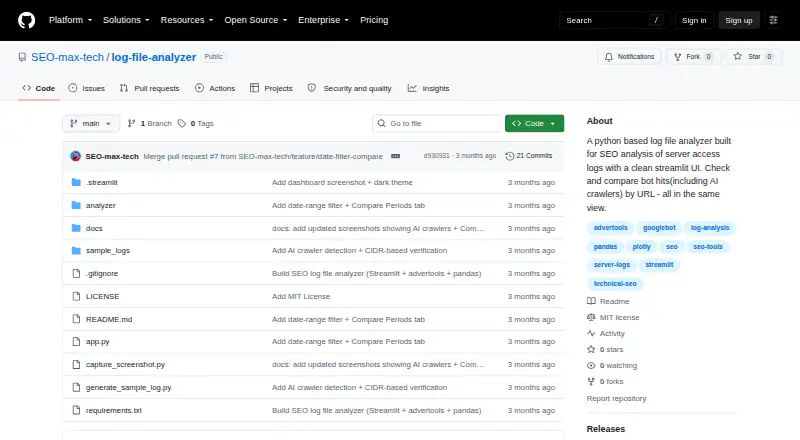
SEO Log File Analyzer examines server access logs in an interactive Streamlit dashboard, turning them into crawl metrics such as bot activity, response codes, crawled URLs, directories, bandwidth, IPs, and geolocation. It can classify AI crawlers by vendor and purpose, including training, search, and user-fetch. Optional verification checks search-engine bots through reverse and forward DNS and supported AI crawlers against published IP ranges. Compare Bots displays crawl footprints side by side with a URL-by-bot coverage matrix. Compare Periods highlights changes across two date ranges for events, bots, URLs, and statuses, including percentage changes and top movers. Supported formats include Apache and Nginx NCSA variants, Cloudflare Logpush JSON, newline-delimited JSON, IIS/W3C Extended, and custom regex. The open-source project is licensed under MIT and runs locally: clone the repository, install its Python requirements, then launch it with Streamlit at localhost:8501. It includes sample logs. Optional bot verification and geolocation use network requests and run more slowly.
Who it suits
This tool suits SEO and technical teams who can run a local Streamlit app and want to analyze crawl activity in server logs. It may also help users comparing bot behavior across dates or identifying AI crawler traffic.
What it does well
- Reports crawl, response-code, bandwidth, and IP metrics.
- Classifies AI crawlers by vendor and purpose.
- Compares bot footprints and date ranges.
- Supports several log formats and custom regex.
What to know first
- Requires cloning the repository and installing Python requirements.
- Optional verification and geolocation make network requests.
- Network-enabled options run more slowly.
Limits
Optional bot verification and geolocation make network requests and are slower. IP geolocation uses an endpoint with a stated limit of about 15 batch requests per minute, and private IPs are skipped.
Getting started
- Clone the GitHub repository
- Install the Python requirements
- Launch the application with Streamlit
- Open the local address at localhost:8501
- Upload a supported access-log file
Verdict
SEO Log File Analyzer offers detailed crawl-log analysis and comparison features in a free, open-source local app. Running it requires a Python setup, and some optional checks depend on network access.
Questions
Is SEO Log File Analyzer free?
Yes. Its pricing model is free, and the project is open source.
Does it have a free plan or trial?
A free plan is available. There is no free trial.
Which platforms does it support?
It is available as a self-hosted web application run with Streamlit.
Which log formats can I upload?
It supports Apache and Nginx NCSA variants, Cloudflare Logpush JSON, newline-delimited JSON, IIS/W3C Extended, and custom regex formats.
How does IP geolocation work?
It uses ip-api.com’s free batch endpoint without an API key and caches results locally. The stated limit is about 15 batch requests per minute, and private IPs are skipped.
Can it verify crawlers?
Optional checks verify supported search-engine bots through reverse and forward DNS and check published IP ranges for supported AI crawlers.
Facts from SEO Log File Analyzer's own pages
- AI crawlers
- It detects and classifies AI crawlers by vendor and purpose, including training, search, and user-fetch categories. · github.com, 9 Oct 2026
- Bot comparison
- Compare Bots shows crawl footprints side by side and a top-URLs-by-bot coverage matrix. · github.com, 9 Oct 2026
- Bot comparisons
- Compare Bots shows crawl footprints side by side and a URL-by-bot coverage matrix. · github.com, 4 Oct 2026
- Bot verification
- It verifies supported search engine bots using reverse and forward DNS and checks some AI crawlers against vendors’ published IP ranges; results are cached in .cache/. · github.com, 9 Oct 2026
- Deployment
- The README instructs users to clone the repository, install its Python requirements, and run the app with Streamlit at localhost:8501. · github.com, 4 Oct 2026
- Geolocation
- IP-to-country lookup uses ip-api.com’s free batch endpoint, requires no API key, and is cached locally. · github.com, 4 Oct 2026
- Geolocation integration
- IP geolocation uses ip-api.com’s free batch endpoint without an API key, with a stated limit of about 15 batch requests per minute; private IPs are skipped. · github.com, 9 Oct 2026
- License
- The repository identifies its license as MIT. · github.com, 9 Oct 2026
- Log formats
- It supports Apache/Nginx NCSA formats, Cloudflare Logpush JSON, JSON logs, IIS/W3C Extended logs, and a custom regex and field list. · github.com, 9 Oct 2026
- Metrics
- Its dashboard reports bot activity, response codes, crawled URLs, directories, bandwidth, IPs, and geolocation. · github.com, 9 Oct 2026
- Network requirement
- Bot verification and geolocation are optional and make network requests when enabled. · github.com, 9 Oct 2026
- Network use
- Bot verification and geolocation are optional and make network requests; the README says these options run slower. · github.com, 4 Oct 2026
- Period comparison
- Compare Periods compares two date ranges using event, bot, URL, and status deltas, percentage changes, and top movers. · github.com, 9 Oct 2026
- Period comparisons
- Compare Periods shows event, bot, URL, and status changes across two date ranges, including percentage changes and top movers. · github.com, 4 Oct 2026
- Purpose
- The project analyzes server access logs for SEO and displays crawl metrics in an interactive Streamlit dashboard. · github.com, 9 Oct 2026
- Sample data
- The app includes a bundled sample log, and the repository documents a script for generating sample logs. · github.com, 9 Oct 2026
- Setup
- The README instructs users to clone the repository, install its Python requirements, and run it with Streamlit; it opens locally at localhost:8501. · github.com, 9 Oct 2026
Where SEO Log File Analyzer stands on Freedom251
- SEO Log File Analysis Tools#17 of 27