Seedvault
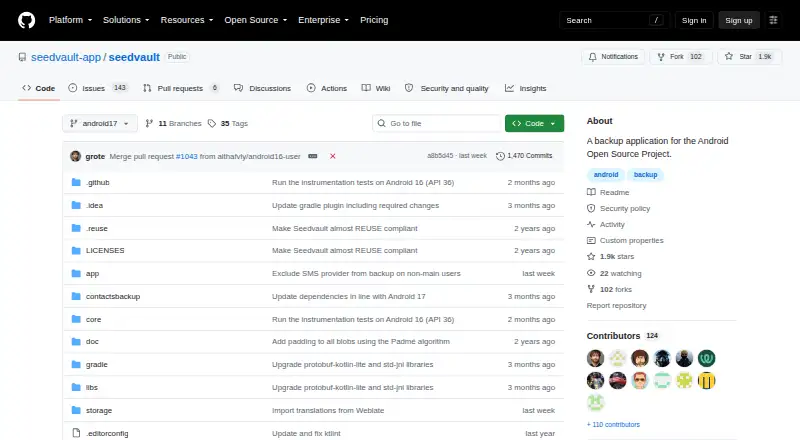
What Seedvault is
Seedvault is a free, open-source backup application for the Android Open Source Project. It backs up and restores application data using a flash drive and can run automatic daily backups in the background. Its built-in WebDAV backend accesses servers on a local network. Encryption uses a BIP39 mnemonic phrase, and the software does not require root access because it is compiled with the operating system. Seedvault must be integrated into an Android ROM rather than installed as a regular app. The project recommends using a branch matching the Android version; an older branch on a newer version can create unsupported issues. Android system backup opt-outs mean some apps cannot be backed up. From Android 15, restoration after setup is available through the main screen’s three-dot menu. Seedvault is primarily maintained by the Calyx Institute for CalyxOS and uses the Apache-2.0 license. Questions go to the FAQ, GitHub Discussions, and issue tracker. Developers warn about risks when sharing recovery keys with other software.
Who it suits
Seedvault suits Android ROM projects and users whose operating system includes it. It is intended for mobile backups without root access, using flash drives or local-network WebDAV.
What it does well
- Free and open-source
- Automatic daily background backups
- Flash-drive backup and restore
- Local-network WebDAV backend
- No rooted device required
What to know first
- Must be integrated into an Android ROM
- Some apps opt out of system backup
- Older branches may cause unsupported issues
- Recovery-key sharing carries security risks
Verdict
Seedvault provides encrypted Android application backups with daily automation and local-network storage options. Its usefulness depends on ROM integration, matching the Android branch, and the backup restrictions imposed by individual apps.
Facts from Seedvault's own pages
- Android compatibility
- The project recommends using the branch that matches the Android version; it warns that older branches on newer Android versions may cause issues it cannot support. · github.com, 12 Oct 2026
- Automatic backups
- It can run automatic daily backups in the background. · github.com, 12 Oct 2026
- Backup and restore
- It backs up and restores application data to and from a flash drive. · github.com, 12 Oct 2026
- Backup limits
- Android system backup opt outs prevent some apps from being backed up through Seedvault. · github.com, 12 Oct 2026
- Backup scope
- mixed · github.com, 20 Sept 2026
- Compatibility
- The project recommends using the Seedvault branch that matches the Android version, and says using an older branch on a newer Android version may cause unsupported issues. · github.com, 12 Oct 2026
- Computer backup
- No · github.com, 20 Sept 2026
- Device requirements
- Seedvault is compiled with the operating system and does not require a rooted device. · github.com, 12 Oct 2026
- Encryption
- It offers user friendly encryption using a BIP39 mnemonic phrase. · github.com, 12 Oct 2026
- License
- Seedvault is available under the Apache-2.0 license. · github.com, 12 Oct 2026
- Maintainer
- The project says it is primarily developed and maintained by the Calyx Institute for use in CalyxOS. · github.com, 12 Oct 2026
- Mobile backup
- Yes · github.com, 20 Sept 2026
- Network storage
- The built in WebDAV backend can access servers on the local network. · github.com, 12 Oct 2026
- Supported platforms
- android · github.com, 20 Sept 2026
- Purpose
- Seedvault is a backup application for the Android Open Source Project. · github.com, 12 Oct 2026
- Restore modes
- mixed · github.com, 20 Sept 2026
- Restore timing
- Starting with Android 15, Seedvault supports restoring after setup through the main screen’s three-dot menu. · github.com, 12 Oct 2026
- ROM integration
- Seedvault must be integrated into an Android ROM and cannot be installed as a regular app. · github.com, 12 Oct 2026
- Root access
- Seedvault is compiled with the operating system and does not require a rooted device. · github.com, 12 Oct 2026
- Storage options
- The README lists a built-in WebDAV backend for accessing servers on a local network. · github.com, 12 Oct 2026
- Support
- The project directs users to its FAQ, GitHub Discussions, and issue tracker for questions and problems. · github.com, 12 Oct 2026
- Third-party tools
- The developers warn that they make no guarantees about external backup inspection tools and that sharing a recovery key with other software carries security risks. · github.com, 12 Oct 2026
Where Seedvault stands on Freedom251
- Backup software#96 of 151