Freedom251 › Mobile Data Backup Software
Neo Backup
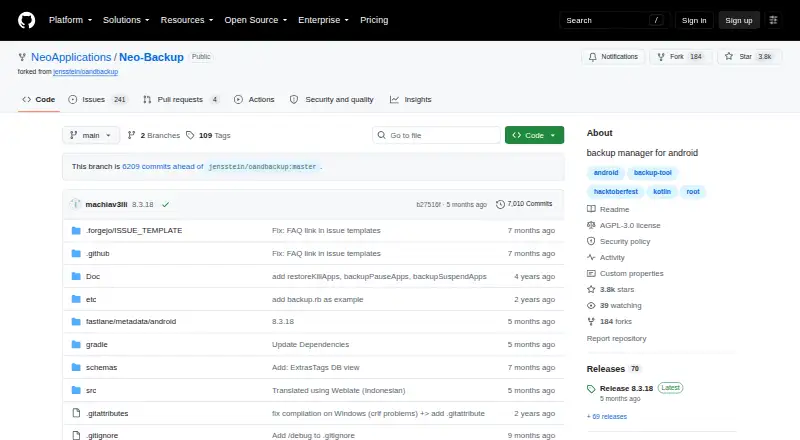
What Neo Backup is
Neo Backup is a free, open-source Android application for backing up and restoring individual apps and their data. It can process apps separately or in batches, and scheduled jobs can use custom lists of installed apps. Root access is required to reach APKs, app data, system apps and special backups. You choose which data to include; external data, OBB files and media files are optional rather than included by default. Special backups cover SMS/MMS, call logs, Wi-Fi access points and Bluetooth, while support for other special data is incomplete. Optional AES256 encryption uses a password set in the app, which is needed during restoration. Android’s Storage Access Framework can save backups to external SD cards or cloud providers, although the project says it is designed primarily for local storage. Syncing the backup directory with Syncthing or Nextcloud is recommended. Android 8 Oreo is the oldest supported version.
Who it suits
Neo Backup suits Android users with rooted phones who want granular app and data backups, batch operations or schedules. It is also useful for users who can manage local storage and optional sync tools.
What it does well
- Free and open-source
- Batch and scheduled backups
- Granular data selection
- AES256 encryption option
- External SD and cloud storage access
What to know first
- Rooted Android phone required
- Remote storage is not optimized
- Some special-data support is incomplete
- External data and media are excluded by default
Verdict
Neo Backup offers detailed, schedulable Android backups for rooted devices, with optional encryption and several storage paths. Users should account for its local-storage focus, root requirement and incomplete support for some special data.
Facts from Neo Backup's own pages
- Android compatibility
- The FAQ lists Android 8 Oreo as the oldest supported version and says the newest stable Android version is supported unless stated otherwise. · github.com, 12 Oct 2026
- Backup contents
- Users can choose which app data parts to back up, including external data, OBB files, and media files, which are not included by default. · github.com, 12 Oct 2026
- Backup modes
- It supports individual and batch backup and restore, plus scheduled backups. · github.com, 12 Oct 2026
- Backup scope
- mixed · github.com, 20 Sept 2026
- Compatibility limit
- The README says version 5.0.0 introduced new encryption and databases that are incompatible with older versions. · github.com, 12 Oct 2026
- Computer backup
- No · github.com, 20 Sept 2026
- Download channels
- The repository links to GitHub, Codeberg, F-Droid, and IzzyOnDroid as download sources. · github.com, 12 Oct 2026
- Encryption
- When enabled, backups are encrypted with AES256 using a password set in the app, which is required for restoring the data. · github.com, 12 Oct 2026
- Individual and batch operations
- It supports backing up and restoring one app at a time or multiple apps in batches. · github.com, 12 Oct 2026
- Intended audience
- The project describes Neo Backup as an Android backup solution and a free and open-source tool descended from OAndBackup. · github.com, 12 Oct 2026
- License
- The project is licensed under GNU Affero General Public License version 3. · github.com, 12 Oct 2026
- Mobile backup
- Yes · github.com, 20 Sept 2026
- Optional encryption
- When enabled, backups are encrypted with AES256 using a password set in the app. · github.com, 12 Oct 2026
- Supported platforms
- android · github.com, 20 Sept 2026
- Purpose
- Neo Backup is an Android backup and recovery app for individual apps and their data. · github.com, 12 Oct 2026
- Release channel
- The repository provides downloadable releases, and its release page lists version 8.3.18 as the latest release. · github.com, 12 Oct 2026
- Remote storage limit
- The FAQ says Neo Backup was developed with local storage in mind and is not optimized for remote storage. · github.com, 12 Oct 2026
- Restore modes
- file · github.com, 20 Sept 2026
- Root required
- The app requires a rooted Android phone to access APKs, app data, system apps, and special backups. · github.com, 12 Oct 2026
- Scheduled backups
- It supports scheduled backups with no stated limit on the number of schedules and lets users create custom app lists. · github.com, 12 Oct 2026
- Schedules
- Users can create an unlimited number of schedules and custom lists of installed apps. · github.com, 12 Oct 2026
- Server backup
- No · github.com, 20 Sept 2026
- Special backups
- Special backups include SMS/MMS, call logs, Wi-Fi access points, and Bluetooth, though the project says support for other special data is incomplete. · github.com, 12 Oct 2026
- Storage and sync
- The FAQ says Android's Storage Access Framework lets Neo Backup save to external SD cards or cloud providers, and the README recommends pairing it with a sync tool such as Syncthing or Nextcloud. · github.com, 12 Oct 2026
Where Neo Backup stands on Freedom251
- Mobile Data Backup Software#11 of 20
- Backup software#92 of 151