Freedom251 › File encryption tools
Secure Message
What Secure Message is
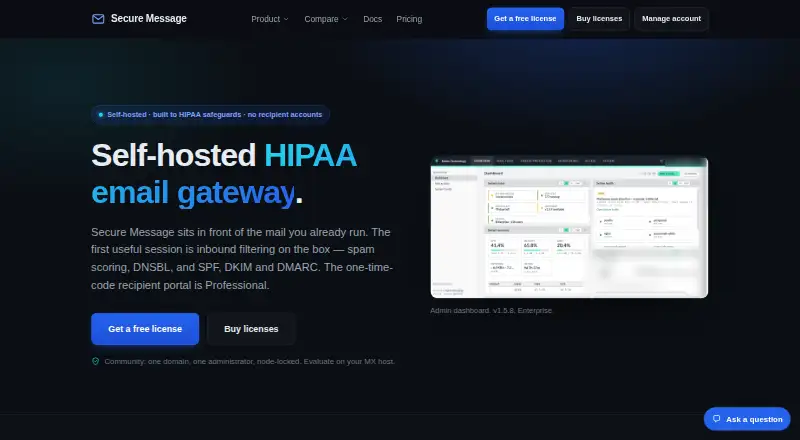
Secure Message is a self-hosted inbound email gateway that filters mail before it reaches an existing mail server. Its Community plan includes Postfix content filtering, spam scoring, DNSBL, SPF, DKIM and DMARC checks, quarantine, mail logs and administrator MFA. The Professional plan adds a web portal where recipients open protected messages with a one-time code, without an account or app. Its rules can encrypt, redirect or block sensitive outbound mail, and it can check whether recipients exist through SMTP callout, LDAP or directory lookups.
Messages, attachments and quarantine are encrypted using Fernet with AES-128-CBC and HMAC-SHA256; the key remains on the customer host. Administrators can use TOTP MFA, role-based access and audit logs, which can be exported to CSV. Enterprise adds AI Autopilot tuning, eDiscovery and archive search, DLP and disclaimers; Autopilot and the classifier are off by default. The gateway can sit in front of Microsoft 365 or an existing mail server using MX routing and outbound smart-host relay, without mailbox migration. Its single-node appliance runs on Debian 13, and the maker recommends starting with 2 vCPU and 4 GB RAM. Secure Message is a Rubix Technology LLC product.
Who it suits
Secure Message suits healthcare, finance and legal teams, MSPs, internal IT teams and organizations with compliance requirements. It is designed for teams that want to filter inbound mail or apply outbound controls while keeping the gateway self-hosted.
What it does well
- Filters mail before it reaches an existing mail server.
- Community includes spam scoring and SPF, DKIM and DMARC checks.
- Professional portal uses one-time codes without recipient accounts or apps.
- Encryption keys are held on the customer host.
- Audit logs can be exported to CSV.
What to know first
- The appliance runs on Debian 13.
- Professional costs $690 a year.
- Enterprise costs $1,490 a year.
Limits
Community supports 1 domain and 1 administrator. Professional costs $690 a year and supports 10 domains and up to 10 users; Enterprise costs $1,490 a year and supports unlimited users and domains.
Plans
| Plan | Billed and limits | Price |
|---|---|---|
| Professional | $690 / year; billed annually · 10 domains · up to 10 users · business-hours support | $690 a year |
| Enterprise | $1,490 / year; billed annually · Unlimited users and domains · priority support and SLA | $1,490 a year |
| Community | Free · 1 domain · up to 1 user · one administrator · Community support | Free |
As secure-message.io lists them, read 8 Oct 2026. The maker's own page has the final word.
Getting started
- Visit the Secure Message website.
- Choose a plan: Community supports 1 domain and 1 administrator; Professional supports 10 domains and up to 10 users; Enterprise supports unlimited users and domains.
- Prepare a Debian 13 host; the maker recommends starting with 2 vCPU and 4 GB RAM.
- Deploy the single-node appliance and configure MX routing or outbound smart-host relay for the existing mail service.
- Request a scoped trial with engineering if you want to evaluate the product.
Secure Message is a self-hosted gateway for organizations that want to filter email and control protected-message delivery without moving their mailboxes. It is strongest for IT and compliance teams able to run a Debian appliance; smaller teams seeking a hosted, low-commitment encryption tool should look elsewhere.
Overview
Secure Message filters inbound mail before it reaches Microsoft 365 or another existing mail server. MX routing directs mail through the gateway, while an outbound smart-host relay handles outgoing mail, so deployment does not require mailbox migration. The trade-off is operational: the single-node appliance runs on Debian 13, and the maker recommends starting with 2 vCPU and 4 GB of RAM.
Stored messages, attachments and quarantine are encrypted using Fernet with AES-128-CBC and HMAC-SHA256. The key stays on the customer host, giving the organization custody of it while making host security and administration its responsibility.
Key features
The Community plan includes Postfix content filtering, spam scoring, DNSBL, SPF, DKIM and DMARC checks, quarantine and mail logs. It also includes TOTP administrator MFA, role-based access and audit logs exportable to CSV. That is a substantial inbound-control foundation, but its one-domain, one-administrator cap makes it better suited to a small installation than a multi-team rollout.
Professional adds a web portal for protected messages. Recipients open messages with a one-time code, without an account or app, which reduces friction for people outside the organization. Outbound rules can encrypt, redirect or block sensitive mail, or hold it for portal delivery. SMTP callout, LDAP or directory lookups can reject mail addressed to nonexistent users.
Enterprise adds AI Autopilot tuning, eDiscovery and archive search, DLP and disclaimers. Autopilot and the classifier are off by default, so teams should not assume automated tuning is active on installation. Community support comes with the free tier, Professional includes business-hours support, and Enterprise adds priority support and an SLA. Users can request a scoped trial with engineering.
Pricing
Community has no published price and is capped at 1 domain and 1 administrator. It is the practical starting point for evaluating inbound filtering, but it does not include Professional's protected-message portal and outbound rules.
Professional costs $690 a year, billed annually, for 10 domains and up to 10 users. It fits organizations that need recipient-portal delivery and outbound policy controls within those limits, with business-hours support. The annual billing is a poor fit for buyers who require a paid monthly option.
Enterprise costs $1,490 a year, billed annually, and supports unlimited users and domains. Its archive search, eDiscovery, DLP, disclaimers, priority support and SLA target organizations with broader compliance and operational needs. The price is a substantial step up from Professional, so smaller teams should weigh whether they need those additions. Both paid plans renew on a yearly basis.
Platforms
Secure Message is available for Linux, as a self-hosted deployment, and through the web portal. Its Debian 13 appliance requirement and recommended starting resources make it a better match for teams with infrastructure capacity than users looking for a simple desktop or mobile app.
Who it's for
The product is aimed at healthcare, finance and legal teams, managed service providers, internal IT groups and compliance-driven organizations. It is particularly relevant where administrators want to place filtering in front of an existing mail system and retain the encryption key on their own host. It is less suitable for individuals or small groups that want a hosted service without appliance administration or annual paid plans.
Pros and cons
- Pros: MX routing and smart-host relay add controls without requiring mailbox migration.
- Pros: The portal and one-time-code access let recipients receive protected messages without an account or app.
- Pros: The customer-hosted key, administrator MFA, role controls and exportable audit logs support organizations that want direct control over security operations.
- Cons: Running a Debian appliance requires infrastructure and ongoing administration.
- Cons: Community is limited to one domain and administrator, while the paid plans are billed annually.
- Cons: Autopilot and the classifier are off by default, so Enterprise buyers should account for configuration rather than assume automatic tuning.
Alternatives
For a different approach to protected email and file delivery, Lockbin has a free plan for one user with a 25 MB attachment limit and six months of inbox storage. SecureMyEmail may suit people who want a free option for one email address across mobile and desktop platforms. Send It Secure is worth considering for web, API, extension or mobile access; its free Guest plan includes 30-day retention, 25 MB files and 10 lifetime message sends to non-paid users.
gpg4o is a Windows-only option for users seeking OpenPGP encryption in Microsoft Outlook. c.Email is a free extension-based choice that supports existing email addresses and unlimited addresses. FlowCrypt may fit extension users with fewer than 100 users and a 5 MB attachment threshold on its free plan. Mimecast Secure Messaging is another paid secure-messaging option, while DataMotion Secure Email Exchange offers an enterprise email-exchange option with pricing handled through sales. For broader comparisons, browse Email Encryption Software or File encryption tools.
Verdict
Secure Message is a strong fit for organizations with the capacity to operate a self-hosted gateway and a need for inbound filtering, controlled recipient delivery and outbound policy enforcement. The customer-held key and the option to add archive search and DLP broaden its appeal for compliance-focused teams. Look elsewhere if you need a hosted, low-maintenance tool or a paid plan that does not require an annual commitment.
Verdict
Choose Secure Message if your team wants a self-hosted mail gateway with filtering, quarantine and administrator controls. Professional adds protected-message delivery and outbound rules; Enterprise adds archive search, DLP and other listed features. The yearly paid plans may not suit teams seeking a paid option without an annual bill.
Questions
Is Secure Message free?
A Community plan is available, but no price is listed for it. The maker describes the pricing model as freemium.
What do the paid plans cost?
Professional costs $690 a year, billed annually. Enterprise costs $1,490 a year, billed annually.
Which platforms does it support?
The listed platforms are Linux, self-hosted and web. The single-node appliance runs on Debian 13.
Can it work with Microsoft 365?
Yes. The gateway can sit in front of Microsoft 365 using MX routing and outbound smart-host relay, without mailbox migration.
Who makes Secure Message?
Secure Message is identified as a Rubix Technology LLC product.
Facts from Secure Message's own pages
- Access and audit
- The product supports TOTP administrator MFA, role-based access and audit logging, with logs exportable to CSV. · secure-message.io, 8 Oct 2026
- Admin access controls
- Yes · secure-message.io, 20 Sept 2026
- Community features
- Community includes Postfix content filtering, spam scoring, DNSBL, SPF, DKIM and DMARC checks, quarantine, mail log and administrator MFA. · secure-message.io, 8 Oct 2026
- Company
- Secure Message is identified as a Rubix Technology LLC product. · secure-message.io, 8 Oct 2026
- Deployment requirements
- The single-node appliance runs on Debian 13 and the maker recommends starting with 2 vCPU and 4 GB RAM. · secure-message.io, 8 Oct 2026
- Encryption
- Stored messages, attachments and quarantine are encrypted with Fernet using AES-128-CBC and HMAC-SHA256, with the key held on the customer host. · secure-message.io, 8 Oct 2026
- Enterprise features
- Enterprise adds AI Autopilot tuning, eDiscovery and archive search, DLP and disclaimers; Autopilot and the classifier are off by default. · secure-message.io, 8 Oct 2026
- Free plan
- Yes · secure-message.io, 20 Sept 2026
- Integrations
- The gateway can sit in front of Microsoft 365 or an existing mail server, using MX routing and outbound smart-host relay without mailbox migration. · secure-message.io, 8 Oct 2026
- Intended users
- The maker describes the product for healthcare, finance and legal teams, MSPs, internal IT teams and compliance-driven organizations. · secure-message.io, 8 Oct 2026
- Message expiry
- Yes · secure-message.io, 20 Sept 2026
- Outbound protection
- Professional rules can encrypt, redirect or block sensitive outbound messages, including holding them for the recipient portal. · secure-message.io, 8 Oct 2026
- Product
- Secure Message is a self-hosted inbound email gateway that filters mail before it reaches an existing mail server. · secure-message.io, 8 Oct 2026
- Recipient verification
- Professional can reject mail to nonexistent users using SMTP callout, LDAP or directory lookups. · secure-message.io, 8 Oct 2026
- Secure delivery
- link · secure-message.io, 20 Sept 2026
- Secure recipient portal
- Professional recipients open protected messages in a web portal using a one-time code, without creating an account or installing an app. · secure-message.io, 8 Oct 2026
- Support
- Community includes community support, Professional includes business-hours support, and Enterprise includes priority support and an SLA. · secure-message.io, 8 Oct 2026
- Trial
- The maker says users can request a scoped trial with engineering but does not state a trial duration. · secure-message.io, 8 Oct 2026
Where Secure Message stands on Freedom251
- File encryption tools#9 of 28
- Email Encryption Software#12 of 31