
Secure-Merge
What Secure-Merge is
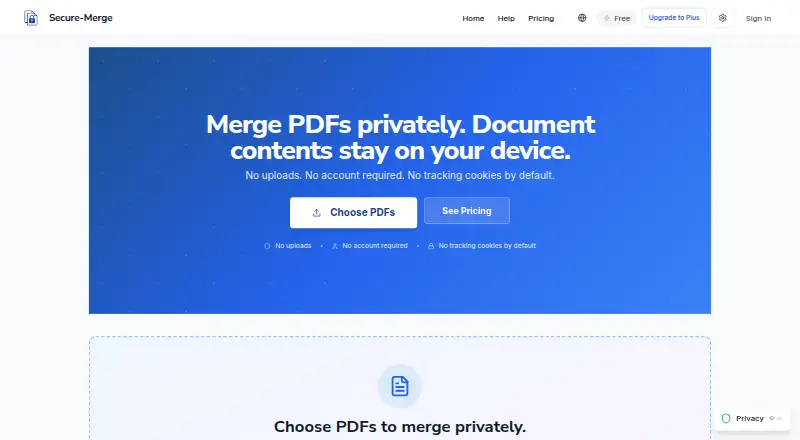
Secure-Merge is a web tool for combining PDFs and images, with basic merging available without an account. In the standard flow, document contents are handled in the browser rather than uploaded for merging. The service says this uses PDF.js and pdf-lib through WebAssembly and JavaScript. After a merge, the export dialog provides a Privacy Receipt describing local processing and document network activity. The Free plan allows jobs of up to 150 pages and 200MB total, with no account required. Plus adds drag-and-drop page reordering, visual previews, batch operations, full-page previews with OCR text extraction and searchable-content verification, and reusable presets. Secure-Merge lists Plus at $5.99 a year and the 7-Day Plus Pass at $4.99, paid once. The annual plan includes up to 1,000 pages per job, OCR scans, page extraction, splitting, extraction and compression, passwords, and page numbering. Dedicated offline support is not implemented; offline reloads depend on browser caching. The service says it does not provide legal, HIPAA, GDPR, or regulatory certification.
Who it suits
It may suit legal, finance and accounting, HR and administration, education, and privacy-conscious individual users who need to merge PDFs or images. Plus is for users who want page reordering, OCR-related previews, batch operations, or saved presets.
What it does well
- Basic merging requires no account.
- Standard merging processes contents in the browser.
- Privacy Receipt describes processing and document network activity.
- Plus offers page reordering and reusable presets.
What to know first
- Dedicated offline support is not implemented.
- Plus features require an account.
- The service does not provide regulatory certification.
Limits
The Free plan allows up to 150 pages per job and 200MB total per job. Secure-Merge Plus allows up to 1,000 pages per job; the 7-Day Plus Pass provides Plus access for seven days.
Plans
| Plan | Billed and limits | Price |
|---|---|---|
| 7-Day Plus Pass | Plus access for 7 days | $4.99, paid once |
| Secure-Merge Plus | billed annually — save $36/yr · 1,000 pages per job · OCR scans · Extract pages · Split, extract & compress · Password & page numbering | $5.99 a year |
| Secure-Merge Plus | 1,000 pages per job · OCR scans · Extract pages · Split, extract & compress · Password & page numbering | $8.99 a month |
| Free | Up to 150 pages per job · 200MB total per job · No account required | On request |
As secure-merge.com lists them, read 11 Oct 2026. The maker's own page has the final word.
Getting started
- Visit the Secure-Merge website in a browser.
- Use basic merging without creating an account, or create an account for Plus features.
- Choose the Free plan, the 7-Day Plus Pass, or Secure-Merge Plus.
- Select and merge PDFs or images, then review the Privacy Receipt in the export dialog.
Verdict
Secure-Merge combines browser-based merging with a receipt describing document processing and network activity. Check the page and file limits, account requirement for Plus, and lack of dedicated offline support before choosing it.
Questions
Is Secure-Merge free?
Yes. Its Free plan allows up to 150 pages per job and 200MB total per job, and basic merging does not require an account.
How much does Secure-Merge Plus cost?
Secure-Merge Plus costs $5.99 a year, billed annually. The 7-Day Plus Pass costs 4.99 USD once.
What platforms does Secure-Merge support?
Secure-Merge is listed as a web product and runs in a browser.
Does Secure-Merge upload documents to merge them?
Its standard merge flow processes document contents in the browser rather than uploading them for merging. The export dialog displays a Privacy Receipt describing processing and document network activity.
Does Secure-Merge work offline?
Dedicated offline support is not currently implemented. Reloading the page while offline depends on browser caching.
Does Secure-Merge provide regulatory certification?
No. Secure-Merge states that it does not provide legal, HIPAA, GDPR, or regulatory certification.
Facts from Secure-Merge's own pages
- Analytics
- The site says it uses Plausible privacy-first analytics with no cookies and no personal data collection. · secure-merge.com, 11 Oct 2026
- Compliance
- Secure-Merge states that it does not provide legal, HIPAA, GDPR, or regulatory certification. · secure-merge.com, 11 Oct 2026
- Intended users
- The site identifies legal professionals, finance and accounting teams, HR and administration, educators and students, and privacy-conscious individuals as potential users. · secure-merge.com, 11 Oct 2026
- Local processing
- The standard merge flow processes document contents in the browser and does not upload them for merging. · secure-merge.com, 11 Oct 2026
- No account for basic use
- Basic merging is available without creating an account; an account is needed for Plus features. · secure-merge.com, 11 Oct 2026
- Offline limitation
- Dedicated offline support is not currently implemented, and reloading the page offline depends on browser caching. · secure-merge.com, 11 Oct 2026
- Plus presets
- Plus lets users save and reuse merge presets. · secure-merge.com, 11 Oct 2026
- Plus preview
- Plus includes full-page preview with OCR text extraction and searchable content verification. · secure-merge.com, 11 Oct 2026
- Plus reorder
- Plus includes drag-and-drop page reordering with visual previews and batch operations. · secure-merge.com, 11 Oct 2026
- Privacy receipt
- After each merge, the export dialog shows a Privacy Receipt describing local processing and document network activity. · secure-merge.com, 11 Oct 2026
- Product
- Secure-Merge is a browser-based tool for merging PDFs and images. · secure-merge.com, 11 Oct 2026
- Technology
- Secure-Merge says it uses PDF.js and pdf-lib in the browser via WebAssembly and JavaScript. · secure-merge.com, 11 Oct 2026
Where Secure-Merge stands on Freedom251
- PDF mergers#10 of 23
- PDF Merger Software#29 of 36