
Scrite
by Scrite
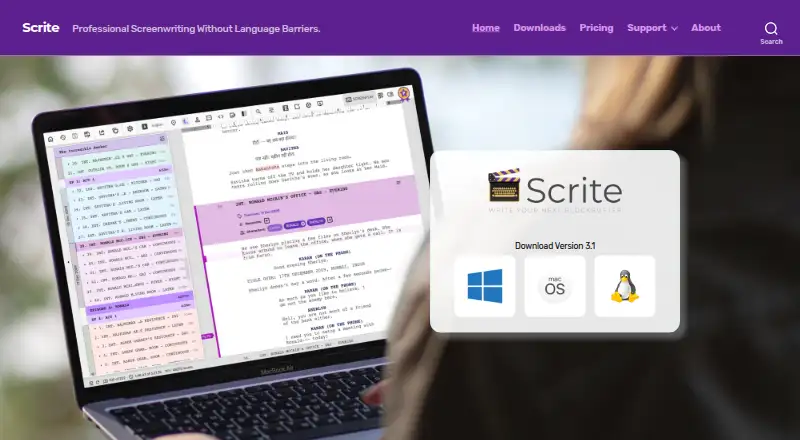
What Scrite is
Scrite is a screenwriting app for Windows, macOS, and Linux, with offline mode, version history, publishing tools, and extensive export options. It has no free plan, but offers a 30-day trial for one device; trial exports carry a watermark. Annual Basic costs $19 a year, billed annually, for one device and PDF, Final Draft, Fountain, and plain-text export. Annual Pro costs $36 a year, billed annually, supports two devices, and adds HTML, ODT, Open Screenplay Format, and Structure PDF exports. Pro Long Term costs $69 a year for a three-year plan on three devices, with the full listed export feature set. The plans vary by device allowance and export formats. Scrite is made by Scrite, which was founded in 2020 and is based in Bengaluru, Karnataka, India. The app does not offer real-time collaboration or mobile apps.
Who it suits
Scrite suits screenwriters who want desktop software with offline access, version history, and publishing tools. Its plan options may fit writers choosing between device limits and export formats.
What it does well
- Runs on Windows, macOS, and Linux
- Works offline and keeps version history
- Includes publishing tools
- Paid plans offer multiple export formats
What to know first
- No free plan
- Trial exports include a watermark
- No real-time collaboration
- No mobile apps
Limits
The Free Trial lasts 30 days, allows one device, and places a watermark on exports. Annual Basic also allows one device; Annual Pro allows two, while Pro Long Term allows three.
Plans
| Plan | Billed and limits | Price |
|---|---|---|
| Free Trial | 30-day trial · One device · Exports include a watermark | On request |
| Annual Basic | billed annually · One-year plan · One device · PDF, Final Draft, Fountain, and plain-text export | $19 a year |
| Annual Pro | billed annually · One-year plan · Two devices · Includes HTML, ODT, Open Screenplay Format, and Structure PDF export | $36 a year |
| Pro Long Term | Three-year plan · Three devices · Full listed export feature set | $69 a year |
As scrite.io lists them, read 19 Sept 2026. The maker's own page has the final word.
Getting started
- Visit https://www.scrite.io/
- Start the 30-day Free Trial
- Use the trial on one device
- Select Annual Basic, Annual Pro, or Pro Long Term
- Install Scrite on Windows, macOS, or Linux
Verdict
Scrite offers offline screenwriting across three desktop platforms, with paid plans differentiated by device count and export options. The one-device trial lasts 30 days and marks exports with a watermark; there are no mobile apps or real-time collaboration.
Questions
How much does Scrite cost?
Annual Basic costs $19 a year, Annual Pro costs $36 a year, and Pro Long Term costs $69 a year.
Is there a free plan?
No. Scrite offers a 30-day trial instead.
Which operating systems are supported?
Scrite runs on Windows, macOS, and Linux.
Does Scrite support collaboration?
Real-time collaboration is not available.
What export formats are included?
Basic includes PDF, Final Draft, Fountain, and plain text. Pro adds HTML, ODT, Open Screenplay Format, and Structure PDF; Pro Long Term includes the full listed export feature set.
Facts from Scrite's own pages
- Real-time collaboration
- No · scrite.io, 19 Sept 2026
- Export formats
- extensive · scrite.io, 19 Sept 2026
- Founded
- 2020 · scrite.io, 28 Sept 2026
- Free plan
- No · scrite.io, 19 Sept 2026
- Headquarters
- Bengaluru, Karnataka, India · scrite.io, 28 Sept 2026
- Mobile apps
- No · scrite.io, 19 Sept 2026
- Offline mode
- Yes · scrite.io, 19 Sept 2026
- Publishing tools
- Yes · scrite.io, 19 Sept 2026
- Version history
- Yes · scrite.io, 19 Sept 2026
Where Scrite stands on Freedom251
- Writing Apps#101 of 135
- Screenwriting Software#22 of 27
- Script Writing Software#21 of 25