Freedom251 › Desktop Organization Software
ScreenShelf
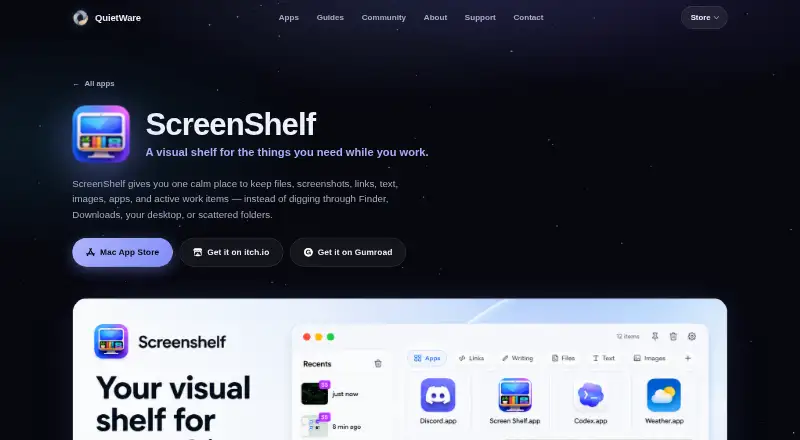
What ScreenShelf is
ScreenShelf is a paid macOS app for arranging items in visual shelves. You can create pages for separate workflows, then customize each shelf with names, icons, colors, images, and labels. A Recents panel provides another way to reach items. ScreenShelf costs $3.99, paid once, billed at $3.99–$4.99 when optional support is included. It is a one-time purchase with no subscription and no free plan. The app is available only on macOS through the maker’s website. Its feature set focuses on manually grouping items and giving each group a distinct visual identity, rather than automatically reorganizing content or preserving layout states.
Who it suits
ScreenShelf suits Mac users who want manually arranged visual groups for different workflows. It is relevant when custom shelf appearance matters more than automatic sorting or saved layouts.
What it does well
- Pages support separate workflows
- Custom names and icons
- Colors, images, and labels
- Recents panel included
- One-time purchase, no subscription
What to know first
- macOS only
- No free plan
- No automatic sorting
- No saved layouts
Plans
| Plan | Billed and limits | Price |
|---|---|---|
| ScreenShelf | $3.99 - $4.99 with optional support. One-time purchase; no subscription. · Visual shelf · Pages for workflows · Custom names and icons · Colors, images, and labels · Recents panel | $3.99, paid once |
As quietwareapps.com lists them, read 23 Sept 2026. The maker's own page has the final word.
Verdict
ScreenShelf provides visual, manual organization on macOS through customizable shelves and workflow pages. Consider it if those controls fit your routine and you do not need automatic sorting or saved layouts.
Where ScreenShelf stands on Freedom251
- Desktop Organization Software#46 of 47