Freedom251 › Screen Recording Software
Screenium
by Screenium
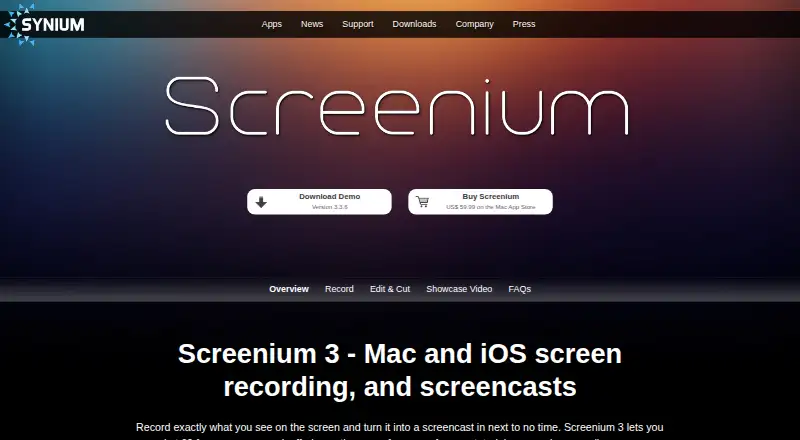
What Screenium is
Screenium is macOS software for recording Mac screens and producing screencasts for tutorials, gameplay, and other on-screen content. It captures a full display, an individual window, a selected area, or an iOS or tvOS device screen, at up to 60 frames per second. Recordings can include system audio, microphone input, and a webcam picture-in-picture. Its editor provides cutting, transitions, text, audio editing, effects, and animations, with mouse-cursor visualization and smart zoom for demonstrations. Projects can become films or go directly to YouTube, Facebook, and Flickr; Mac Messages and Mail are also supported for sharing. Screenium is available only through the Mac App Store and has a fully functional demo whose export is disabled. The product page lists OS X 10.10 Yosemite or later. Screenium 3 is listed at $59.99 a month, with no free plan and a free trial.
Who it suits
It suits Mac users creating tutorials, gameplay recordings, or other screencasts. Webcam, audio, editing, and sharing tools support presenters who need finished videos.
What it does well
- Captures screens at up to 60 frames per second
- Records system audio, microphone, and webcam video
- Editor includes cutting, transitions, text, and effects
- Exports to films, YouTube, Facebook, and Flickr
What to know first
- Runs exclusively on macOS
- Demo disables recording export
- Screenium 3 listed at $59.99 a month
- Available only through the Mac App Store
Plans
| Plan | Billed and limits | Price |
|---|---|---|
| Screenium 3 | US$ 59.99 on the Mac App Store · One-time purchase · install on all your Macs under the Mac App Store terms | $59.99, paid once |
As syniumsoftware.com lists them, read 12 Oct 2026. The maker's own page has the final word.
Verdict
Screenium combines Mac and device capture with editing, presentation aids, and several sharing destinations. Its platform restriction, disabled demo export, and listed subscription price are important considerations.
Facts from Screenium's own pages
- Availability
- Screenium is available exclusively on the Mac App Store. · syniumsoftware.com, 12 Oct 2026
- Editing
- Its editor supports cutting, transitions, text, audio editing, effects, and animations. · syniumsoftware.com, 12 Oct 2026
- Export and sharing
- Screenium exports projects as films and supports direct export to YouTube, Facebook, and Flickr, plus sharing through Mac Messages and Mail. · syniumsoftware.com, 12 Oct 2026
- Founded
- 1998 · syniumsoftware.com, 28 Sept 2026
- Free plan
- No · syniumsoftware.com, 21 Sept 2026
- Headquarters
- Mainz, Germany · syniumsoftware.com, 28 Sept 2026
- Maker history
- Synium says its company history began in 1998 and identifies Mainz, Germany as its location. · syniumsoftware.com, 12 Oct 2026
- Microphone recording
- Yes · syniumsoftware.com, 21 Sept 2026
- Supported platforms
- macOS · syniumsoftware.com, 21 Sept 2026
- Presentation
- Features include mouse cursor visualization, smart zoom, and picture-in-picture clips from webcams such as FaceTime/iSight cameras. · syniumsoftware.com, 12 Oct 2026
- Privacy
- The maker says Screenium can be used without providing personal data; its optional YouTube upload uses the YouTube API and Synium says it does not store login information or activity. · syniumsoftware.com, 12 Oct 2026
- Purpose
- Screenium records Mac screens and creates screencasts for tutorials, gameplay, and other screen content. · syniumsoftware.com, 12 Oct 2026
- Recording
- It records at up to 60 frames per second and supports full screen, individual windows, selected areas, and iOS or tvOS device screens. · syniumsoftware.com, 12 Oct 2026
- Security
- Synium says personal data transmitted to it is encrypted using TLS and that it uses technical and organizational security measures. · syniumsoftware.com, 12 Oct 2026
- Support
- Synium provides a Screenium 3 support page, user guide, support form, and FAQ. · syniumsoftware.com, 12 Oct 2026
- Supported languages
- The interface is available in 13 languages: English, German, Czech, Spanish, Finnish, French, Italian, Dutch, Polish, Portuguese, Russian, Swedish, and Chinese. · syniumsoftware.com, 12 Oct 2026
- System audio
- Yes · syniumsoftware.com, 21 Sept 2026
- System requirements
- The product page lists OS X 10.10 Yosemite or later and says iOS device recording requires iOS 8 and a Lightning connector. · syniumsoftware.com, 12 Oct 2026
- Trial limits
- The fully functional demo disables export of recordings. · syniumsoftware.com, 12 Oct 2026
- Webcam recording
- Yes · syniumsoftware.com, 21 Sept 2026
Where Screenium stands on Freedom251
- Screen Recording Software#109 of 131