Freedom251 › Screenshot Annotation Software
Screen Snipe
What Screen Snipe is
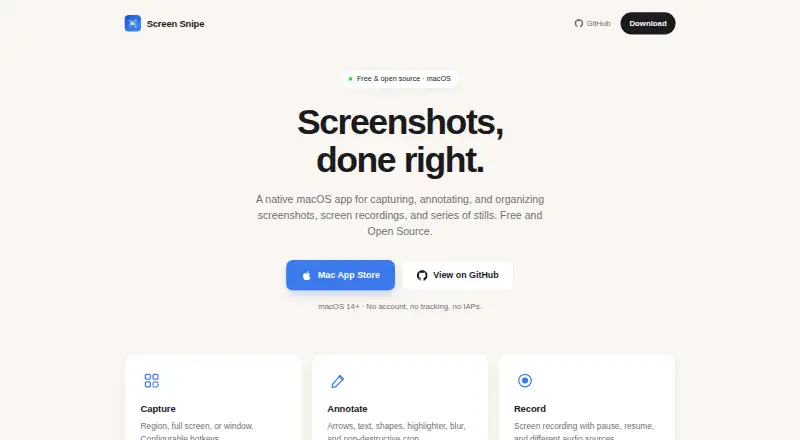
Screen Snipe is a native macOS app for capturing, recording, annotating, and organizing screen content. It captures a region, full screen, or window using configurable system-wide shortcuts. Recordings support pausing and resuming, system audio, and microphone input. Annotation tools include arrows, lines, shapes, text, highlighting, blur, and non-destructive cropping. Repeated stills from the same area, window, or screen can be stored as one series item and exported as a multi-page TIFF or PDF. A local library supports names, descriptions, tags, search, and filters. Captures can be copied to the clipboard, exported as PNG or JPEG, or shared through revocable iCloud links. Text recognition allows copying text from captures, and Apple Intelligence can tidy recognized text on-device in macOS 26. The app can combine screenshots, recordings, and series into one video. The maker says there is no data collection, analytics, tracking, or network connection. Screen Snipe is free, with no in-app purchases, requires macOS 14 or later, and needs screen recording permission.
Who it suits
Screen Snipe suits Mac users who need one local tool for screenshots, recordings, annotation, text recognition, series capture, and exports. It requires macOS 14 or later and screen-recording permission.
What it does well
- Captures regions, windows, or full screens
- Recording supports system audio and microphone input
- Rich annotation and redaction tools
- Local library includes tags, search, and filters
- Free with no in-app purchases
What to know first
- Requires macOS 14 or later
- Screen recording permission is required
- iCloud sharing uses an external service
- No third-party integrations
Plans
| Plan | Billed and limits | Price |
|---|---|---|
| Free | All features free · no in-app purchases · macOS 14 or later | Free |
As screensnipe.app lists them, read 11 Oct 2026. The maker's own page has the final word.
Verdict
Screen Snipe combines capture, editing, organization, recognition, and video stitching in a free macOS app. Its local-storage approach and broad export options suit users who want screen work kept on the Mac unless shared.
Facts from Screen Snipe's own pages
- Annotation
- Annotation tools include arrows, lines, shapes, text, highlighting, blur, and non-destructive cropping. · apps.apple.com, 11 Oct 2026
- Capture
- It captures a selected region, a full screen, or a window, with configurable system-wide keyboard shortcuts. · apps.apple.com, 11 Oct 2026
- Export
- Captures can be copied to the clipboard or saved as PNG or JPEG, and series can be exported as multi-page TIFF or PDF. · screensnipe.app, 11 Oct 2026
- Export formats
- PNG, JPEG, TIFF, PDF · screensnipe.app, 20 Sept 2026
- Free plan
- Yes · screensnipe.app, 20 Sept 2026
- Integrations
- The privacy policy says Screen Snipe does not integrate with third-party services, SDKs, or APIs; iCloud links use the user's iCloud Drive. · screensnipe.app, 11 Oct 2026
- Library
- Captures are saved in a local library that supports naming, descriptions, tags, search, and filters. · apps.apple.com, 11 Oct 2026
- Privacy
- The maker says the app has no data collection, analytics, tracking, or network connections, and captures stay on the Mac unless shared through iCloud. · screensnipe.app, 11 Oct 2026
- Purpose
- Screen Snipe is a native macOS app for capturing, annotating, and organizing screenshots, screen recordings, and series of stills. · screensnipe.app, 11 Oct 2026
- Recording
- Screen recordings can capture the full screen, a region, or a specific window, and support pausing, resuming, system audio, and microphone input. · apps.apple.com, 11 Oct 2026
- Redaction tools
- Yes · screensnipe.app, 20 Sept 2026
- Requirement
- Screen Snipe requires macOS 14 or later, and screen recording permission is required. · apps.apple.com, 11 Oct 2026
- Series
- Series capture saves repeated stills of the same region, window, or screen together in one library item, which can be exported as a multi-page TIFF or PDF. · screensnipe.app, 11 Oct 2026
- Sharing
- Users can publish a capture as an iCloud link that opens in a browser and revoke sharing later. · screensnipe.app, 11 Oct 2026
- Support
- The maker lists [email protected] for privacy policy questions and invites users to file issues or contribute on GitHub. · screensnipe.app, 11 Oct 2026
- Text recognition
- Screen Snipe can recognize and copy text from captures, and Apple Intelligence can tidy recognized text on-device in macOS 26. · screensnipe.app, 11 Oct 2026
- Video stitching
- The app can combine screenshots, recordings, and series into a single video. · screensnipe.app, 11 Oct 2026
Where Screen Snipe stands on Freedom251
- Screenshot Annotation Software#45 of 76