Freedom251 › Email Scheduling Software
Schedule Email
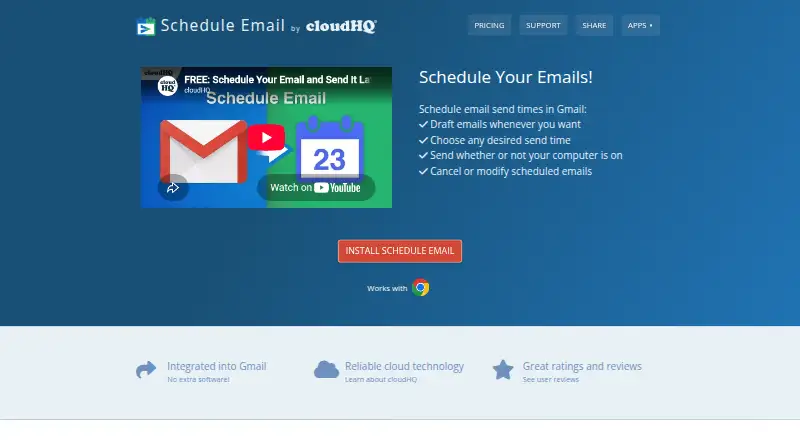
What Schedule Email is
Schedule Email is a browser extension that lets users choose when messages from Gmail are sent. In Gmail, it adds a blue clock button: users can select one of the suggested send times or set a date and time on a calendar. Scheduled messages can be reviewed, and users can cancel a send time to edit or discard the message. The service says messages are sent at the scheduled time even if the user's computer is off. It works with Gmail and G Suite email, including hosted business accounts, and is available through the Chrome Web Store.
The free Basic plan covers one user and includes Gmail integration, scheduled sending, message review and cancellation, and Email Tracker integration. It does not include email or phone support. Premium costs $4.99 a month per user and includes those same listed features plus email and phone support. Schedule Email is offered by cloudHQ, which describes its business as Gmail productivity tools and other cloud services. cloudHQ says it uses password-less OAuth authorization for supported services and TLS v1.3 for specified communications between its servers, supported providers, and users' browsers. The product is intended for workplace scheduling, such as timing messages for business hours or for recipients in other time zones.
Who it suits
Schedule Email suits Gmail or G Suite users who want to time workplace messages for business hours or for recipients in other time zones. It is also a fit for people who want to review, cancel, edit, or discard a scheduled message before it is sent.
What it does well
- Choose suggested send times or set a date and time in a calendar.
- Review scheduled emails and cancel their send times.
- Canceled messages can be edited or discarded.
- Messages are said to send even when the computer is off.
- Both plans include Email Tracker integration.
- Premium includes email and phone support.
What to know first
- Basic is limited to one user.
- Basic does not include email or phone support.
- Premium costs $4.99 a month per user.
- The listed platform is a browser extension installed from the Chrome Web Store.
Limits
Basic is free for one user and does not include email or phone support. Premium costs $4.99 a month per user and includes both support channels.
Plans
| Plan | Billed and limits | Price |
|---|---|---|
| Basic | one user · Gmail integration · review or cancel scheduled emails · email tracking integration · send email later · no email or phone support | Free |
| Premium | per user · Gmail integration · review or cancel scheduled emails · email tracking integration · send email later · email and phone support | $4.99 a month |
As schedule-email.com lists them, read 4 Oct 2026. The maker's own page has the final word.
Getting started
- Open the Schedule Email website.
- Install the extension from the Chrome Web Store.
- Use it with Gmail or G Suite email.
- Choose Basic for free or Premium at $4.99 a month per user.
- In Gmail, use the blue clock button to pick a suggested send time or set one on the calendar.
Verdict
Choose Schedule Email if you use Gmail or G Suite and want to schedule messages, then review or cancel them later. The free Basic plan includes the core scheduling features for one user. Look elsewhere if you need email or phone support without paying; those are included with Premium at $4.99 a month per user.
Questions
Is Schedule Email free?
Yes. Basic is free for one user. The site describes a free forever plan for Gmail or G Suite hosted business email accounts.
What does Premium cost?
Premium costs $4.99 a month per user.
Which email services does it work with?
It works with Gmail and G Suite email, including hosted business accounts.
What platforms is it available on?
It is a browser extension installed from the Chrome Web Store and embeds into Gmail or G Suite email.
What does each plan include?
Both plans list Gmail integration, sending later, review or cancellation of scheduled emails, and Email Tracker integration. Premium adds email and phone support.
Who makes Schedule Email?
Schedule Email is offered by cloudHQ, which says it provides Gmail productivity tools and other cloud services. The company says it was founded in 2011 by Senad Dizdar.
Facts from Schedule Email's own pages
- Background sending
- The site says scheduled emails send whether or not the user's computer is on. · schedule-email.com, 4 Oct 2026
- Company
- cloudHQ says it offers Gmail productivity tools and other cloud services and was founded in 2011 by Senad Dizdar. · cloudhq.net, 4 Oct 2026
- Compliance
- cloudHQ says its infrastructure maintains certifications including ISO 27001, ISO 27017, ISO 27018, SOC 1, SOC 2, SOC 3, FedRAMP ATO, and PCI DSS v3.2. · cloudhq.net, 4 Oct 2026
- Email tracking
- The pricing page lists integration with Email Tracker on both Basic and Premium plans. · schedule-email.com, 4 Oct 2026
- Encryption
- cloudHQ says communication between its servers and Google, Microsoft, Box, and Dropbox servers, and between its servers and users' browsers, uses TLS v1.3. · cloudhq.net, 4 Oct 2026
- Free access
- The site describes a free forever plan for Gmail or G Suite hosted business email accounts. · schedule-email.com, 4 Oct 2026
- Gmail integration
- The product adds a blue clock button to Gmail for scheduling messages. · schedule-email.com, 4 Oct 2026
- Headquarters
- San Francisco, California, United States · schedule-email.com, 28 Sept 2026
- Intended users
- The site describes workplace use, scheduling messages for business hours, and sending at a time convenient for recipients in other time zones. · schedule-email.com, 4 Oct 2026
- Platform
- The site directs users to install Schedule Email from the Chrome Web Store and says it embeds into Gmail or G Suite email. · schedule-email.com, 4 Oct 2026
- Purpose
- Schedule Email lets users schedule emails to send from Gmail at a chosen time. · schedule-email.com, 4 Oct 2026
- Scheduled messages
- Users can review scheduled emails, cancel their scheduled time, and then edit or discard the email. · schedule-email.com, 4 Oct 2026
- Scheduling
- Users can choose a send time from suggested options or set a date and time using a calendar. · schedule-email.com, 4 Oct 2026
- Security
- cloudHQ says it uses OAuth password-less authorization for supported services and does not permanently store users' files on its servers. · cloudhq.net, 4 Oct 2026
- Support
- Email and phone support are included with Premium; Basic lists these as unavailable. · schedule-email.com, 4 Oct 2026
Where Schedule Email stands on Freedom251
- Email Scheduling Software#13 of 30