Freedom251 › Document Scanning Software
ScanMole
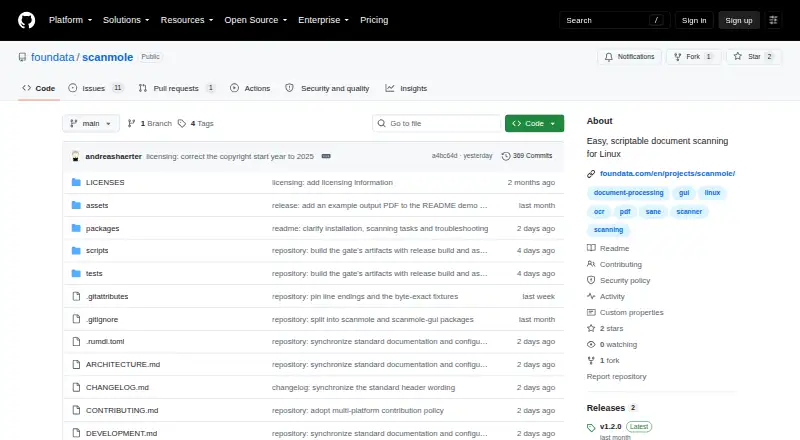
What ScanMole is
ScanMole turns office and archival paperwork into searchable PDFs on Linux. It offers a command-line scanning engine and a GTK4/libadwaita desktop frontend, with batch duplex scanning, blank-page removal, OCR, automatic page sizing, deskewing and PDF/A output by default. It detects page sizes, crops pages and can straighten skewed scans. The CLI includes filename templates, defined exit codes and a versioned JSON event protocol for frontends or other integrations. It works with scanners supported by SANE, including driverless eSCL devices through sane-airscan; the project lists tested models from Brother, Canon, Epson and ScanSnap. ScanMole is free and licensed under GNU GPL version 3.0 or later. It requires Python 3.12 or later and relies on distribution-provided tools including SANE, img2pdf, ocrmypdf and Tesseract. Installation is documented for Debian 13 or later, Ubuntu 24.04 or later and Fedora. The tool is aimed at everyday paperwork, not photo or image scanning. On the tested ScanSnap iX100, duplex requests scan only the front side and produce a warning.
Who it suits
ScanMole suits Linux users digitizing office or archival paperwork, including people who want to use a desktop interface or automate scanning through the CLI. It is not aimed at photo or image scanning.
What it does well
- Creates searchable PDFs with OCR.
- Supports batch duplex scanning and blank-page removal.
- Produces PDF/A output by default.
- CLI offers filename templates and a versioned JSON event protocol.
- Works with SANE-supported scanners, including driverless eSCL devices.
What to know first
- Requires Python 3.12 or later.
- Installation support starts at Debian 13 and Ubuntu 24.04.
- ScanSnap iX100 duplex requests scan only the front side.
Limits
ScanMole requires Python 3.12 or later. On the tested ScanSnap iX100, duplex requests scan only the front side and produce a warning.
Getting started
- Use a Linux system with Python 3.12 or later.
- Follow the installation instructions for Debian 13+, Ubuntu 24.04+, or Fedora.
- Install the CLI alone for server or scripting use, or use the GTK4/libadwaita desktop frontend.
- Connect a scanner supported by SANE; driverless eSCL devices can use sane-airscan.
- Run a scan and use OCR to produce searchable PDF or PDF/A output.
Verdict
ScanMole combines desktop and command-line scanning for Linux paperwork workflows, with OCR and PDF/A output. Check its Linux and Python requirements, and note the documented duplex limitation on the tested ScanSnap iX100.
Questions
Is ScanMole free?
Yes. It is listed as free and licensed under GNU GPL version 3.0 or later.
Which platforms does it support?
ScanMole supports Linux, with installation support documented for Debian 13 or later and Ubuntu 24.04 or later, plus Fedora instructions.
Does ScanMole create searchable PDFs?
Yes. It supports OCR and searchable PDF output, and PDF/A is the default output.
Which scanners work with ScanMole?
It works with scanners supported by SANE, including driverless eSCL devices through sane-airscan. The project lists tested devices from Brother, Canon, Epson, and ScanSnap.
Does it have a command-line interface?
Yes. It includes a CLI scanning engine and a GTK4/libadwaita desktop frontend; the CLI can be installed alone for server or scripting use.
What is the ScanSnap iX100 limitation?
On the tested ScanSnap iX100, duplex requests scan only the front side and produce a warning.
Facts from ScanMole's own pages
- Automation
- The CLI provides defined exit codes, filename templates, and a versioned JSON event protocol. · github.com, 3 Oct 2026
- CLI and GUI
- It includes a command-line scanning engine and a GTK4/libadwaita desktop frontend. · github.com, 2 Oct 2026
- Dependencies
- ScanMole requires Python 3.12 or later and relies on distribution-provided tools including SANE, img2pdf, ocrmypdf and Tesseract. · github.com, 2 Oct 2026
- Installation requirements
- ScanMole requires Python 3.12 or later and documents supported installation on Debian 13+, Ubuntu 24.04+, and Fedora. · github.com, 3 Oct 2026
- Integrations
- The documented scanning and OCR toolchain includes SANE, img2pdf, ocrmypdf, and Tesseract. · github.com, 3 Oct 2026
- Intended use
- The project is aimed at everyday office and archival paperwork rather than photo or image scanning. · github.com, 2 Oct 2026
- Intended users
- The CLI can be installed alone for server or scripting use, while the GUI is intended for desktop use. · github.com, 3 Oct 2026
- Interfaces
- ScanMole is available as a command-line scanning engine and a GTK4/libadwaita desktop frontend. · github.com, 3 Oct 2026
- Known device limitation
- On the tested ScanSnap iX100, duplex requests scan only the front side and produce a warning. · github.com, 3 Oct 2026
- License
- The project states that it is licensed under GNU GPL version 3.0 or later. · github.com, 3 Oct 2026
- Linux requirements
- The project supports Debian 13 or later and Ubuntu 24.04 or later, and lists Fedora installation instructions. · github.com, 2 Oct 2026
- Maker
- The repository says ScanMole was created and is maintained by foundata; its copyright notice names foundata GmbH. · github.com, 2 Oct 2026
- Page handling
- It detects page sizes, crops pages, and can straighten skewed scans. · github.com, 3 Oct 2026
- Purpose
- ScanMole scans office and archival paperwork into searchable PDFs and is designed for documents rather than photo or image scanning. · github.com, 3 Oct 2026
- Scanner compatibility
- It works with scanners supported by SANE, including driverless eSCL devices through sane-airscan. · github.com, 3 Oct 2026
- Scanner support
- ScanMole works with scanners supported by SANE, including driverless eSCL devices through sane-airscan. · github.com, 2 Oct 2026
- Scanning features
- Its defaults support duplex batch scanning, blank-page removal, OCR text, and PDF/A output. · github.com, 3 Oct 2026
- Support
- The project directs users to its contributing guide to report scanner problems and device quirks. · github.com, 3 Oct 2026
- Verified devices
- The project lists tested devices from Brother, Canon, Epson and ScanSnap, including feeder and flatbed models. · github.com, 2 Oct 2026
Where ScanMole stands on Freedom251
- Document Scanning Software#11 of 26