Freedom251 › Image Compression Software

Scalir
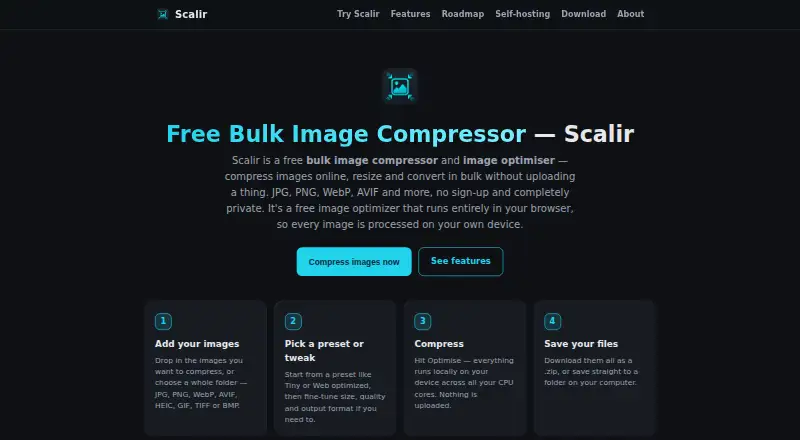
What Scalir is
Scalir is a free, open-source image tool for compressing, resizing, and converting batches of files in a browser. Processing happens on the user’s device. It accepts JPG/JPEG, PNG, WebP, AVIF, HEIC/HEIF, GIF, TIFF, and BMP images, and exports JPEG, PNG, WebP, or AVIF in an automatic or selected format. Batch jobs can run in parallel across CPU cores, with results downloaded as a ZIP or saved to a folder. Resizing options include exact width or height, a percentage, and a longest-side cap; aspect ratio is preserved and images are not enlarged. Built-in presets are available, and users can save custom presets and retain settings between visits. On re-encode, EXIF/GPS metadata is removed while orientation is preserved. Scalir can be installed as a PWA and used offline after its first load. Native desktop builds are offered for Windows and Linux, and it can also be self-hosted with Docker behind a firewall. The hosted app has a small soft per-session limit, while desktop and self-hosted versions are unlimited. Scalir uses the MIT license. The maker says the tool was built for client work, including preparing images before uploading them to WordPress sites.
Who it suits
Scalir suits people who need to compress, resize, or convert image batches on their device, including users preparing images for site uploads. It also fits users who want offline PWA use, desktop builds, or a self-hosted option that keeps image files within their network.
What it does well
- Processes image files locally on the device.
- Supports eight image input formats.
- Can run batch jobs across CPU cores.
- Provides precise resizing options without upscaling.
- Open source under the MIT license.
- Desktop and self-hosted builds have unlimited processing.
What to know first
- The hosted app has a small soft per-session limit.
- There is no separate macOS desktop build yet.
- The PWA works offline only after its first load.
Limits
The hosted app has a small soft per-session limit. Desktop and self-hosted builds are unlimited.
Plans
| Plan | Billed and limits | Price |
|---|---|---|
| Scalir | No paid tier · hosted app has a small soft per-session limit · self-hosted and desktop builds are unlimited | Free |
As scalir.org lists them, read 11 Oct 2026. The maker's own page has the final word.
Getting started
- Visit https://scalir.org/ to use the browser app.
- Install the PWA if you want offline use after its first load.
- Download the Windows installer for Windows 10/11, or choose an AppImage, .deb, or .rpm Linux download.
- For an unlimited self-hosted option, run Scalir with Docker behind a firewall.
Verdict
Choose Scalir for local bulk image compression, resizing, and conversion, with a choice of hosted, desktop, or self-hosted use. Look elsewhere if you need a separate macOS desktop build or an unlimited hosted session.
Questions
Is Scalir free?
Yes. Its listed plan is free, and there is no paid tier.
Which formats can Scalir accept and export?
It accepts JPG/JPEG, PNG, WebP, AVIF, HEIC/HEIF, GIF, TIFF, and BMP. It exports JPEG, PNG, WebP, or AVIF.
Does image processing happen online?
Processing happens on the user's device. The self-hosted Docker option can run behind a firewall, with no data leaving the user's network.
Is Scalir open source?
Yes. Scalir is open source under the MIT license.
Which desktop systems have native builds?
Native desktop builds are offered for Windows and Linux. There is no separate macOS desktop build yet.
What limits apply to the free plan?
The hosted app has a small soft per-session limit. Self-hosted and desktop builds are unlimited.
Facts from Scalir's own pages
- Analytics
- The public website uses self-hosted Umami analytics described as cookieless and collecting no personal data; the desktop app and self-hosted copies collect no analytics. · scalir.org, 11 Oct 2026
- Batch processing
- Yes · scalir.org, 20 Sept 2026
- Bulk processing
- It can process a folder in parallel across CPU cores and download the batch as a ZIP or save it to a folder. · scalir.org, 11 Oct 2026
- Compression modes
- both · scalir.org, 20 Sept 2026
- Desktop availability
- Windows installers are listed for Windows 10/11 and Linux downloads are listed as AppImage, .deb, and .rpm; the site says there is no separate macOS desktop build yet. · scalir.org, 11 Oct 2026
- Free plan
- Yes · scalir.org, 20 Sept 2026
- Hosted limit
- The hosted app has a small soft per-session limit, while self-hosted and desktop builds are unlimited. · scalir.org, 11 Oct 2026
- Intended audience
- The maker says they built it for their own client work, including optimizing images before uploading them to WordPress sites. · scalir.org, 11 Oct 2026
- License
- Scalir is open source under the MIT license. · scalir.org, 11 Oct 2026
- Metadata controls
- Yes · scalir.org, 20 Sept 2026
- Offline use
- Scalir can be installed as a PWA and works offline after first load; native desktop builds are offered for Windows and Linux. · scalir.org, 11 Oct 2026
- Presets
- It includes built-in presets and lets users save custom presets and remember settings between visits. · scalir.org, 11 Oct 2026
- Privacy
- Image processing happens locally, and EXIF/GPS metadata is stripped on re-encode while orientation is preserved. · scalir.org, 11 Oct 2026
- Image resizing
- Yes · scalir.org, 20 Sept 2026
- Resizing
- It supports resizing by exact width, exact height, percentage, or longest-side cap, preserves aspect ratio, and does not upscale images. · scalir.org, 11 Oct 2026
- Self-hosting
- Scalir can be run with Docker behind a firewall with no per-image limits and no data leaving the user's network. · scalir.org, 11 Oct 2026
- Support
- The maker invites bug reports through the GitHub repository or by email at [email protected]. · scalir.org, 11 Oct 2026
- Supported formats
- JPG/JPEG,PNG,WebP,AVIF,HEIC/HEIF,GIF,TIFF,BMP · scalir.org, 20 Sept 2026
- Supported inputs
- It accepts JPG/JPEG, PNG, WebP, AVIF, HEIC/HEIF, GIF, TIFF, and BMP images. · scalir.org, 11 Oct 2026
- Supported outputs
- It exports JPEG, PNG, WebP, or AVIF, with automatic or user-selected format. · scalir.org, 11 Oct 2026
- What it does
- Scalir compresses, resizes, and converts images in bulk in the browser, processing files on the user's device. · scalir.org, 11 Oct 2026
Where Scalir stands on Freedom251
- Image Compression Software#10 of 85