Freedom251 › BYOD Management Software

Scalefusion Automated Patch Management
Visit Scalefusion Automated Patch Management Alternatives Pricing
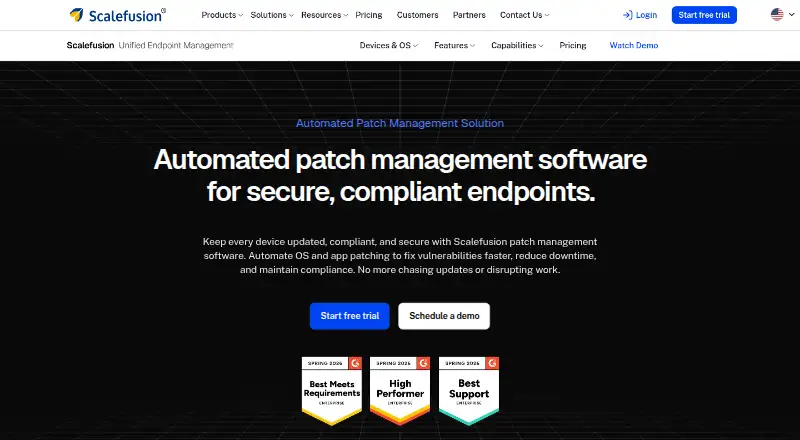
What Scalefusion Automated Patch Management is
Scalefusion Automated Patch Management automates operating-system and application patching for endpoints. Administrators can select security, feature, and driver updates, pause others, set active hours, defer installations, and configure reboot behavior. A dashboard identifies patches as installed, pending, or failed, while problematic patches can be uninstalled. Third-party patching is described for Windows and Linux, with Chrome, Zoom, and VLC named as examples. Teams can schedule reports in CSV or PDF format containing update history and compliance summaries. Supported platforms are Windows, macOS, Linux, and web. Scalefusion states that it is ISO/IEC 27001:2022 certified, SOC 2 Type 2 compliant, HIPAA business associate compliant, and GDPR compliant. Paid plans start from $5/mo billed annually, with Business at $60 a year and Enterprise at $72 a year, billed annually per device per month. Plans require at least 10 devices and include premium support. A 14-day all-feature trial is available.
Who it suits
It is aimed at IT teams managing endpoint, user, and access operations across Windows, macOS, and Linux. Teams needing scheduled patching, third-party updates, reboot controls, and compliance reporting may find the listed functions suitable.
What it does well
- Supports Windows, macOS, and Linux
- Third-party patching for Windows and Linux
- Scheduled CSV or PDF reports
- Patch rollback is available
- 14-day trial includes all features
What to know first
- No free plan
- 10-device minimum
- Paid plans billed annually
Limits
The trial lasts 14 days. Paid plans require at least 10 devices; the listed device limit is 10 devices, and offline device support is unavailable.
Plans
| Plan | Billed and limits | Price |
|---|---|---|
| Business | $60 billed annually; per device per month · OS Update & Patch Management · 10-device minimum across all plans · premium customer support included | $60 a year |
| Enterprise | $72 billed annually; per device per month · Everything in Business · OS Update & Patch Management · 10-device minimum across all plans · premium customer support included | $72 a year |
As scalefusion.com lists them, read 4 Oct 2026. The maker's own page has the final word.
Getting started
- Open the Scalefusion Automated Patch Management website
- Start the 14-day all-features trial or choose a paid plan
- Select a plan meeting the 10-device minimum
- Connect supported Windows, macOS, or Linux endpoints
- Set update selections, active hours, deferrals, and reboot behavior
- Schedule CSV or PDF patch reports
Verdict
Scalefusion provides policy controls, patch visibility, rollback, third-party updates, and scheduled reporting across major desktop platforms. The 10-device minimum and annual per-device pricing matter for smaller deployments.
Questions
How much does Scalefusion Automated Patch Management cost?
Pricing starts at $5/mo when billed annually. Business is $60 a year and Enterprise is $72 a year, billed annually per device per month.
Is there a free trial?
Yes. The trial lasts 14 days and provides access to all features.
Which platforms are supported?
Windows, macOS, Linux, and web are listed as supported platforms.
Can it patch third-party applications?
Third-party patching is described for Windows and Linux endpoints, including Chrome, Zoom, and VLC examples.
What is the minimum device count?
All plans require a minimum of 10 devices.
Facts from Scalefusion Automated Patch Management's own pages
- Founded
- 2015 · scalefusion.com, 28 Sept 2026
- Headquarters
- Pune, India · scalefusion.com, 28 Sept 2026
- Intended users
- Scalefusion describes its product suite as simplifying endpoint, user, and access management for IT teams. · scalefusion.com, 4 Oct 2026
- Patch selection
- Admins can choose security, feature, and driver updates to deploy while pausing others. · scalefusion.com, 4 Oct 2026
- Patch status
- A dashboard tracks patches as installed, pending, or failed. · scalefusion.com, 4 Oct 2026
- Policy controls
- Admins can set active hours, defer updates, automate installations, and configure reboot behavior. · scalefusion.com, 4 Oct 2026
- Privacy compliance
- Scalefusion says it is HIPAA business associate compliant and GDPR compliant. · scalefusion.com, 4 Oct 2026
- Purpose
- Scalefusion automates OS and application patching to help keep endpoints updated, secure, and compliant. · scalefusion.com, 4 Oct 2026
- Reporting
- Patch reports can be scheduled for CSV or PDF delivery and include update history and compliance summaries. · scalefusion.com, 4 Oct 2026
- Rollback
- The product page says problematic patches can be uninstalled to restore system stability. · scalefusion.com, 4 Oct 2026
- Security certifications
- Scalefusion states it is ISO/IEC 27001:2022 certified and SOC 2 Type 2 compliant. · scalefusion.com, 4 Oct 2026
- Support
- The pricing page says premium customer support is included in all plans. · scalefusion.com, 4 Oct 2026
- Third-party applications
- Third-party patching is described for Windows and Linux endpoints and names Chrome, Zoom, and VLC as examples. · scalefusion.com, 4 Oct 2026
- Trial
- The pricing page says trials provide access to all features for 14 days. · scalefusion.com, 4 Oct 2026
Where Scalefusion Automated Patch Management stands on Freedom251
- BYOD Management Software#12 of 26
- Mobile Device Management Software#15 of 28
- Patch Management Software#28 of 49
- Mobile Device Management#16 of 28
- Mac Management Software#16 of 24