Freedom251 › Mind Mapping Software
Rytica
What Rytica is
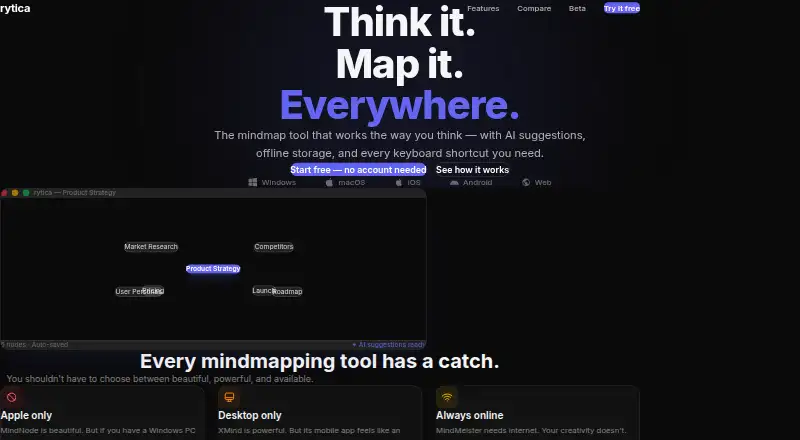
Rytica is a mindmapping tool that offers AI subtopic suggestions and offline use. During beta, the site says it is free with all features and no limits. Mindmaps are stored locally, can be used without an account, and work offline as a progressive web app; the site says no app store is required. The dashboard has Blank, Meeting, Project, and Brainstorming templates, along with options to open, rename, and delete maps. Selecting a node provides five subtopic suggestions powered by GPT-4o-mini. Nodes can include colors, description notes, pasted images, and URL links. Keyboard controls add child or sibling nodes, navigate, and undo or redo changes. Maps export to PDF or Markdown, and users can make read-only public links that viewers can open without an account. The site describes cloud sync and collaboration as Pro features planned for later. Rytica is listed for web, Windows, macOS, Linux, iOS, and Android.
Who it suits
Rytica suits people who want to create mindmaps locally, including when offline, and export them as PDF or Markdown. Its templates, keyboard controls, and AI suggestions may suit users organizing projects, meetings, or brainstorming.
What it does well
- Free during beta, with all features and no limits.
- Unlimited mindmaps are stored locally without an account.
- Works offline as a progressive web app.
- Exports maps to PDF or Markdown.
- Available across web, desktop, and mobile platforms.
What to know first
- Cloud sync and collaboration are planned for later.
- Public links are read-only.
Limits
During beta, the free plan includes all features and unlimited locally stored mindmaps, with no account or credit card required. Cloud sync and collaboration are described as Pro features coming later.
Plans
| Plan | Billed and limits | Price |
|---|---|---|
| Beta | All features · unlimited locally stored mindmaps · no account or credit card | Free |
As rytica.com lists them, read 11 Oct 2026. The maker's own page has the final word.
Getting started
- Open the Rytica website in a supported browser or device.
- Choose a Blank, Meeting, Project, or Brainstorming template from the dashboard.
- Create and edit nodes with the keyboard controls or node options.
- Export a map to PDF or Markdown, or generate a read-only public link to share it.
Verdict
Rytica combines offline mindmapping, templates, node editing, and AI suggestions in a product the site describes as free during beta. Users who need cloud sync or collaboration should note that those features are planned for later.
Questions
How much does Rytica cost?
The Beta plan is free. The site says it is 100% free during beta with all features and no limits.
Can I use Rytica without an account?
Yes. Unlimited mindmaps are stored locally and can be used without an account.
Which platforms does Rytica support?
Rytica is listed for web, Windows, macOS, Linux, iOS, and Android.
Can I use Rytica offline?
Yes. It works offline as a progressive web app using a service worker.
Can I collaborate with others or sync maps to the cloud?
Real-time collaboration is not available. Cloud sync and collaboration are described as Pro features coming later.
How can I export or share a map?
Maps can be exported to PDF or Markdown. You can also generate a read-only public link that viewers can open without an account.
Facts from Rytica's own pages
- AI
- Selecting a node provides five relevant subtopic suggestions powered by GPT-4o-mini. · rytica.com, 11 Oct 2026
- AI assistance
- Yes · rytica.com, 20 Sept 2026
- Beta pricing
- The site says Rytica is 100% free during beta, with all features and no limits. · rytica.com, 11 Oct 2026
- Export formats
- PDF,Markdown · rytica.com, 20 Sept 2026
- Exports
- Maps can be exported to PDF or Markdown. · rytica.com, 11 Oct 2026
- Keyboard controls
- Tab adds a child node, Enter adds a sibling, arrow keys navigate, and Ctrl+Z/Ctrl+Y provide undo and redo. · rytica.com, 11 Oct 2026
- Local use
- Unlimited mindmaps are stored locally and can be used without an account. · rytica.com, 11 Oct 2026
- Maker
- The site footer identifies Crimson Dragon UG and says the product is made in Stuttgart. · rytica.com, 11 Oct 2026
- Node content
- Nodes support colors, description notes, pasted images, and URL links. · rytica.com, 11 Oct 2026
- Offline
- Rytica works offline as a PWA using a service worker, and the site says no app store is required. · rytica.com, 11 Oct 2026
- Offline mode
- Yes · rytica.com, 20 Sept 2026
- Planned features
- Cloud sync and collaboration are described as Pro features coming later. · rytica.com, 11 Oct 2026
- Platforms
- The site lists web, Windows, macOS, Linux, iOS, and Android availability. · rytica.com, 11 Oct 2026
- Product
- Rytica is a mindmapping tool with AI suggestions and offline storage. · rytica.com, 11 Oct 2026
- Real-time collaboration
- No · rytica.com, 20 Sept 2026
- Sharing
- Users can generate a read-only public link, with the map encoded in the URL; viewers do not need an account. · rytica.com, 11 Oct 2026
- Templates
- The dashboard offers Blank, Meeting, Project, and Brainstorming templates, and lets users open, rename, or delete maps. · rytica.com, 11 Oct 2026
Where Rytica stands on Freedom251
- Mind Mapping Software#30 of 72
- Mind mapping tools#34 of 72