Freedom251 › Mind Mapping Software
Limn
What Limn is
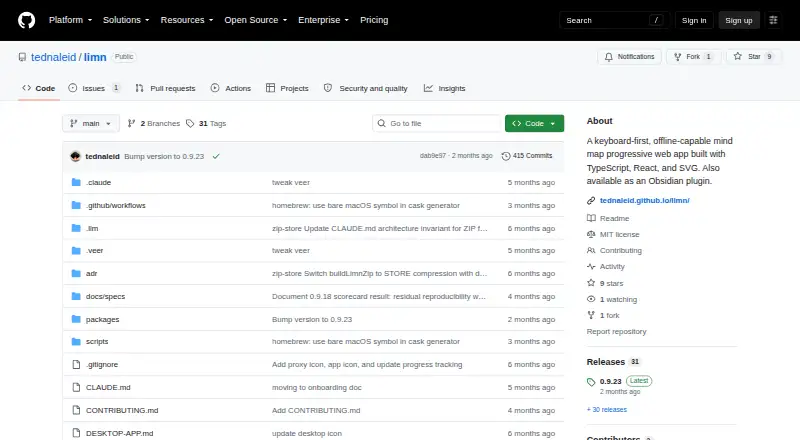
Limn is a free mind-mapping progressive web app for web and macOS use. It is keyboard-first and works offline, with maps drawn in an SVG canvas that supports panning and zooming. Shortcuts let you create child and sibling nodes, edit text, delete nodes, collapse branches, reorder or reparent branches, move with arrow keys or hjkl, and jump between nodes with EasyMotion. Node text accepts inline Markdown for bold, italic, code, strikethrough, and clickable links. Browser documents autosave in IndexedDB, synchronize across tabs through BroadcastChannel, and stay on the device rather than being sent to a server. You can save and open .limn files, ZIP bundles containing data.json and an assets directory for images, or export maps as SVG. Limn is also an Obsidian community plugin for interactive .limn views. A native Swift and SwiftUI macOS app wraps the web app and is distributed as a GitHub Releases DMG. The project is MIT licensed.
Who it suits
Limn suits people who want keyboard-driven mind maps that work offline in a browser or on macOS. It also fits Obsidian users who want interactive .limn views.
What it does well
- Free plan with offline operation
- Keyboard shortcuts cover extensive map editing
- Local IndexedDB autosave and cross-tab sync
- Exports maps as SVG files
- Obsidian plugin and native macOS app
What to know first
- Clearing browser data deletes local documents
- Unsigned macOS releases may require Gatekeeper bypass
- No free trial is offered
Verdict
Limn combines keyboard-focused editing, offline access, local storage, and SVG export across web, macOS, and Obsidian. Protect browser data because clearing IndexedDB removes locally stored maps.
Facts from Limn's own pages
- Canvas
- The app renders maps as SVG and supports panning, zooming, node positioning, and layout reflow. · github.com, 12 Oct 2026
- Cross-tab sync
- Browser tabs opened on the same local document URL stay in sync through BroadcastChannel. · github.com, 12 Oct 2026
- Data-loss limitation
- Clearing browser data, including IndexedDB, deletes locally stored documents. · github.com, 12 Oct 2026
- Desktop platform
- The repository documents a native macOS app built with Swift and SwiftUI that wraps a WKWebView and is distributed as a DMG through GitHub Releases. · github.com, 11 Oct 2026
- Desktop signing
- The desktop app's release can be unsigned if signing secrets are not configured, in which case users must right-click and Open to bypass Gatekeeper. · github.com, 11 Oct 2026
- Editing
- Keyboard shortcuts create child and sibling nodes, edit text, delete nodes, collapse branches, and reorder or reparent nodes. · github.com, 12 Oct 2026
- Export
- The README lists a keyboard shortcut to export mind maps as SVG. · github.com, 11 Oct 2026
- Export formats
- SVG,.limn · github.com, 20 Sept 2026
- File format
- A .limn file is a ZIP bundle containing data.json and an assets directory for images. · github.com, 12 Oct 2026
- Formatting and links
- Node text supports bold, italic, code, strikethrough, and clickable Markdown links. · github.com, 12 Oct 2026
- Free plan
- Yes · github.com, 20 Sept 2026
- Keyboard navigation
- Arrow keys or hjkl navigate between nodes, and semicolon opens EasyMotion labels for jumping to a visible node. · github.com, 12 Oct 2026
- License
- The repository provides the software under the MIT License. · github.com, 12 Oct 2026
- Local storage
- Browser documents are stored in IndexedDB, and the README states that nothing is sent to a server. · github.com, 12 Oct 2026
- macOS app
- Limn has a native macOS app built with Swift and SwiftUI around WKWebView, distributed as a DMG through GitHub Releases. · github.com, 12 Oct 2026
- macOS distribution
- The desktop documentation says signed distribution requires an Apple Developer account and that an unsigned DMG can still be downloaded. · github.com, 12 Oct 2026
- Obsidian installation
- The README says users can install Limn from Obsidian's Community Plugins directory or use BRAT for the latest unreleased build. · github.com, 11 Oct 2026
- Obsidian integration
- The Obsidian plugin uses Obsidian's vault API for persistence and stores legacy image assets in a sidecar .limn-assets folder. · github.com, 12 Oct 2026
- Obsidian plugin
- Limn is also available as an Obsidian community plugin that opens .limn files as interactive mind map views. · github.com, 12 Oct 2026
- Offline mode
- Yes · github.com, 20 Sept 2026
- Persistence
- The web app stores data locally in browser IndexedDB, autosaves, syncs matching documents across tabs, and sends nothing to a server, according to the README. · github.com, 11 Oct 2026
- Supported platforms
- web,macos · github.com, 20 Sept 2026
- Product
- Limn is a keyboard-first, offline-capable mind-mapping progressive web app. · github.com, 12 Oct 2026
- Saving and export
- Users can save and open .limn files and export maps as SVG. · github.com, 12 Oct 2026
Where Limn stands on Freedom251
- Mind Mapping Software#31 of 72
- Mind mapping tools#58 of 72