Freedom251 › ROM Management Software
ROM Librarian
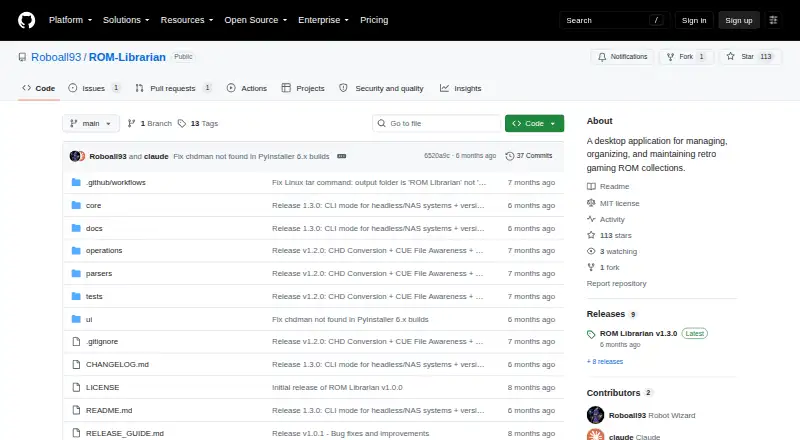
What ROM Librarian is
ROM Librarian is a desktop tool for keeping retro gaming ROM collections organized on Windows and Linux. Its file tools include regular-expression batch renaming with previews, collision handling, and undo, plus matching against No-Intro and MAME DAT files using CRC32, MD5, and SHA1 hashes. It can compress files to ZIP or 7z and extract both formats. For disc images, it converts CUE/BIN and ISO files to CHD. Windows users get chdman bundled; Linux users need chdman in PATH.
The app can update EmulationStation or RetroPie gamelist.xml metadata during renaming and restore it with undo. It also identifies multi-disc games and creates M3U playlists. Duplicate detection uses SHA1 or MD5, with region, file size, and date preferences to guide which copy to keep. Archives are checked as files rather than by their contained ROMs, so extracting them first gives a more accurate content comparison. Linux users can run its CLI for renaming, compression, extraction, and DAT-based renaming, including scripted use with --yes. The project credits RobotWizard and uses the MIT License.
Who it suits
ROM Librarian suits retro gaming collectors who want to rename, verify, archive, convert, and sort ROM files on Windows or Linux. Linux users who prefer scripted file operations can also use its command-line interface.
What it does well
- Previews regex-based batch renames and supports undo.
- Matches ROMs to No-Intro or MAME DAT files by hash.
- Compresses to ZIP or 7z and extracts both formats.
- Creates M3U playlists for detected multi-disc games.
- Offers duplicate selection preferences for region, size, and date.
- Released under the MIT License.
What to know first
- Available for Windows and Linux only.
- Archives are compared as files, not by their ROM contents.
- Linux disc conversion requires chdman in PATH.
Plans
| Plan | Billed and limits | Price |
|---|---|---|
| ROM Librarian | No paid tiers or usage limits stated on the opened project pages | Free |
As github.com lists them, read 9 Oct 2026. The maker's own page has the final word.
Getting started
- Open the ROM Librarian GitHub project page.
- Use a Windows or Linux system.
- On Linux, make chdman available in PATH if you plan to convert disc images.
- Use the desktop application, or use the Linux CLI for supported file operations.
Verdict
Choose ROM Librarian if you need a free desktop tool for maintaining retro game files, especially for batch renaming, DAT matching, archive work, or multi-disc organization. Look elsewhere if you need a platform beyond Windows or Linux, or want duplicate checks to inspect ROMs inside archives without extracting them first.
Questions
How much does ROM Librarian cost?
The listed plan is free. No paid tiers or usage limits are stated.
Which operating systems does it support?
ROM Librarian supports Windows and Linux.
Is ROM Librarian open source?
Yes. The project is released under the MIT License.
Can it check ROMs against DAT files?
Yes. Its DAT rename feature matches against No-Intro or MAME DAT files using CRC32, MD5, and SHA1 hashes.
Does it support archived files?
It can compress files to ZIP or 7z and extract ZIP and 7z archives. Duplicate checks compare archives as files, so the project recommends extracting them first for ROM-content comparison.
Facts from ROM Librarian's own pages
- Archive tools
- It can batch compress ROMs to ZIP or 7z and extract ZIP and 7z archives. · github.com, 9 Oct 2026
- Batch renaming
- It offers regex-based batch renaming with live previews, collision handling, and undo support. · github.com, 9 Oct 2026
- Comparison limitation
- The project says archives are compared as files rather than by the ROM content inside, and recommends extracting them first for accurate duplicate detection. · github.com, 9 Oct 2026
- DAT matching
- Its DAT rename feature uses CRC32, MD5, and SHA1 hashes to match ROMs against No-Intro or MAME DAT files. · github.com, 9 Oct 2026
- Disc conversion
- It converts CUE/BIN and ISO disc images to CHD, with chdman bundled for Windows and Linux users instructed to have chdman in PATH. · github.com, 9 Oct 2026
- Duplicate detection
- It detects duplicates using SHA1 or MD5 hashing and supports region, file-size, and date preferences for choosing which copy to keep. · github.com, 9 Oct 2026
- EmulationStation and RetroPie
- When renaming files, it can update EmulationStation or RetroPie gamelist.xml metadata and supports restoring it with undo. · github.com, 9 Oct 2026
- Headless use
- Its Linux CLI supports renaming, compression, extraction, and DAT-based renaming, with a --yes option for scripted use. · github.com, 9 Oct 2026
- License
- The project is released under the MIT License. · github.com, 9 Oct 2026
- Maker
- The README credits development to RobotWizard. · github.com, 9 Oct 2026
- Multi-disc games
- It detects multi-disc games and generates M3U playlists for emulators. · github.com, 9 Oct 2026
- Platforms
- The project provides portable Windows ZIP and Linux tar.gz downloads; its Linux build also runs on Steam Deck. · github.com, 9 Oct 2026
- Purpose
- ROM Librarian is a desktop application for managing, organizing, and maintaining retro gaming ROM collections. · github.com, 9 Oct 2026
- Updates
- The app checks GitHub for releases, can check on startup, and provides a manual update check and release notes preview. · github.com, 9 Oct 2026
Where ROM Librarian stands on Freedom251
- ROM Management Software#15 of 39