Freedom251 › ROM Management Software
ROM Manager
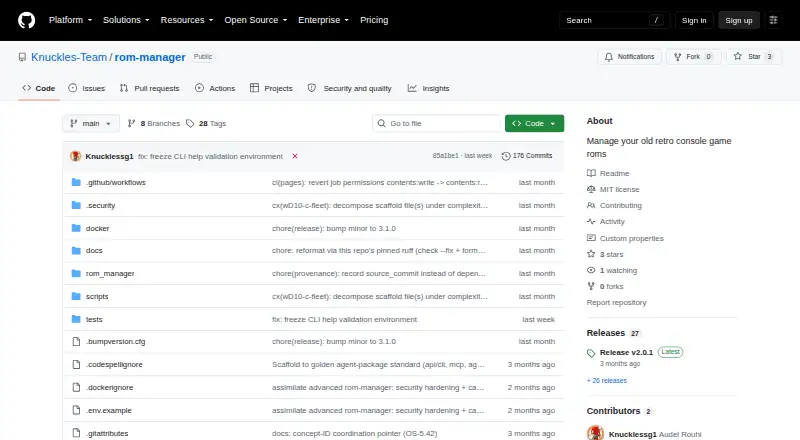
What ROM Manager is
ROM Manager is a free, MIT-licensed tool from Knuckles-Team for organizing and converting retro console game ROMs. It can extract archives, rename ROMs with recognized game codes, convert ISO and WBFS images to CHD or RVZ, and clean up files. It can also create cue sheets for BIN tracks when they are missing. Users can work through a command-line interface or Python API, or connect the MCP server and optional agent server with its AG-UI web interface. The CLI and MCP tools can manage a self-hosted RomM library through its REST API, with Basic or OAuth2 authentication. MCP tools cover conversion, game-code lookup and naming, and RomM resource groups; environment settings control which tool domains are enabled. The server supports stdio, Streamable HTTP, and SSE transport, and documents container deployment. Local conversion does not need a service URL or credentials, but RomM features need a configured server and credentials or token. Conversion depends on external chdman and dolphin-tool binaries, while archive extraction uses 7z or optional archive backends. Conversion and delete or clean-origin options can remove source files, so backing up ROMs first is advised. It supports Linux and can be installed with CLI/API, MCP, agent, native archive support, or all features.
Who it suits
ROM Manager suits people managing retro console ROM collections who want command-line or Python workflows, MCP tools, or an optional agent interface. It can also help users running a self-hosted RomM library who want to manage it through the REST API.
What it does well
- Converts ISO and WBFS images to CHD or RVZ.
- Renames ROMs using known game codes.
- Generates missing cue sheets for BIN tracks.
- Offers CLI, Python API, MCP, and optional agent interfaces.
- Can manage a self-hosted RomM library.
What to know first
- Conversion requires external chdman and dolphin-tool binaries.
- Conversion and some cleanup options can remove source files.
- RomM features require a configured server and credentials or token.
Limits
The software is free under the MIT license, but conversion requires external chdman and dolphin-tool binaries. RomM features require a configured server URL and credentials or token; conversion and certain delete or clean-origin options can remove source files.
Plans
| Plan | Billed and limits | Price |
|---|---|---|
| ROM Manager | MIT-licensed software; external conversion binaries required for conversion | Free |
As github.com lists them, read 11 Oct 2026. The maker's own page has the final word.
Getting started
- Open the ROM Manager project website on GitHub.
- Choose an installation option for CLI/API, MCP, agent, native archive support, or all features.
- Install the external chdman and dolphin-tool binaries for conversion.
- Set up 7z or an optional archive backend for archive extraction.
- Configure a server URL and credentials or token if using RomM features.
- Choose local stdio or a supported HTTP transport for the MCP server.
Verdict
Choose ROM Manager if you need a free tool for organizing and converting retro console ROMs, especially with CLI, Python, MCP, or RomM workflows. Look elsewhere if you need conversion without external binaries or want to avoid source-file removal risks; back up ROMs before using conversion or cleanup options.
Questions
How much does ROM Manager cost?
The listed plan is free. It is MIT-licensed open-source software.
Which platforms does ROM Manager support?
The listed platforms are Linux, API, and self-hosted.
What does ROM Manager convert?
Its pipeline converts ISO and WBFS images to CHD or RVZ, and it can extract archives, rename ROMs, and clean up files.
Does it work with RomM?
Yes. Its CLI and MCP tools can manage a self-hosted RomM library through the REST API using Basic or OAuth2 authentication.
Does conversion require additional software?
Yes. Conversion requires the external chdman and dolphin-tool binaries; archive extraction uses 7z or optional archive backends.
Can its operations delete files?
Conversion and delete or clean-origin options can remove source files. The project advises backing up ROMs first.
Facts from ROM Manager's own pages
- Conversion
- Its pipeline extracts archives, renames ROMs using known game codes, converts ISO/WBFS images to CHD or RVZ, and cleans up files. · github.com, 5 Oct 2026
- Cue sheets
- It can generate missing cue sheets for BIN tracks. · github.com, 5 Oct 2026
- Dependencies
- Conversion uses external chdman and dolphin-tool binaries, and archive extraction uses 7z or optional archive backends. · github.com, 11 Oct 2026
- Deployment
- The MCP server can run locally over stdio or use streamable HTTP transport, and the project documents container deployment. · github.com, 11 Oct 2026
- Destructive operations
- The project warns users to back up ROMs because conversion and options that delete or clean up source files can be destructive. · github.com, 11 Oct 2026
- Intended use
- The project is aimed at managing retro console game ROMs and exposes installation options for CLI/API, MCP, agent, native archive support, or all features. · github.com, 5 Oct 2026
- Intended users
- The project describes ROM Manager as a tool for managing retro console game ROMs and documents CLI, Python API, MCP, and agent usage. · github.com, 11 Oct 2026
- Interfaces
- It provides a command-line interface, an API facade, an MCP server, and an optional Pydantic-AI agent server with an AG-UI web interface. · github.com, 11 Oct 2026
- License
- The repository states that ROM Manager is MIT licensed and credits Knuckles-Team. · github.com, 11 Oct 2026
- MCP tools
- The MCP server exposes action-routed tools for ROM conversion and game-code lookup, with tool domains configurable through environment toggles. · knuckles-team.github.io, 11 Oct 2026
- Network security
- For RomM connections, the configuration supports TLS profiles and requires peer and hostname verification. · github.com, 11 Oct 2026
- Purpose
- ROM Manager converts and organizes game ROMs, including extracting archives, renaming by known game codes, converting ISO/WBFS images to CHD or RVZ, and generating cue sheets. · knuckles-team.github.io, 11 Oct 2026
- RomM integration
- The RomM REST client can manage a running RomM library, with Basic or OAuth2 authentication configured through environment variables. · github.com, 11 Oct 2026
- Security
- The project describes ROM Manager as a local tool that needs no service URL or credentials for local conversion. · knuckles-team.github.io, 11 Oct 2026
- Telemetry
- The project lists native OpenTelemetry exports and supports configuration for trace and metric export. · github.com, 11 Oct 2026
- Transport
- The MCP server supports stdio, Streamable HTTP, and SSE transports; the README lists authentication as configurable, with none as the local-tool default. · github.com, 5 Oct 2026
Where ROM Manager stands on Freedom251
- ROM Management Software#16 of 39