Freedom251 › Lag and ping reducers
Rocket Game Booster
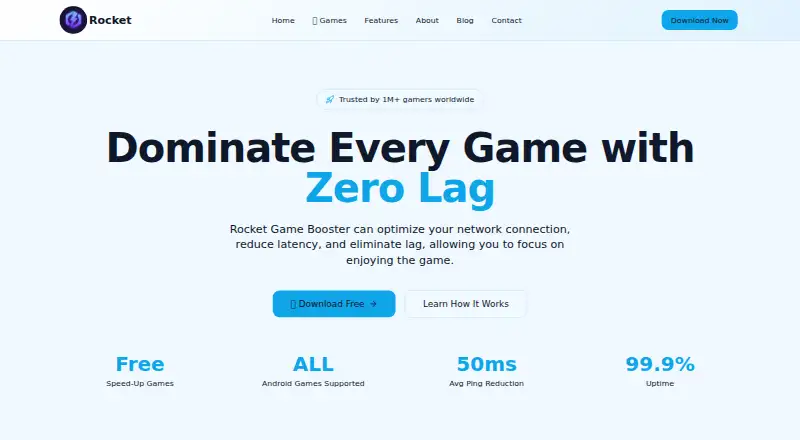
What Rocket Game Booster is
Rocket Game Booster is an Android app that aims to reduce game lag by routing game traffic toward game servers. It detects games installed on the phone and provides a one-tap Boost action that automatically chooses a route. The maker says its routing algorithms can reduce latency by up to 60% and can accelerate any Android game installed on the device. The service handles game traffic only, so it does not optimize other apps.
The Free plan costs nothing and accelerates Android games. An optional VIP version is described as providing a better gaming experience. Rocket Game Booster uses Android VpnService to send selected app traffic through acceleration tunnels. The maker says it encrypts traffic and does not read, alter, or inject game memory, code, or files. Google Play says the app may collect and share location, personal information, and three other data types; data is encrypted in transit, and deletion is unavailable.
The app requires Android 7.0 or later, at least 2 GB RAM, 50 MB storage, and an internet connection. Root access is not required. It is available through Google Play. Support includes email with a response within 24 hours and 24/7 live chat.
Who it suits
Rocket Game Booster suits Android players who want an automatic way to route game traffic and are comfortable using an app that relies on Android VpnService. It requires Android 7.0 or later, 2 GB RAM, 50 MB storage, and an internet connection; root access is not required.
What it does well
- Automatically detects installed games and offers one-tap Boost.
- The maker says routing can reduce latency by up to 60%.
- Free plan accelerates Android games at no cost.
- Does not require root access.
- Email support and 24/7 live chat are available.
What to know first
- Traffic acceleration is limited to games.
- Requires Android 7.0 or higher, 2 GB RAM, 50 MB storage, and internet.
- Google Play says deletion of collected data is unavailable.
- The VIP option has no listed price.
Limits
The Free plan accelerates Android games only; it does not optimize other apps. The maker describes VIP as optional but gives no price for it.
Plans
| Plan | Billed and limits | Price |
|---|---|---|
| Free | Accelerates Android games at no cost | Free |
As hesuowei.com lists them, read 8 Oct 2026. The maker's own page has the final word.
Getting started
- Open the maker’s website and follow its direction to download the Android app from Google Play.
- Install it on a device running Android 7.0 or later with at least 2 GB RAM and 50 MB storage.
- Connect to the internet; root access is not required.
- Let the app detect installed games, then use Boost to select an automatic route.
Verdict
Choose Rocket Game Booster if you play Android games and want automatic game-only traffic routing, including a free plan. Look elsewhere if you need acceleration for other apps or require data deletion, which Google Play says is unavailable.
Questions
How much does Rocket Game Booster cost?
The Free plan costs nothing. An optional VIP version is available, but the maker gives no price.
Which platforms does it support?
The listed platform is Android. The maker directs users to download the app from Google Play.
What does the app do?
It routes selected game traffic through acceleration tunnels and automatically selects a server route when you use Boost.
What Android requirements does it have?
It requires Android 7.0 or later, at least 2 GB RAM, 50 MB storage, and an internet connection. Root access is not required.
What data and permissions are involved?
The maker says it requests network and notification access and does not access personal files or contacts. Google Play says it may collect and share location, personal information, and three other data types, encrypts data in transit, and does not allow data deletion.
How can I contact support?
The contact page lists email support with a response within 24 hours and 24/7 live chat.
Facts from Rocket Game Booster's own pages
- Connectivity limit
- The maker says the service accelerates games only and does not optimize other apps. · hesuowei.com, 8 Oct 2026
- Data safety
- Google Play says the app may collect and share location, personal information, and three other data types, encrypts data in transit, and does not allow data deletion. · play.google.com, 8 Oct 2026
- Games
- The maker says it can accelerate any Android game installed on the phone. · hesuowei.com, 8 Oct 2026
- Headquarters
- Shanghai, China · hesuowei.com, 28 Sept 2026
- Network technology
- Google Play says the app uses Android VpnService to route selected app traffic through acceleration tunnels. · play.google.com, 8 Oct 2026
- Permissions
- The maker says it requests network access and notification access and does not access personal files or contacts. · hesuowei.com, 8 Oct 2026
- Platform availability
- The maker directs users to download the Android app from Google Play. · hesuowei.com, 8 Oct 2026
- Purpose
- Rocket Game Booster optimizes network routes to game servers to reduce latency and lag. · hesuowei.com, 8 Oct 2026
- Requirements
- The site lists Android 7.0 or higher, at least 2 GB RAM, 50 MB storage, and an internet connection; root is not required. · hesuowei.com, 8 Oct 2026
- Routing
- The maker says its routing algorithms can reduce latency by up to 60%. · hesuowei.com, 8 Oct 2026
- Security
- The maker says it uses encryption and does not read, modify, or inject game memory, code, or files. · hesuowei.com, 8 Oct 2026
- Setup
- The app detects installed games and offers a one-tap Boost action to select an optimal server route. · hesuowei.com, 8 Oct 2026
- Support
- The contact page lists email support with a response within 24 hours and 24/7 live chat. · hesuowei.com, 8 Oct 2026
- VIP
- The maker says an optional VIP version offers a better gaming experience, but the site gives no VIP price. · hesuowei.com, 8 Oct 2026
Where Rocket Game Booster stands on Freedom251
- Lag and ping reducers#11 of 34
- Game Latency Reducers#12 of 34