Freedom251 › Game Latency Reducers
GamesTC
What GamesTC is
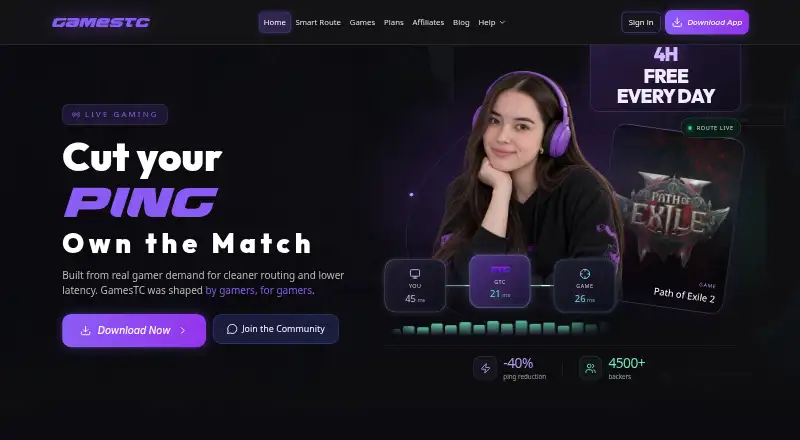
GamesTC is a Windows VPN for improving route quality and connection stability in supported online games. Its Smart Route compares a direct connection with optimized routes and uses a relay when measurements suggest an improvement. The service describes its network as using UDP tunnels and relay-aware routing to reduce latency under gaming load, and says DDoS Shield protects sessions while preserving traffic integrity end to end. Supported games listed by the Help Center include Valorant, CS2, LoL, Fortnite, Apex, R6, and Rocket League. Auto-Connect can start a connection when it detects a configured game. Boost Lab provides reversible Windows adjustments focused on performance, stability, and latency; some require administrator permission. The free plan gives four hours of daily use, resets at 06:00 BRT, and includes Free servers. Monthly Support lists unlimited use and access to all servers and games, but no price is published. GamesTC is for Windows 10/11 (64-bit), routes game traffic only, and is intended for supported games rather than broad anonymization.
Who it suits
GamesTC suits Windows players of supported games who want game traffic routed separately from other internet use. Its free plan may fit players who need no more than four hours of use per day.
What it does well
- Smart Route selects a relay when measurements indicate a benefit.
- Auto-Connect can start when a configured game is detected.
- Free plan includes four daily hours and Free servers.
- Boost Lab offers reversible Windows performance and stability tweaks.
What to know first
- Free use is limited to four hours per day.
- The listed desktop platform is Windows 10/11 (64-bit).
- Some Boost Lab options require administrator permission.
- Monthly Support has no published price.
Plans
| Plan | Billed and limits | Price |
|---|---|---|
| Free | 4 hours of usage per day · daily reset at 06:00 BRT · access to Free servers | Free |
| Monthly Support 💜 | unlimited usage 24/7 · access to all servers · access to all games | On request |
As gamestc.app lists them, read 7 Oct 2026. The maker's own page has the final word.
GamesTC is a Windows gaming connection tool for players who want to improve routing and stability in supported online games. It is most relevant when game traffic is the problem, not when you need a VPN for general privacy. The free plan provides a way to use it, but its daily time cap and the custom pricing of the unlimited plan make plan choice important.
Overview
GamesTC routes game traffic rather than all traffic from the device. Its UDP tunnel and relay-aware routing are designed to reduce latency under gaming load, while Smart Route compares direct and optimized paths and uses a relay when its measurements indicate a potential benefit. That selective approach avoids treating a relay as automatically preferable, but it does not guarantee a better connection for every player.
DDoS Shield is intended to protect gaming sessions while preserving traffic integrity end to end. GamesTC is intended for supported-game routing and connection stability, not broad anonymization or abusive network use, so it is not a substitute for a general-purpose privacy VPN.
Key features
- Smart Route: Compares direct and optimized routes and brings in a relay when measurements suggest it could help. This is useful for players who want route optimization without forcing every game session through a relay.
- Boost Lab: Offers reversible Windows tweaks focused on performance, stability and latency. Some options require administrator permission, so the feature involves system-level changes rather than routing alone.
- Game-specific connections: Auto-Connect can start a connection when it detects a configured game. The Help Center names Valorant, CS2, LoL, Fortnite, Apex, R6 and Rocket League among supported titles.
- DDoS Shield: Aims to protect sessions while preserving traffic integrity, adding a protection feature alongside the routing tools.
GamesTC supports game-only traffic routing, server selection, and UDP, IPv4 and IPv6. Its privacy policy says technical telemetry does not include stored traffic content. The Help Center says payment processors such as Stripe and Mercado Pago process and store sensitive payment data; GamesTC says it does not retain full card numbers or CVV. New accounts use email two-factor authentication, and the service says it applies data-minimization controls.
Pricing
The pricing model is freemium, with no free trial. Free costs nothing and includes access to Free servers for 4 hours of usage per day, resetting daily at 06:00 BRT. That is enough for shorter sessions or occasional use, but the cap is a meaningful restriction for players who game for longer stretches or at varied hours.
Monthly Support 💜 offers unlimited usage 24/7, access to all servers and access to all games, at custom pricing. It suits regular players who would exceed the free allowance or need the broader server and game access; without a published price, its cost cannot be weighed against the capped plan before choosing it.
Users can open a support ticket through the dashboard or seek support in the community Discord. GamesTC also invites ISPs, LAN houses, arenas, communities, creators, companies and events to discuss partnerships.
Platforms
The official desktop app supports Windows 10/11 (64-bit). GamesTC is therefore a focused option for Windows players, not a cross-platform solution for a household or gaming group using different operating systems.
Who it's for
GamesTC makes the most sense for Windows players of supported games who want game-only route optimization, automatic connection, or reversible system tweaks, and who can work within the free daily allowance or accept custom pricing for unlimited access. It is a poor fit for anyone seeking all-device VPN coverage, broad anonymization, or a guaranteed latency reduction.
Pros and cons
- Pros: Smart Route uses a relay only when measurements indicate a possible benefit, rather than routing game traffic through one by default.
- Pros: Game-only routing keeps the product focused on gaming sessions, and Auto-Connect can connect when a configured game is detected.
- Pros: The free plan costs 0.00 USD and provides access to Free servers, making it possible to use the service without a paid commitment.
- Cons: The free plan stops at 4 hours per day, limiting its usefulness for long sessions.
- Cons: The unlimited plan has custom pricing, making it harder to judge its cost before committing.
- Cons: Windows 10/11 (64-bit) is the only supported platform, and Boost Lab's administrator-required options may not suit users who prefer to avoid system-level changes.
Alternatives
For a wider comparison of tools in this category, browse Game Latency Reducers.
- AK Accelerator is worth considering if you need Android or iOS support alongside Windows, or want a free trial.
- Game Ping Booster is an option for users who want a web-accessible service, a free trial, or a stated 49 VND a month plan alongside a one-day, one-device trial.
- Hastega suits Android and Windows users who want a free tier with GPN access, or a 5.00 USD one-time Premium option billed for about 50 days.
- LightSpeed is a free alternative for Windows, Linux, macOS or self-hosted use, with community-hosted relays and 21 built-in game profiles.
- GIAMPING may suit Android and Windows users who want a free VPN-only plan with one concurrent session, accepting limited servers and 1~2.5Mbps VPN bandwidth.
- GTNet is another Windows freemium option, though its free access is tied to early access and a paid subscription is required after full release.
- RushFrame is aimed at iOS and macOS users; its daily rewards plan includes 100 MB per day and basic optimization.
- Smart Game Booster is a Windows alternative centered on system boosting, with core features and basic manual boosts on its free plan.
Verdict
Choose GamesTC if you play supported games on Windows and want selective game routing with session protection and optional system tweaks. Its free access makes it a reasonable starting point, but the four-hour daily limit is restrictive and the unlimited plan's custom pricing may send cost-conscious players elsewhere. Look beyond it if you need a general-purpose VPN, another operating system, or a clear price for unlimited use.
Verdict
GamesTC focuses on routing and connection stability for supported games, with game-only traffic handling and Windows tweaks. Check the daily free-use limit and the unpublished Monthly Support price before choosing a plan.
Facts from GamesTC's own pages
- Account protection
- The Help Center says GamesTC maintains data minimization controls and email two-factor authentication for new accounts. · gamestc.app, 7 Oct 2026
- Automatic connection
- Auto-Connect can connect automatically when a configured game is detected. · gamestc.app, 7 Oct 2026
- Boost Lab
- Boost Lab offers reversible Windows tweaks focused on performance, stability and latency; some options require administrator permission. · gamestc.app, 7 Oct 2026
- DDoS protection
- The site says DDoS Shield protects sessions while preserving traffic integrity end to end. · gamestc.app, 7 Oct 2026
- Intended use
- The terms describe the service as intended to improve routes and connection stability for supported games, not for broad anonymization or abusive network use. · gamestc.app, 7 Oct 2026
- Network technology
- The product describes UDP tunnel technology and relay-aware routing to reduce latency under gaming load. · gamestc.app, 7 Oct 2026
- Partnerships
- The maker invites ISPs, LAN houses, arenas, communities, creators, companies and events to discuss partnerships. · gamestc.app, 7 Oct 2026
- Payment data
- The Help Center says payment processors such as Stripe and Mercado Pago process and store sensitive payment data; GamesTC says it does not store full card numbers or CVV. · gamestc.app, 7 Oct 2026
- Privacy
- The Privacy Policy says GamesTC’s technical telemetry does not include stored traffic content. · gamestc.app, 7 Oct 2026
- Product
- GamesTC is a gamer-built VPN that optimizes connection routes and stability for supported online games. · gamestc.app, 7 Oct 2026
- Smart Route
- Smart Route compares direct and optimized routes and uses a relay when measurements indicate a benefit. · gamestc.app, 7 Oct 2026
- Support
- Users can open a ticket in the dashboard or join the community Discord for support. · gamestc.app, 7 Oct 2026
- Supported games
- The Help Center lists Valorant, CS2, LoL, Fortnite, Apex, R6 and Rocket League among supported games. · gamestc.app, 7 Oct 2026
- System requirements
- The official desktop app is available for Windows 10/11 (64-bit). · gamestc.app, 7 Oct 2026
Where GamesTC stands on Freedom251
- Game Latency Reducers#7 of 34
- Lag and ping reducers#10 of 34