Freedom251 › AI Image Colorizers
RetroFix
What RetroFix is
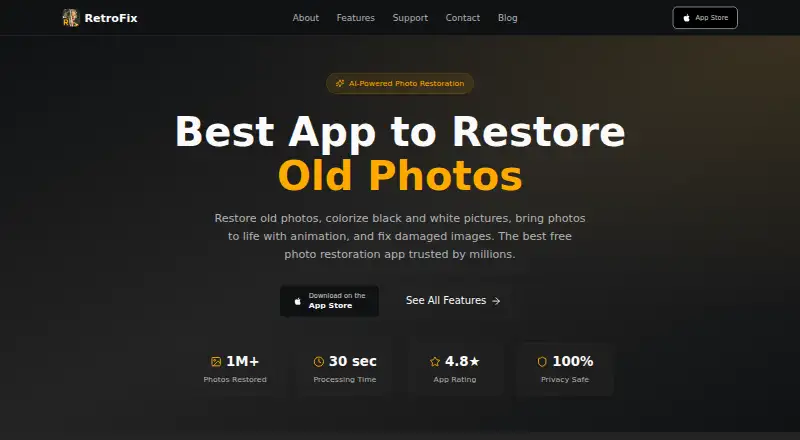
RetroFix is an AI-powered app for restoring old photos and preserving family memories. Its restoration tools address tears, fading, water damage, scratches, stains, and missing portions. The maker lists eight functions: restore, enhance, colorize, repair, lighting, combine, animate, and HD export. Face enhancement is described as increasing image resolution up to 4x while sharpening faces and enhancing facial features. Processing takes place in the cloud, and the maker says it completes in under 30 seconds. Uploaded photos are transmitted securely to RetroFix servers and removed after processing; facial data is used only for the requested task and is not stored, used to identify or profile people, or shared with third parties. RetroFix says it uses commercially reasonable security measures, while noting that no transmission or storage method is completely secure. The app is available on Android, iOS, and macOS. A free plan and trial are listed, with in-app purchases available; the annual PRO plan costs $49.99 a year. Use is limited to personal, non-commercial purposes, and an internet connection may be needed.
Who it suits
It suits families seeking photo restoration without technical skills, as the maker describes the app as accessible to them. Its license is for personal, non-commercial use.
What it does well
- Repairs several kinds of photo damage
- Includes eight restoration and editing tools
- Face enhancement can increase resolution up to 4x
- Uploaded photos are removed after processing
- Available on Android, iOS, and macOS
What to know first
- Cloud processing may require an internet connection
- License is limited to personal, non-commercial use
- Annual PRO plan costs $49.99 a year
Plans
| Plan | Billed and limits | Price |
|---|---|---|
| Free | Free download; in-app purchases available · Free functions available; specific usage limits not stated | Free |
| Old Picture Restore Annual PRO | $49.99 per year · In-app purchase | $49.99 a year |
As retrofix.app lists them, read 9 Oct 2026. The maker's own page has the final word.
Getting started
- Visit the RetroFix website.
- Choose Android, iOS, or macOS.
- Download the free app and use its free functions.
- Try the free trial or consider the Old Picture Restore Annual PRO in-app purchase.
- Connect to the internet if required for processing.
RetroFix is a cloud-based AI app for repairing, enhancing and animating old photos, aimed chiefly at people preserving family memories. Its broad personal-photo toolkit is a practical draw, but the personal-use license makes it unsuitable for commercial projects.
Overview
RetroFix addresses several kinds of deterioration—tears, fading, water damage, scratches, stains and missing portions—alongside colorization and image enhancement. That breadth makes it more versatile than a tool focused only on coloring monochrome pictures. The maker says processing takes under 30 seconds, which suits quick photo-by-photo work, although processing is cloud-based and an internet connection may be needed.
Uploaded photos are transmitted securely to RetroFix servers and removed after processing, according to its privacy policy. The policy says facial data is used only for the processing requested, not stored, used to identify or profile people, or shared with third parties. It also cautions that no method of transmission or storage is completely secure. Email support is advertised 24/7, with responses under 24 hours.
Key features
- Restore and repair: The restoration tools target physical damage, including missing portions. This is the strongest reason to consider RetroFix for worn family prints, though the feature descriptions do not establish how a particular damaged image will turn out.
- Enhance and colorize: These options extend the app beyond damage repair, making it relevant to faded images and black-and-white photos as well.
- Face enhancement: RetroFix says this can raise image resolution up to 4x while sharpening faces and enhancing facial features. That may help when a portrait needs attention, but it is a specific claim about the feature, not a guarantee for every image.
- Lighting, combine, animate and HD export: These additional tools support broader personal-photo projects, from lighting adjustments to animation and higher-definition export. Together, they give the app a wider remit than restoration alone.
Pricing
RetroFix uses a freemium model with a free download and in-app purchases. That makes it a sensible starting point, though users planning regular batches cannot judge its capacity in advance.
Old Picture Restore Annual PRO costs $49.99 a year, billed $49.99 per year as an in-app purchase. It is the paid option for someone who expects to use the restoration app beyond its free functions; the price is annual, and the plan description does not state a quota or seat count.
Platforms
RetroFix is available on Android, iOS and macOS. The terms say an internet connection may be required, and users are responsible for device compatibility and connectivity costs. Cloud processing therefore matters particularly to anyone working with limited or costly connectivity.
Who it's for
RetroFix is best suited to individuals and families restoring personal photographs, especially when a project may involve several kinds of damage or more than colorization. The maker positions it for people without technical skills, and the combination of repair, enhancement and animation supports that accessible, all-in-one use case.
It is not the right choice for client work or other commercial use: the license is limited, non-exclusive, non-transferable and revocable, and permits personal, non-commercial use only. Users who need a guaranteed offline workflow should also look elsewhere.
Pros and cons
- Pro — Broad restoration toolkit: Repair, colorization, enhancement, lighting, animation and HD export cover more than a single repair task.
- Pro — Clear handling commitments for face data: The policy limits its use to requested processing and says it is not stored, used for identification or profiling, or shared with third parties.
- Con — Personal use only: The license excludes commercial projects, ruling it out for professional client work.
- Con — Cloud processing may require connectivity: Users may need an internet connection and bear connectivity costs.
- Con — Free-plan capacity is unclear: The free functions are useful for trying the app, but no specific usage limit is given.
Alternatives
For a broader choice of color-focused tools, browse AI Image Colorizers. Consider ImageColorizer instead if you want a 50-credit monthly free plan and broad platform support, including web and Windows, or a Starter plan at $6.90 a month. PicWish Photo Colorizer may suit someone prioritizing free online colorization and downloads, with bulk editing up to 30 images.
MyHeritage In Color is an option for a small free starting set of up to 10 photos, or for unlimited photo colorization through its Complete plan, priced at $299 a year (1st year: $199). Choose snapnedit AI Photo Colorizer if a browser-based free plan with all 14 AI tools, no account and no watermark is a better fit; its 50-credit plan costs $5, paid once. SnapOtter is a free, open-source alternative with 200+ tools across five modalities and unlimited usage, for readers who want that broader toolset.
VanceAI Photo Colorizer may fit users looking for a web or Windows option with 10 free credits and uploads supporting JPG and PNG up to 5MB. Colorize by Photomyne offers a limited number of free black-and-white colorizations and a yearly membership at $59.99 a year after a 3-day free trial. Hotpot AI Photo Colorizer is another alternative.
Verdict
Choose RetroFix for personal photo-preservation projects when you want one app for damage repair, face enhancement, colorization and related edits. Its broad toolkit is the main reason to pick it; the decisive reason to look elsewhere is the non-commercial license, with cloud connectivity and unclear free-plan limits also worth weighing.
Verdict
RetroFix brings restoration, enhancement, and animation tools together for personal photo projects. Its processing is cloud-based, and its license does not cover commercial use.
Questions
Is RetroFix free?
Yes. Its Free plan costs nothing, and free functions are available. In-app purchases are also available.
How much does the PRO plan cost?
Old Picture Restore Annual PRO costs $49.99 a year.
Which platforms does RetroFix support?
RetroFix is available on Android, iOS, and macOS.
Can I use RetroFix for commercial work?
No. The license is for personal, non-commercial use.
What happens to uploaded photos and facial data?
The privacy policy says uploaded photos are removed after processing. Facial data is used only for requested processing and is not stored, used to identify or profile people, or shared with third parties.
Who develops RetroFix?
Google Play identifies Denys Shevchenko as the developer and lists an address in Wrocław, Poland.
Facts from RetroFix's own pages
- Developer
- Google Play identifies Denys Shevchenko as the developer and lists an address in Wrocław, Poland. · play.google.com, 9 Oct 2026
- Face data
- The policy says facial data is used only for requested processing, and is not stored, used to identify or profile people, or shared with third parties. · retrofix.app, 9 Oct 2026
- Face enhancement
- The face enhancement feature says it can increase image resolution up to 4x while sharpening faces and enhancing facial features. · retrofix.app, 9 Oct 2026
- Intended users
- The maker describes the app as making photo restoration accessible to families and says no technical skills are required. · retrofix.app, 9 Oct 2026
- License
- The terms grant a limited, non-exclusive, non-transferable, revocable license for personal, non-commercial use. · retrofix.app, 9 Oct 2026
- Privacy
- The privacy policy says uploaded photos are transmitted securely to RetroFix servers and removed after processing is complete. · retrofix.app, 9 Oct 2026
- Processing
- The maker says the app processes photos in under 30 seconds on its features page. · retrofix.app, 9 Oct 2026
- Product
- RetroFix is an AI-powered app for restoring old photos and preserving family memories. · retrofix.app, 9 Oct 2026
- Requirements
- The terms say users may need an internet connection and are responsible for device compatibility and connectivity costs. · retrofix.app, 9 Oct 2026
- Restoration
- Its AI is described as repairing torn, faded, and water-damaged photos, including scratches, stains, and missing portions. · retrofix.app, 9 Oct 2026
- Security
- The privacy policy says RetroFix uses commercially reasonable measures to protect information and notes that no transmission or storage method is completely secure. · retrofix.app, 9 Oct 2026
- Support
- The support page advertises email support 24/7 and a response time under 24 hours. · retrofix.app, 9 Oct 2026
- Tools
- The maker lists eight tools: restore, enhance, colorize, repair, lighting, combine, animate, and HD export. · retrofix.app, 9 Oct 2026
Where RetroFix stands on Freedom251
- AI Image Colorizers#19 of 26