Freedom251 › Reporting Software
ReportServer
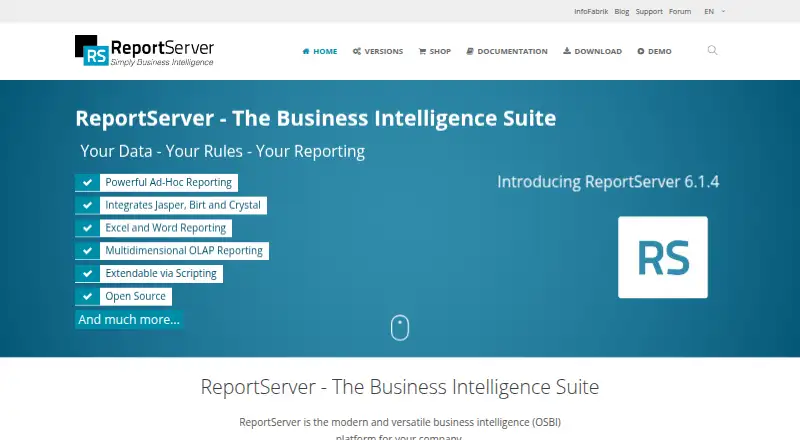
What ReportServer is
ReportServer is an open-source business intelligence platform for companies, with reporting, analysis, and dashboard tools. It supports Eclipse BIRT, JasperReports, SAP Crystal Reports, script reports, ad-hoc analyses, Mondrian OLAP, and Excel or Word reporting. Dynamic Lists create ad-hoc reports that can be output as Excel, PDF, or XML. Dashboards can be configured freely and combine reports with HTML5 micro-apps. Reports can run on recurring schedules, as can maintenance scripts. Access controls use hierarchical objects, groups, ACLs, ACEs, and user variables. Authentication supports usernames and passwords, with options to connect Active Directory or add single sign-on through scripting. ReportServer connects to relational databases including MySQL, PostgreSQL, Oracle, SQL Server, SAP HANA, and Google BigQuery. It can deliver data to destinations including FTP, email, Amazon S3, OneDrive/SharePoint, Google Drive, and local filesystems. It runs as a Java Servlet web application in an application server and stores metadata in a relational database. Community Edition is free under an AGPL license; Enterprise Edition costs €3,999 once, including one year of upgrades.
Who it suits
ReportServer suits companies that need configurable reports, dashboards, scheduled delivery, and integrations with databases or data destinations. Its Community Edition may suit users able to rely on community forums and documentation for support.
What it does well
- Supports multiple report engines and formats
- Dashboards can combine reports and HTML5 micro-apps
- Recurring report and maintenance-script scheduling
- Community Edition allows unlimited users
What to know first
- Enterprise Edition costs €3,999 once
- Enterprise renewal is €1,999
- Runs as a Java Servlet web application in an application server
Limits
Community Edition is free, AGPL-licensed, and allows unlimited users. Enterprise Edition costs 3999.00 EUR once and includes upgrades for one year; renewal costs 1999.00 EUR.
Plans
| Plan | Billed and limits | Price |
|---|---|---|
| Community Edition | AGPL license · unlimited users | Free |
| Enterprise Edition | includes upgrades for one year · per server · one-year upgrades included · €1999 renewal | €3,999, paid once |
As reportserver.net lists them, read 1 Oct 2026. The maker's own page has the final word.
Getting started
- Visit the ReportServer website.
- Choose Community Edition under the AGPL license or Enterprise Edition.
- Install on Linux or Windows, or use a manual or Docker installation on Linux.
- Run it in an application server with a Java runtime and configure a relational database for metadata.
- Connect the databases and destinations needed for reporting.
ReportServer is a self-hosted business intelligence platform for organizations that need reporting, analysis and controlled report delivery. It suits teams able to run Java web software and that value support for multiple reporting engines. Its broad integration and access-control capabilities are balanced by the need to operate the platform yourself.
Overview
ReportServer combines reports, dashboards and scheduled jobs in a Java Servlet application hosted by an application server, with metadata stored in a relational database. That architecture gives organizations control over deployment, but it makes infrastructure and ongoing administration part of the choice rather than outsourcing them to a hosted service. InfoFabrik GmbH, a business-intelligence consulting and software company, develops the platform.
Key features
Reporting and analysis
The platform supports Eclipse BIRT, JasperReports, SAP Crystal Reports, script reports, ad-hoc analyses and Mondrian OLAP, as well as Excel and Word reporting. This range is useful for organizations working across established report formats and analysis methods. Dynamic Lists let users build ad-hoc list reports and export them to Excel, PDF or XML, making tabular output practical to share and reuse.
Dashboards and automation
Users can create unlimited configurable dashboards and embed reports or HTML5 micro-apps. Recurring report execution and maintenance scripts can automate routine work, while interactive reports and scheduled delivery support both on-demand access and regular distribution.
Access and integrations
Access controls use ACLs and ACEs, hierarchical objects, user groups and user variables, giving administrators several ways to structure permissions. Authentication includes username and password, with Active Directory integration or single sign-on possible through scripting. Administrators can also configure password policies, account lockout thresholds, expression blacklists, URL whitelists and cryptographic keystores.
ReportServer connects to relational databases including MySQL, PostgreSQL, Oracle, SQL Server, SAP HANA and Google BigQuery. Reports can be delivered to destinations such as FTP, SFTP, FTPS, email, Amazon S3, OneDrive or SharePoint, Google Drive, Dropbox, Box and local filesystems. That breadth suits organizations with varied data and delivery requirements, though it also leaves integration and deployment choices to the operating team.
Pricing
Community Edition costs nothing under an AGPL license and allows unlimited users. It includes community-forum support and freely available documentation, making it a credible starting point for organizations that can rely on community help and manage deployment themselves.
Enterprise Edition costs €3,999, paid once, per server, with upgrades included for one year; the renewal fee is €1999. A 45-day trial is available. The one-time price and per-server term make the Enterprise plan a substantial commitment, while the renewal cost matters for organizations that want upgrades beyond the included year. Community Edition is the better fit for cost-sensitive teams comfortable with community support; Enterprise is for organizations prepared to pay for the commercial edition.
Platforms
ReportServer is available for Linux, Windows and self-hosted web deployment. It runs as a Java application on operating systems with a Java runtime and a supported application server; Windows installers and Linux manual or Docker installations are available. This flexibility helps teams fit it to existing infrastructure, but it is not a turnkey hosted offering.
Who it's for
ReportServer is a strong fit for companies that need multiple report engines, configurable dashboards, recurring delivery and detailed control over access, and that have the skills or infrastructure to operate a Java application. It is a weaker fit for buyers seeking a managed service or teams that want to avoid deployment and maintenance responsibilities.
Pros and cons
Pros
- Community Edition has unlimited users at no cost, avoiding a per-seat barrier for larger teams.
- Support for several report engines, databases and delivery destinations can accommodate varied organizational systems.
- Unlimited configurable dashboards, scheduled execution and granular access controls cover both presentation and administration needs.
Cons
- Self-hosted Java deployment requires an application server, relational database and operational ownership.
- Community users rely on forums and documentation for support.
- Enterprise Edition's €3,999 as a one-time price is per server, and upgrades after the included year have a €1999 renewal fee.
Alternatives
Reporting Software is a useful starting point for comparing the wider category. Choose FastReport if its free cloud tier's one-user allowance and storage quotas suit a smaller, bounded reporting setup. SeekTable may fit individual use where a free account with up to 50 Web API calls per day is sufficient. For marketing-data reporting, Porter Metrics offers a free tier with three connected data source accounts, up to 30-day history and 100 AI credits per month for Automation. Power My Analytics is an option for sample-data workflows, with a free plan offering unlimited sample-data sources, multiple destinations, Data Builder access and one admin. Choose JasperReports Library if you need a free, embedded Java reporting library rather than ReportServer's broader platform. Exago BI is another paid reporting option. Logi Composer is a paid alternative with custom pricing. ActiveReports may suit teams seeking a paid developer license, with its Standard plan priced at $899 a year for one individual developer.
Verdict
Choose ReportServer if your organization needs a wide range of reporting engines, flexible distribution and detailed access controls in a self-hosted platform—and has the capacity to run it. Its unlimited-user free edition lowers the barrier to adoption; the main reasons to look elsewhere are the operational burden and the substantial per-server Enterprise purchase.
Verdict
ReportServer brings report creation, dashboards, scheduling, access controls, and a broad set of integrations into one platform. Community Edition is free, while Enterprise Edition has a substantial one-time price and a listed renewal fee.
Questions
Is ReportServer free?
Yes. Community Edition is free under an AGPL license and supports unlimited users.
How much does Enterprise Edition cost?
Enterprise Edition costs 3999.00 EUR once per server and includes upgrades for one year. Renewal costs 1999.00 EUR.
Does ReportServer offer a free trial?
Yes. The trial lasts 45 days.
Which platforms does ReportServer support?
Listed platforms are Linux, self-hosted, web, and Windows. It runs as a Java Servlet web application in an application server.
Who makes ReportServer?
InfoFabrik GmbH develops ReportServer and describes itself as a business intelligence consulting and software company.
What support comes with Community Edition?
Community Edition users receive free support through community forums and freely available documentation.
Facts from ReportServer's own pages
- Access control
- Its authorization model uses ACLs and ACEs, hierarchical objects, user groups and user variables. · reportserver.net, 1 Oct 2026
- Authentication
- The platform supports standard username/password authentication and can be integrated with Active Directory or single sign-on through scripting. · reportserver.net, 1 Oct 2026
- Community support
- Community Edition users receive free support through community forums and freely available documentation. · reportserver.net, 1 Oct 2026
- Dashboards
- Users can create unlimited, freely configurable dashboards and embed reports or HTML5 micro-apps. · reportserver.net, 1 Oct 2026
- Data destinations
- Supported datasinks include FTP, SFTP, FTPS, email, Amazon S3, OneDrive/SharePoint, Google Drive, Dropbox, Box and local filesystems. · reportserver.net, 1 Oct 2026
- Deployment
- ReportServer runs as a Java Servlet web application in an application server and stores metadata in a relational database. · reportserver.net, 1 Oct 2026
- Dynamic lists
- Dynamic Lists support ad-hoc list reports with Excel, PDF and XML output formats. · reportserver.net, 1 Oct 2026
- Founded
- 2005 · reportserver.net, 23 Sept 2026
- Headquarters
- Wiesbaden, Germany · reportserver.net, 23 Sept 2026
- Integrations
- Supported relational databases include MySQL, PostgreSQL, Oracle, SQL Server, SAP HANA, Google BigQuery and many others. · reportserver.net, 1 Oct 2026
- Maker
- InfoFabrik GmbH describes itself as a business-intelligence consulting and software company that develops ReportServer. · infofabrik.de, 1 Oct 2026
- Operating systems
- The Java application supports operating systems with a Java runtime and supported application server; Windows installers and Linux manual or Docker installations are available. · reportserver.net, 1 Oct 2026
- Purpose
- ReportServer is a modern, versatile open-source business intelligence platform for companies. · reportserver.net, 1 Oct 2026
- Report engines
- It supports Eclipse BIRT, JasperReports, SAP Crystal Reports, script reports, ad-hoc analyses, Mondrian OLAP and Excel or Word reporting. · reportserver.net, 1 Oct 2026
- Scheduling
- ReportServer can execute reports at recurring intervals and run maintenance scripts. · reportserver.net, 1 Oct 2026
- Security controls
- Administrators can configure expression blacklists, URL whitelists, password policies, account lockout thresholds and cryptographic keystores. · reportserver.net, 1 Oct 2026
Where ReportServer stands on Freedom251
- Reporting Software#6 of 40