Freedom251 › 3D Printing Software
Repetier-Server
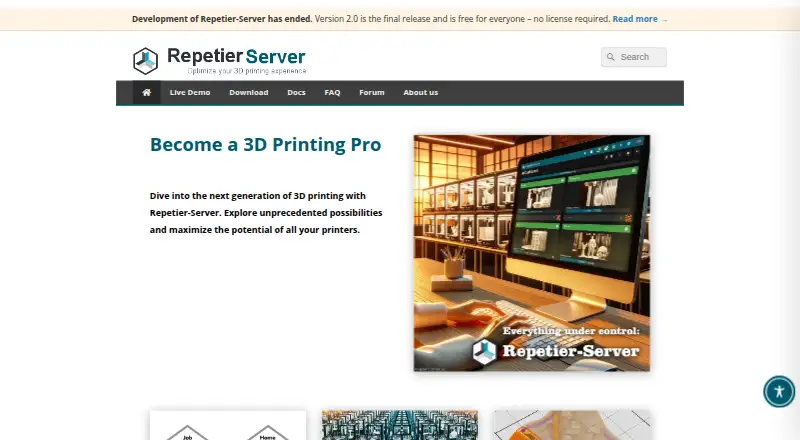
What Repetier-Server is
Repetier-Server controls and manages 3D printers from Windows, Mac OS X, Linux, or a self-hosted setup. One installation can handle multiple printers, with capacity depending on available hardware. It offers 2D and 3D G-code previews, color-coded views, layer analysis, live print monitoring, and webcam viewing. Notifications can use Repetier-Informer, Pushover, WhatsApp, Signal, Telegram, or Facebook Messenger. MQTT systems such as Home Assistant and ioBroker can communicate with it, and event-triggered web calls are supported. User management assigns specific rights, while printer backup, restore, and a rescue system address some interruptions. Models, G-code, statistics, images, and videos remain on users’ computers. It can operate offline, although activation and automatic updates need internet access. Development has ended at version 2.0, which is free for everyone and needs no license.
Who it suits
It suits print farms, companies, educational institutions, and others managing multiple 3D printers. It is useful for operators wanting local data and live monitoring.
What it does well
- Manages multiple printers from one installation
- Provides 2D and 3D G-code previews
- Supports webcam print monitoring
- Offers user rights and printer recovery tools
- Version 2.0 is free for everyone
What to know first
- Development has ended
- Internet required for activation and automatic updates
- Printer capacity depends on available hardware
- Offline updates require manual installation
Limits
Internet access is needed for license activation and automatic updates, although manual offline updates are possible. Printer capacity depends on available hardware, and the print-rescue system covers only some interruptions.
Plans
| Plan | Billed and limits | Price |
|---|---|---|
| Repetier-Server 2.0 | Version 2.0 is the final release and is free for everyone; no license required | Free |
As repetier-server.com lists them, read 11 Oct 2026. The maker's own page has the final word.
Getting started
- Open the Repetier-Server website
- Download the installer for Windows, Mac OS X, or Linux
- Choose an Intel, ARM, or Raspberry Pi build when applicable
- Install version 2.0, which is free and needs no license
- Connect and configure your printers
- Set user rights, notifications, integrations, and backup options
Verdict
Repetier-Server combines printer control, monitoring, notifications, and local data handling across major desktop systems. Its final version is free, but the project is no longer being developed.
Questions
Is Repetier-Server free?
Version 2.0 is free for everyone and requires no license. The pricing information also lists paid access from €29.99 and a 14-day trial.
Which operating systems are supported?
Installers are listed for Windows, Mac OS X, and Linux, with Intel and ARM builds and a Raspberry Pi image.
Can it work without internet?
Yes. It can run permanently offline; internet is needed for license activation and automatic updates, while manual offline updates are available.
What integrations does it support?
MQTT-compatible systems such as Home Assistant and ioBroker can communicate with it, and event-triggered web calls are supported.
How are print notifications sent?
Notifications can use Repetier-Informer, Pushover, WhatsApp, Signal, Telegram, or Facebook Messenger.
Who is Repetier-Server designed for?
The maker describes it as designed for professional use, including print farms, companies, and educational institutions.
Facts from Repetier-Server's own pages
- Access control
- User management lets administrators assign users specific rights. · repetier-server.com, 11 Oct 2026
- Development status
- The maker says development has ended and version 2.0 is the final release. · repetier-server.com, 11 Oct 2026
- G-code previews
- It provides 3D and 2D G-code previews, including color-coded views and layer-by-layer analysis. · repetier-server.com, 11 Oct 2026
- Headquarters
- Willich, Germany · repetier-server.com, 28 Sept 2026
- Integrations
- MQTT-compatible systems such as Home Assistant and ioBroker can communicate with Repetier-Server, and event-triggered web calls are supported. · repetier-server.com, 11 Oct 2026
- Intended users
- The maker describes Repetier-Server as designed for professional use, including print farms, companies, and educational institutions. · repetier-server.com, 11 Oct 2026
- Local data
- The maker states that models, G-code, statistics, images, and videos remain on the user's computers and are not transferred to the maker. · repetier-server.com, 11 Oct 2026
- Notifications
- Print event notifications can be sent through Repetier-Informer, Pushover, WhatsApp, Signal, Telegram, or Facebook Messenger. · repetier-server.com, 11 Oct 2026
- Offline use
- The maker says Repetier-Server can run permanently without an internet connection; internet is needed for license activation and automatic updates, while manual offline updates are possible. · repetier-server.com, 11 Oct 2026
- Printer management
- One installation can manage multiple printers, with the number depending on the available hardware. · repetier-server.com, 11 Oct 2026
- Print monitoring
- Users can follow prints live in 2D or 3D and view them through webcams. · repetier-server.com, 11 Oct 2026
- Purpose
- Repetier-Server is software for controlling and managing 3D printers. · repetier-server.com, 11 Oct 2026
- Recovery
- The maker describes a print rescue system for some interruptions and built-in printer backup and restore. · repetier-server.com, 11 Oct 2026
- Support
- The maker provides a manual, frequently asked questions, and a user forum for troubleshooting. · repetier-server.com, 11 Oct 2026
- Supported systems
- The download page lists installers for Windows, Mac OS X, and Linux, including Intel and ARM builds and a Raspberry Pi image. · repetier-server.com, 11 Oct 2026
Where Repetier-Server stands on Freedom251
- 3D Printing Software#21 of 35