Freedom251 › 3D Printing Software

MatterControl
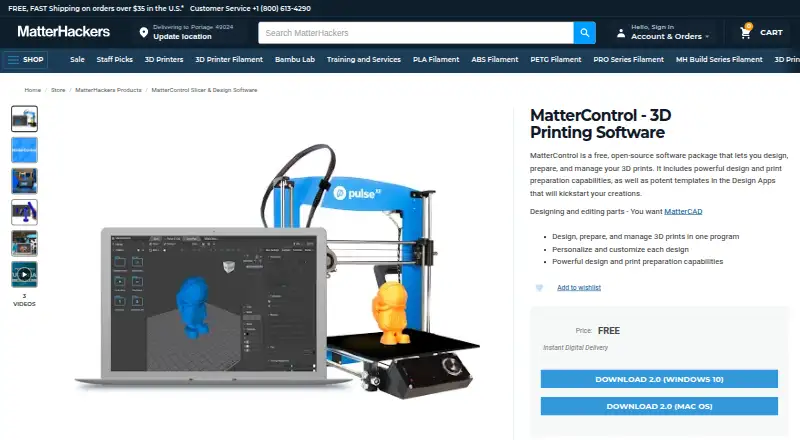
What MatterControl is
MatterControl is a free, open-source program for designing, preparing, organizing, and managing 3D prints. It brings design tools and printer controls into one application, with customizable Design Apps, modeling from primitives, and tools for creating support structures from selected shapes. During printing, users can adjust Z-offset, speed, and extrusion, operate multiple printers from one computer, and receive a text notification when a print finishes. For multi-extruder printers, parts can be assigned to different extruders for multi-material jobs. MatterControl can retain progress for prints sent directly from the application, allowing work to resume after a power outage or interruption. Its Cloud folder and downloads from the MatterHackers Digital Design Store are available wherever users log in, while a web portal can display print status. MatterHackers says the software is designed for most open-standard desktop printers, including those using G-Code or X3G. MatterControl is offered for Linux, macOS, and Windows; the product page links to version 2.0 downloads for Windows 10 and Mac OS. Listed minimum requirements include Windows 10 or macOS 10.x, 2 GB RAM for 64-bit, 6 GB disk space, and a DirectX 9 or later graphics card with a WDDM 1.0 driver.
Who it suits
MatterControl suits people who want one free application for designing print models, preparing jobs, and controlling compatible desktop 3D printers. It also fits users working with multiple printers, multi-extruder setups, or prints that may need to resume after an interruption.
What it does well
- Free and open-source software.
- Adjust Z-offset, speed, and extrusion during printing.
- Control multiple printers from one computer.
- Assign parts to extruders for multi-material printing.
- Cloud folder and web portal support access and print status.
What to know first
- Listed download links cover Windows 10 and Mac OS.
- Minimum requirements include 6 GB disk space and 2 GB RAM for 64-bit.
Plans
| Plan | Billed and limits | Price |
|---|---|---|
| MatterControl | Free and open-source 3D printing software | Free |
As matterhackers.com lists them, read 8 Oct 2026. The maker's own page has the final word.
Getting started
- Open the MatterHackers MatterControl product page.
- Choose a download for Windows 10 or Mac OS, or use the Linux platform option.
- Install the application on a system meeting its listed minimum requirements.
- Connect a supported open-standard desktop 3D printer.
- Use the design tools to prepare a model and start a print.
Verdict
Choose MatterControl if you want free, open-source design and printer-management tools, including multi-printer control and print recovery. Check the listed operating-system requirements and printer compatibility before relying on it for a specific setup.
Questions
Is MatterControl free?
Yes. The MatterControl plan is free, and the software is described as free and open-source.
Which platforms does it support?
The listed platforms are Linux, macOS, and Windows. The product page links to MatterControl 2.0 downloads for Windows 10 and Mac OS.
What printers can it control?
MatterHackers says it is designed for most open-standard desktop 3D printers, including printers that run G-Code or X3G.
Can it manage more than one printer?
Yes. MatterControl can control multiple 3D printers simultaneously from one computer.
Does it support multi-material printing?
Yes. Users with multiple-extruder printers can assign parts to extruders and print with multiple materials.
Where can I get help?
MatterHackers links to a MatterControl User Guide and provides support by phone at +1 (800) 613-4290 and email at [email protected].
Facts from MatterControl's own pages
- Cloud sync
- Files stored in MatterControl’s Cloud folder and downloads from the MatterHackers Digital Design Store are available wherever the user logs in, and the web portal can show print status. · matterhackers.com, 8 Oct 2026
- Design tools
- It includes design tools and customizable Design Apps for personalizing designs. · matterhackers.com, 8 Oct 2026
- Dual extrusion
- The feature article says users with multiple-extruder printers can assign parts to extruders and print with multiple materials. · matterhackers.com, 8 Oct 2026
- Founded
- 2012 · matterhackers.com, 28 Sept 2026
- Headquarters
- Lake Forest, California, United States · matterhackers.com, 28 Sept 2026
- Maker location
- MatterHackers says it is headquartered in Southern California. · matterhackers.com, 8 Oct 2026
- Modeling and supports
- MatterControl’s feature article describes modeling from primitives and converting selected primitives into customized support structures. · matterhackers.com, 8 Oct 2026
- Multiple printers
- MatterControl can control multiple 3D printers simultaneously from one computer. · matterhackers.com, 8 Oct 2026
- Open source
- MatterHackers describes MatterControl as free and open-source software. · matterhackers.com, 8 Oct 2026
- Print controls
- The product page lists real-time Z-offset, speed, and extrusion adjustments, plus text notifications when a print completes. · matterhackers.com, 8 Oct 2026
- Printer compatibility
- MatterHackers says MatterControl is designed for most open-standard desktop 3D printers, including printers that run G-Code or X3G. · matterhackers.com, 8 Oct 2026
- Print recovery
- The feature article says MatterControl remembers print progress when printing directly from the application so users can resume after a power outage or interruption. · matterhackers.com, 8 Oct 2026
- Purpose
- MatterControl lets users design, prepare, organize, and manage 3D prints in one program. · matterhackers.com, 8 Oct 2026
- Security and privacy
- MatterHackers’ privacy policy says it uses security measures to protect personal information but cannot guarantee its security; the policy describes the website, not MatterControl specifically. · matterhackers.com, 8 Oct 2026
- Support
- MatterHackers links to a MatterControl User Guide and provides customer support by phone at +1 (800) 613-4290 and email at [email protected]. · matterhackers.com, 8 Oct 2026
- Supported operating systems
- The product page links to MatterControl 2.0 downloads for Windows 10 and Mac OS. · matterhackers.com, 8 Oct 2026
- System requirements
- The listed minimum requirements include Windows 10 or macOS 10.x, 2 GB RAM for 64-bit, 6 GB disk space, and a DirectX 9 or later graphics card with WDDM 1.0 driver. · matterhackers.com, 8 Oct 2026
Where MatterControl stands on Freedom251
- 3D Printing Software#18 of 35