Freedom251 › AI Architectural Rendering Software

Renderica
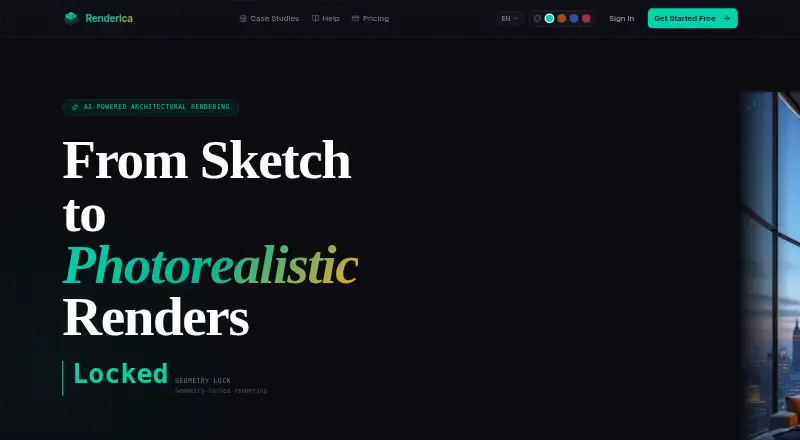
What Renderica is
Renderica turns architectural sketches and plans into photorealistic renders. It reads room dimensions and openings from plans and uses that geometry to guide the render. Accepted files include PDF, DXF, PNG, JPG, GLB and GLTF; supported inputs also include hand-drawn sketches, floor plans, CAD sketches and Pinterest image URLs. The homepage lists compatibility with Revit, SketchUp, ArchiCAD, Rhino 3D, AutoCAD, Blender, 3ds Max and Chief Architect. Users can choose among 32 style presets and five lighting modes, then share a client review link or export a 4K PNG from the gallery. The homepage advertises 4K output, six or more camera angles and render times under 10 seconds. The free plan includes three renders a month at 1024px. Starter is $24/mo, Pro is $59/mo and Studio is $179/mo; their render allowances and resolution vary. The privacy policy says uploaded content is not used to train Renderica's own models, but describes some stored assets as reachable through non-expiring unauthenticated URLs and is marked draft pending legal review.
Who it suits
Renderica is aimed at architects, interior designers and real estate professionals who want to turn plans or sketches into renders. Its style controls and client review links may suit teams sharing visual proposals.
What it does well
- Accepts plans, sketches, CAD files and image references.
- Locks extracted plan geometry into the render.
- Offers 32 style presets and five lighting modes.
- Gallery supports review links and 4K PNG export.
What to know first
- Free plan allows three renders monthly at 1024px.
- Non-rectangular openings may not be carved into scenes.
- Angled wall segments may be omitted.
- Privacy policy is a draft and notes unauthenticated asset URLs.
Limits
The free plan allows three renders per month at 1024px, with basic styles, preview output, and one view. Starter costs $24 a month and allows 60 renders per month at 2048px, with four views.
Plans
| Plan | Billed and limits | Price |
|---|---|---|
| Free | 3 renders/month · 1024px resolution · Basic styles · preview · 1 view | Free |
| Studio | $179/mo · 800 renders/month · 4K · API access · Batch render · Priority support · 6+ views | $179 a month |
| Starter | $24/mo · 60 renders/month · 2048px resolution · All styles · no watermark · 4 views | $24 a month |
| Pro | $59/mo · 250 renders/month · 4K resolution · All styles · 6+ views | $59 a month |
As renderica.com lists them, read 30 Sept 2026. The maker's own page has the final word.
Getting started
- Open the Renderica website.
- Choose the free plan or a paid plan, starting at $24 a month.
- Provide an architectural plan, supported file, or sketch.
- Select a style preset and lighting mode, and add an image URL or Pinterest pin if useful.
- Review the generated render, then share a client link or export a 4K PNG if your plan supports it.
Verdict
Renderica combines plan-based geometry handling with style controls and client sharing. Check its room-geometry limitations and the stated privacy-policy caveats before using it for sensitive projects.
Questions
Is Renderica free?
Yes. The Free plan costs nothing and includes three renders per month at 1024px.
What does the cheapest paid plan cost?
Starter costs $24 a month, billed at $24/mo.
Which platforms does Renderica support?
The listed platforms are web and API.
Which files can I use?
The homepage lists PDF, DXF, PNG, JPG, GLB, and GLTF. Supported inputs also include hand-drawn sketches, floor plans, CAD sketches, and Pinterest image URLs.
Does Renderica use uploaded content to train its models?
Renderica says it does not use uploaded plans, reference images, renders, or account content to train its own models.
What geometry limitations should I know about?
For non-rectangular rooms, openings may not be carved into the scene, and a true angled wall segment may be dropped.
Facts from Renderica's own pages
- AI training
- Renderica says it does not use uploaded plans, reference images, renders, or account content to train its own models. · renderica.com, 30 Sept 2026
- Current geometry limits
- For non-rectangular rooms, openings are not carved into the scene yet, and a true angled wall segment may be dropped from the scene. · renderica.com, 30 Sept 2026
- Design tools
- The homepage says Renderica works with Revit, SketchUp, ArchiCAD, Rhino 3D, AutoCAD, Blender, 3ds Max, and Chief Architect. · renderica.com, 30 Sept 2026
- Geometry lock
- The service extracts room dimensions and openings from a plan and conditions the render on that locked geometry. · renderica.com, 30 Sept 2026
- Input files
- The homepage lists PDF, DXF, PNG, JPG, GLB, and GLTF as accepted formats. · renderica.com, 30 Sept 2026
- Integrations
- The privacy policy names Stripe for subscription billing, plus AI processing providers including fal.ai, Anthropic, OpenAI, and Replicate for specific features. · renderica.com, 30 Sept 2026
- Intended users
- The homepage identifies architects, interior designers, and real estate professionals as target users. · renderica.com, 30 Sept 2026
- Purpose
- Renderica uses AI to turn architectural sketches and plans into photorealistic renders. · renderica.com, 30 Sept 2026
- References
- Users can provide Pinterest pins or image URLs as style references. · renderica.com, 30 Sept 2026
- Rendering
- The homepage advertises 4K output, 6+ camera angles, and render times under 10 seconds. · renderica.com, 30 Sept 2026
- Security and privacy
- The privacy policy says traffic is encrypted in transit, but describes some stored assets as accessible through non-expiring unauthenticated URLs; the policy is marked draft pending legal review. · renderica.com, 30 Sept 2026
- Sharing
- Users can share a client review link or export a 4K PNG from the gallery. · renderica.com, 30 Sept 2026
- Style controls
- Users can choose from 32 style presets and 5 lighting modes. · renderica.com, 30 Sept 2026
Where Renderica stands on Freedom251
- AI Architectural Rendering Software#11 of 23