Freedom251 › Whiteboard Animation Software

Renderforest Whiteboard Animation
Visit Renderforest Whiteboard Animation Alternatives Pricing
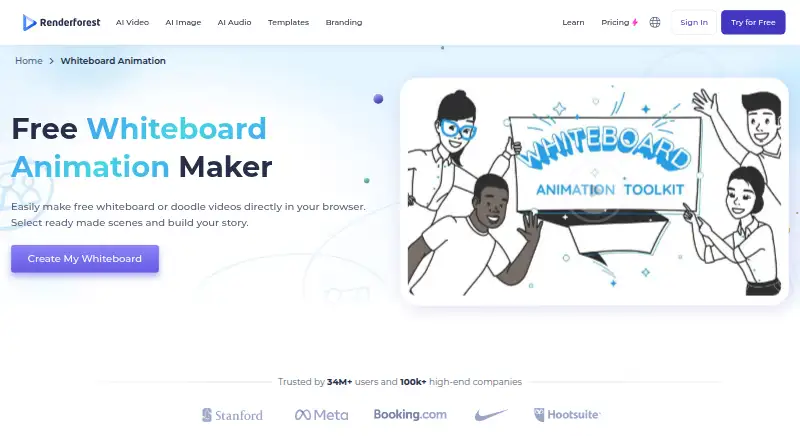
What Renderforest Whiteboard Animation is
Renderforest Whiteboard Animation is a browser-based tool for making whiteboard and doodle videos. Its page advertises over 1,000 scenes and pre-built templates, with controls for colors, scene types, and transitions. You can upload your own artwork or voiceover to customize scenes. The maker also lists a music library and text-to-speech narration with multiple languages and accents. Finished animations can be downloaded or shared on social platforms, and Renderforest says its YouTube API enables direct publishing to YouTube. It presents whiteboard videos for education, product explainers, training, storytelling, marketing, and customer support. The service is available on the web, Android, and iOS. The Free plan allows video creation, but exports include a watermark. Lite costs $8 a month when yearly billing is selected; Pro is $19 a month and Business is $39 a month under yearly billing. Annual plans are paid upfront. Listed capabilities include drawing animation, a character library, voiceover tools, scene templates, 4K export, and commercial use.
Who it suits
This tool suits people creating illustrated videos for teaching, product explanations, training, or marketing. It may also suit creators who want to add their own artwork or voiceover and publish or share finished animations.
What it does well
- Over 1,000 scenes and pre-built templates
- Accepts uploaded artwork and voiceover
- Text-to-speech supports multiple languages and accents
- Finished videos can be downloaded or shared
What to know first
- Free exports include a watermark
- No free trial
- Annual plans are paid upfront
Limits
The Free plan allows whiteboard video creation, but exports include a watermark. Lite includes five HD720 template exports per month; its listed storage is 10 GB and its stock media catalog is limited.
Plans
| Plan | Billed and limits | Price |
|---|---|---|
| Free | Free access to tools and basic features; whiteboard videos available free; video exports with watermark | Free |
| Pro | $19 / month when yearly billing is selected; annual plans are paid upfront · 1600 AI credits/month · unlimited HD720 AI video creations with Renderforest Fast · unlimited Full HD1080 template exports · 50 GB cloud storage | $19 a month |
| Business | $39 / month when yearly billing is selected; annual plans are paid upfront · 3000 AI credits/month · UHD 4K template exports · 5M+ stock footage, music, and photos · team management | $39 a month |
| Lite | $8 / month when yearly billing is selected; annual plans are paid upfront · 400 AI credits/month · 5 HD720 template exports · 10 GB cloud storage · limited catalog of 1M+ stock footage, music, and photos | $8 a month |
As renderforest.com lists them, read 30 Sept 2026. The maker's own page has the final word.
Getting started
- Open the Renderforest whiteboard animation website
- Choose free access or a paid plan
- Create a whiteboard video using scenes or templates
- Customize colors, scene types and transitions
- Add artwork, voiceover, music or text to speech narration
- Download the animation or share it on a social platform
Renderforest Whiteboard Animation is a browser-based tool for creating whiteboard and doodle videos. It is best suited to educators, marketers, and teams making explainers or training content from prepared scenes. The trade-off is clear: free creation comes with watermarked exports, while paid plans are billed annually upfront.
Overview
Renderforest pairs a large scene library with controls for colors, scene types, and transitions. That gives users room to tailor a video without building every scene themselves, though the template-led approach is less suited to anyone who needs a wholly bespoke animation workflow. Users can add their own artwork and voiceover, then download finished videos or share them on social platforms.
Text-to-speech supports multiple languages and accents, and the maker includes a music library. Direct publishing to YouTube is supported through the YouTube API, and Storyblocks integration brings stock video into projects. The product is offered on web, Android, and iOS. Commercial use is supported.
Renderforest says it protects user information with secure databases and industry-standard access controls, while not guaranteeing absolute security. Projects and uploaded media may be permanently deleted after 60 days without account activity if the user has made no purchase, an important consideration for anyone relying on the service to retain project files.
Key features
- Scenes and templates: More than 1,000 advertised scenes and pre-built templates, with adjustable colors, scene types, and transitions, provide a substantial starting point for lessons, explainers, marketing, and support videos.
- Artwork and audio: Upload original artwork or voiceover to personalize scenes; use text-to-speech in multiple languages and accents or choose from the music library. These options suit creators who want narration without recording every line themselves.
- Export and sharing: Finished animations can be downloaded or shared to social platforms. YouTube publishing is also available directly, which can simplify delivery for creators whose destination is that platform.
- Animation tools: Drawing animation, a character library, scene templates, and voiceover tools cover the central components of a whiteboard video. Export resolution reaches 4K on the product's plan range, though the entry paid plan is limited to HD720 template exports.
Pricing
The free plan costs nothing and provides access to tools and basic features, including whiteboard video creation. Its exports carry a watermark, so it is better for trying the workflow than publishing polished client or classroom material.
Lite costs $8 a month when yearly billing is selected; annual plans are paid upfront. It includes 400 AI credits/month, 5 HD720 template exports, 10 GB cloud storage, and a limited catalog of 1M+ stock footage, music, and photos. The five-export cap and 720p ceiling make it a modest step up from free rather than a high-volume production plan.
Pro costs $19 a month when yearly billing is selected, also paid upfront annually. It provides 1600 AI credits/month, unlimited HD720 AI video creations with Renderforest Fast, unlimited Full HD1080 template exports, and 50 GB cloud storage. This is the more practical fit for regular publishing where full HD template exports matter.
Business costs $39 a month when yearly billing is selected and is paid upfront annually. It adds 3000 AI credits/month, UHD 4K template exports, 5M+ stock footage, music, and photos, and team management. That makes it the clearest fit for teams needing higher-resolution exports and shared management; solo users may not need those additions. Renderforest directs plan questions to its support team.
Platforms
The browser-based maker is available on web, Android, and iOS, giving users both desktop-browser and mobile access.
Who it's for
Educators, marketers, support teams, and storytellers can use the scene library and narration options to produce lessons, product explainers, training videos, and customer-support content. It is a strong fit when prepared scenes and customization controls are more useful than creating every visual from scratch. It is less compelling for users who need watermark-free publishing at no cost or who do not want to commit to annual upfront billing for paid access.
Pros and cons
- Pros: More than 1,000 scenes and templates, with customizable colors, types, and transitions, make it possible to adapt a prepared structure to different video purposes.
- Pros: Artwork uploads, voiceover, multilingual text-to-speech, and music give creators several ways to personalize the finished video.
- Pros: Plans scale from free watermarked creation to 4K exports and team management, with commercial use supported.
- Cons: Free exports carry a watermark, limiting their suitability for finished public-facing work.
- Cons: Paid prices shown are monthly rates for yearly billing, with annual plans paid upfront; the commitment may not suit occasional users.
- Cons: Lite allows only five HD720 template exports, while 4K template exports require Business.
- Cons: Projects and uploaded media may be permanently deleted after 60 days of inactivity when no purchase has been made.
Alternatives
Whiteboard Animation Software is the broader category directory for comparing tools in this format.
Choose Animaker if a free plan with limited premium assets and watermarked exports, plus a free trial, better suits your evaluation; its platforms include Android, API, iOS, and web.
Wink AI Whiteboard Video Generator is another freemium option, with free credits for new users, limited AI generations, and watermarked exports; it supports Android, iOS, macOS, web, and Windows.
Consider Explideo if browser exports without a stated monthly cap are useful: its free plan also includes one watermarked server export per month, videos up to five minutes, and 150 MB of storage.
AutoScribble is an alternative with a free credit allowance and script-writing, download, and sharing features; it supports Android and web.
Benime is a freemium alternative available on Android and web.
Golpo AI offers a free plan limited to one one-minute video and is available through web and API.
Mango Animate Whiteboard Animation Maker is a Windows-only alternative whose free plan includes 576P video quality, 10+ dynamic characters, and two backgrounds per project.
mySimpleshow is a web and API alternative with a free plan allowing three video renderings per month, two AI avatars, and three illustration styles.
Verdict
Renderforest Whiteboard Animation is a good choice for creators who want a wide range of prepared scenes, practical customization, and integrated narration and music options across web and mobile. Its main advantage is the breadth of the template-based workflow; look elsewhere if watermarked free exports are a deal-breaker or annual upfront payment does not fit your budget.
Verdict
Renderforest Whiteboard Animation offers templates and scene customization alongside ways to add artwork, narration, and music. Free creation is available, but exports have a watermark; paid annual plans add further listed capabilities.
Questions
Is there a free plan?
Yes. The Free plan costs nothing and provides access to tools and basic features, including whiteboard videos. Free video exports include a watermark.
What do the paid plans cost?
With yearly billing selected, Lite is $8 a month, Pro is $19 a month and Business is $39 a month. Annual plans are paid upfront.
Which platforms are available?
Renderforest lists Android, iOS and web. The whiteboard animation maker is described as browser based.
Can I use my own artwork and narration?
Yes. Users can upload artwork or a voiceover. The maker also lists music and text to speech narration with multiple languages and accents.
Can I publish to YouTube?
Renderforest says its YouTube API lets users publish videos directly to YouTube.
What does the Business plan include?
The listed Business plan includes 3,000 AI credits per month, UHD 4K template exports, 5M+ stock footage, music and photos, and team management.
Facts from Renderforest Whiteboard Animation's own pages
- Audio
- The maker page lists an extensive music library and text-to-speech narration with multiple languages and accents. · renderforest.com, 30 Sept 2026
- Company
- Renderforest’s About page says its founder and team started building the company in Yerevan, Armenia, and lists 2013 as the year its idea began. · renderforest.com, 30 Sept 2026
- Export and sharing
- Completed animations can be downloaded to a device or shared on social platforms with one click. · renderforest.com, 30 Sept 2026
- Founded
- 2013 · renderforest.com, 28 Sept 2026
- Headquarters
- Jrvezh, Armenia · renderforest.com, 28 Sept 2026
- Integration
- Renderforest says it uses the YouTube API to let users publish videos directly to YouTube. · renderforest.com, 30 Sept 2026
- Privacy and retention
- The privacy policy says user projects and uploaded media may be permanently deleted after 60 days without account activity if the user has made no purchase. · renderforest.com, 30 Sept 2026
- Product
- Renderforest describes its whiteboard animation maker as a browser-based tool for making whiteboard or doodle videos. · renderforest.com, 30 Sept 2026
- Scenes and templates
- The whiteboard page advertises over 1,000 scenes and pre-built templates, with customizable colors, scene types, and transitions. · renderforest.com, 30 Sept 2026
- Security
- Renderforest says user information is stored in secure databases with industry-standard access controls, while noting it cannot guarantee absolute security. · renderforest.com, 30 Sept 2026
- Stock media integration
- Renderforest says its Storyblocks API lets users integrate stock videos into projects. · renderforest.com, 30 Sept 2026
- Support
- The pricing page directs users with questions to the Renderforest support team. · renderforest.com, 30 Sept 2026
- Uploads
- Users can upload their own artwork or voiceover to customize scenes. · renderforest.com, 30 Sept 2026
- Use cases
- The maker lists education, product explainers, training, storytelling, marketing, and customer support as uses for whiteboard videos. · renderforest.com, 30 Sept 2026
- Watermark limits
- The pricing page lists five exports per month without watermarks or ads for the Lite plan; the whiteboard page says free video creation is available and pricing describes free videos with watermark. · renderforest.com, 30 Sept 2026
Where Renderforest Whiteboard Animation stands on Freedom251
- Whiteboard Animation Software#11 of 26