Freedom251 › Remote Connection Manager Software
RemoteSM
What RemoteSM is
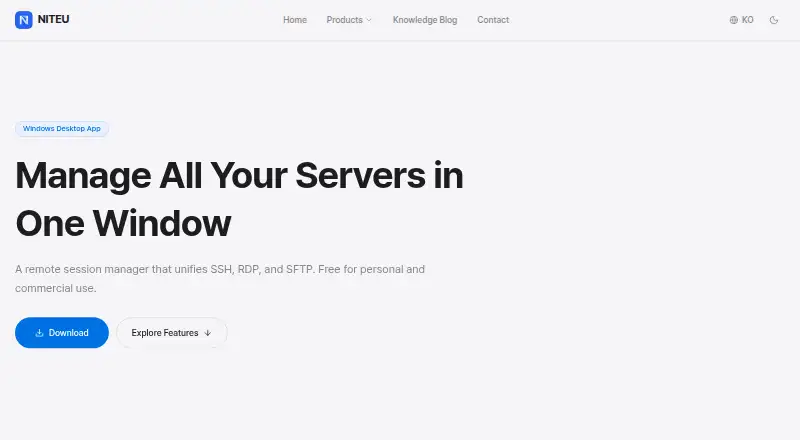
RemoteSM is a Windows session manager that brings SSH, RDP, and SFTP connections into one application. It opens PuTTY-based SSH sessions with password or PPK key authentication and manages Microsoft RDP sessions in tabs rather than a separate mstsc window. For SFTP, it works with FileZilla and WinSCP and forwards connection details to set up a connection without another login entry. Sessions can be organized in folders, and users can open every session in a group together. A keyboard broadcast sends input to multiple SSH sessions at once, while automatic ping monitoring indicates whether servers are online or offline. Each session has multi-tab notes for commands, server configurations, and work history. Session data is stored in an AES-128 encrypted SQLite database. Command-line parameters can select independent configuration profiles for separate environments. The Tools menu can launch PuTTY, PuTTYGen, FileZilla, WinSCP, and Windows Remote Desktop. The stated requirements are 32-bit or 64-bit Windows 7, 8, 10, or 11. RemoteSM is free for personal and commercial use at no cost.
Who it suits
RemoteSM suits Windows users who manage SSH, RDP, and SFTP sessions, including people who want to organize connections by group or keep session notes. The maker says it is free for personal and commercial use.
What it does well
- Unifies SSH, RDP, and SFTP sessions.
- Broadcasts keyboard input to multiple SSH sessions.
- Ping monitoring shows server status.
- Stores session data in an AES-128 encrypted database.
- Free for personal and commercial use.
What to know first
- Windows only.
- Stated requirements begin with Windows 7.
- SFTP depends on FileZilla or WinSCP.
Plans
| Plan | Billed and limits | Price |
|---|---|---|
| Free | Free for personal and commercial use | Free |
As niteu.com lists them, read 9 Oct 2026. The maker's own page has the final word.
Getting started
- Open the RemoteSM website
- Use a supported 32-bit or 64-bit Windows system
- Install the full version, which includes RemoteSM, PuTTY, FileZilla, and WinSCP
- Create or open SSH, RDP, and SFTP sessions
- Organize sessions in folders and save notes or profiles
Verdict
RemoteSM brings several connection types, notes, and session organization into one Windows application. Its free personal and commercial use is useful, but the platform and stated system requirements are limited to Windows.
Questions
How much does RemoteSM cost?
The Free plan costs nothing.
Is there a free plan?
Yes. RemoteSM is free for personal and commercial use.
Which protocols does it support?
It supports SSH, RDP, and SFTP.
Which operating systems are supported?
The stated requirements are Windows 7, 8, 10, and 11, in 32-bit or 64-bit versions.
What software is included?
The full version includes RemoteSM, PuTTY, FileZilla, and WinSCP.
Facts from RemoteSM's own pages
- External tools
- The Tools menu can launch PuTTY, PuTTYGen, FileZilla, WinSCP, and Windows Remote Desktop. · niteu.com, 9 Oct 2026
- Included software
- The full version includes Remote SM, PuTTY, FileZilla, and WinSCP. · niteu.com, 9 Oct 2026
- Intended users and use
- The maker states RemoteSM is free for personal and commercial use. · niteu.com, 9 Oct 2026
- Monitoring
- Automatic ping monitoring shows server online or offline status. · niteu.com, 9 Oct 2026
- Multi-session input
- It can broadcast keyboard input to multiple SSH sessions at once. · niteu.com, 9 Oct 2026
- Organization
- Sessions can be organized in folders, and all sessions in a group can be opened together. · niteu.com, 9 Oct 2026
- Profiles
- Command-line parameters can select independent configuration profiles for separate environments. · niteu.com, 9 Oct 2026
- Purpose
- RemoteSM is a remote session manager that unifies SSH, RDP, and SFTP in one window. · niteu.com, 9 Oct 2026
- RDP
- It manages Microsoft RDP sessions in tabs without a separate mstsc window. · niteu.com, 9 Oct 2026
- Session notes
- Each session supports multi-tab notes for commands, server configurations, and work history. · niteu.com, 9 Oct 2026
- SFTP
- It integrates with FileZilla and WinSCP and forwards connection information for login-free connection setup. · niteu.com, 9 Oct 2026
- SSH
- It opens PuTTY-based SSH sessions in the app and supports password and PPK key authentication. · niteu.com, 9 Oct 2026
- Storage security
- Session data is stored in an AES-128 encrypted SQLite database. · niteu.com, 9 Oct 2026
- System requirements
- The stated system requirements are Windows 7, 8, 10, or 11, in 32-bit or 64-bit versions. · niteu.com, 9 Oct 2026
Where RemoteSM stands on Freedom251
- Remote Connection Manager Software#23 of 29