RED4ext
What RED4ext is
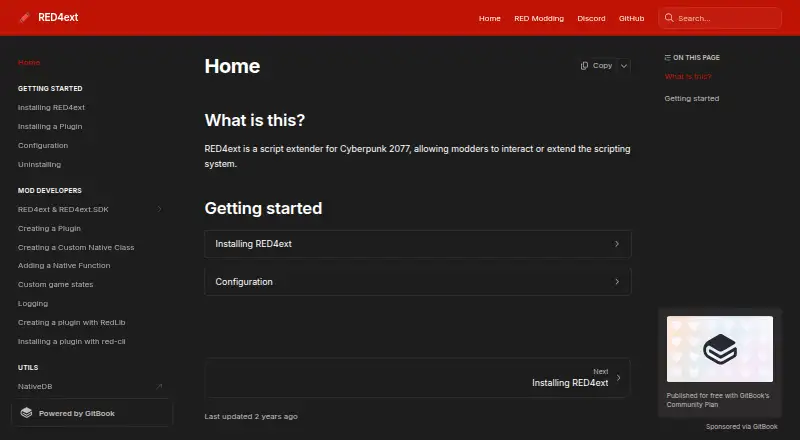
RED4ext is a free script extender for Cyberpunk 2077 on Windows. It lets modders interact with or extend the game's scripting system through plugins. RED4ext manages plugins and loads them for the specified game runtime; plugins can declare supported versions, target the latest defined runtime, or be runtime-independent. RED4ext.SDK provides access to the scripting virtual machine, native classes and functions, and reversed game structures. Plugins can add features, change game behavior, add scripting functions, or call existing game functions. They can also attach custom game states to run code before or after systems such as scripting become available. Plugin builds must produce x86-64 output and use the __fastcall calling convention; the guide names CMake, Premake, and Visual Studio as toolchain examples. Plugins go in the game's red4ext/plugins directory or a subdirectory. Installation requires Visual C++ Redistributable 2022, followed by downloading the latest ZIP, extracting it into the game directory, and launching the game. RED4ext's configuration is generated at startup if absent and uses TOML despite its .ini extension.
Who it suits
RED4ext is for Cyberpunk 2077 modders developing or loading plugins that interact with the game's scripting system. Plugin developers need to build for x86-64 using the __fastcall calling convention.
What it does well
- Free script extender and plugin manager.
- SDK provides access to the scripting VM.
- Plugins can specify compatible game runtimes.
- Each plugin receives a logger.
What to know first
- Supports Cyberpunk 2077 on Windows only.
- Installation requires Visual C++ Redistributable 2022.
- Plugin builds must target x86-64 and use __fastcall.
Plans
| Plan | Billed and limits | Price |
|---|---|---|
| RED4ext | Script extender and plugin manager for Cyberpunk 2077 | Free |
As docs.red4ext.com lists them, read 8 Oct 2026. The maker's own page has the final word.
Getting started
- Install Visual C++ Redistributable 2022.
- Download the latest ZIP from GitHub.
- Extract the ZIP into the game directory.
- Launch the game.
- Place plugins in the game's red4ext/plugins directory or a subdirectory.
Verdict
RED4ext provides plugin loading and SDK tools for modders working with Cyberpunk 2077 scripting. Check its Windows focus and plugin build requirements before setting up a plugin.
Questions
How much does RED4ext cost?
RED4ext is free; its listed plan is free.
Which game and platform does it support?
It supports Cyberpunk 2077 on Windows.
What does RED4ext do?
It extends the game's scripting system and manages plugins, which can add features, change behavior, add scripting functions, or call existing game functions.
What does the SDK provide?
RED4ext.SDK provides access to the game's scripting VM, native classes and functions, and reversed game structures.
What are the plugin build requirements?
Plugins must produce x86-64 output and use the __fastcall calling convention.
What license does it use?
The project is listed under the MIT license.
Facts from RED4ext's own pages
- Compatibility
- Plugin builds must target x86-64 and use the __fastcall calling convention. · docs.red4ext.com, 8 Oct 2026
- Configuration
- The configuration file is red4ext/config.ini in the game directory and is automatically created with default values when the game starts if missing. · docs.red4ext.com, 8 Oct 2026
- Developer console
- The configuration can enable an external console described as useful for development and can pause the process until a debugger attaches. · docs.red4ext.com, 8 Oct 2026
- Developer SDK
- RED4ext.SDK provides access to the game's scripting VM, creation of native classes and functions, and reversed game structures. · docs.red4ext.com, 8 Oct 2026
- Game states
- Plugins can attach custom game states to run code before or after game systems, such as the scripting system, are available. · docs.red4ext.com, 7 Oct 2026
- Installation
- Installation involves downloading the latest ZIP, extracting it into the game directory, and launching the game. · docs.red4ext.com, 8 Oct 2026
- Latest release
- The latest release page lists v1.30.0 and includes ZIP downloads with SHA256 hashes. · github.com, 8 Oct 2026
- License
- The GitHub repository lists the project under the MIT license. · github.com, 8 Oct 2026
- Logging
- Configuration supports global log levels, log flushing, a maximum number of rotated files, and a maximum log file size. · docs.red4ext.com, 8 Oct 2026
- Platform requirement
- The plugin development guide requires x86-64 output and the installation guide directs users to the x64 Visual C++ Redistributable; these pages describe a Windows game installation. · docs.red4ext.com, 7 Oct 2026
- Plugin compatibility
- A plugin can declare the game runtime versions it supports, and RED4ext will load it only when the game's version matches; plugins can also target the latest defined runtime or be runtime-independent. · docs.red4ext.com, 7 Oct 2026
- Plugin controls
- Configuration options can disable the plugin system or ignore specified plugins. · docs.red4ext.com, 7 Oct 2026
- Plugin development
- Plugins can be built with any toolchain that produces x86-64 output using the __fastcall calling convention; the guide lists CMake, Premake, and Visual Studio as examples. · docs.red4ext.com, 7 Oct 2026
- Plugin features
- Plugins can add features, modify game behavior, add scripting functions, or call existing game functions. · github.com, 8 Oct 2026
- Plugin loader
- The RED4ext component manages plugins and loads them for the specified game version. · docs.red4ext.com, 7 Oct 2026
- Plugin management
- RED4ext loads plugins and manages them for the specified game version. · docs.red4ext.com, 8 Oct 2026
- Plugin setup
- Plugins are placed in the game's red4ext/plugins directory or a subdirectory within it. · docs.red4ext.com, 8 Oct 2026
- Prerequisite
- The installation guide says Visual C++ Redistributable 2022 must be installed. · docs.red4ext.com, 8 Oct 2026
- Purpose
- RED4ext is a script extender for Cyberpunk 2077 that lets modders interact with or extend the game's scripting system. · docs.red4ext.com, 8 Oct 2026
- SDK
- RED4ext.SDK can be used to interact with the game's scripting VM, create native classes or functions, and use reversed game structures. · docs.red4ext.com, 7 Oct 2026
- Uninstallation
- To uninstall RED4ext, remove d3d11.dll, powrprof.dll, or winmm.dll from the game's bin/x64 directory, and optionally remove its red4ext directory. · docs.red4ext.com, 7 Oct 2026
- Version support
- A plugin can specify the game runtime version it supports, and RED4ext loads it only when the game's version matches unless the plugin targets the latest or is runtime independent. · docs.red4ext.com, 8 Oct 2026
Where RED4ext stands on Freedom251
- Game Mod Loaders#13 of 26