Freedom251 › Desktop Search Software
Recoll
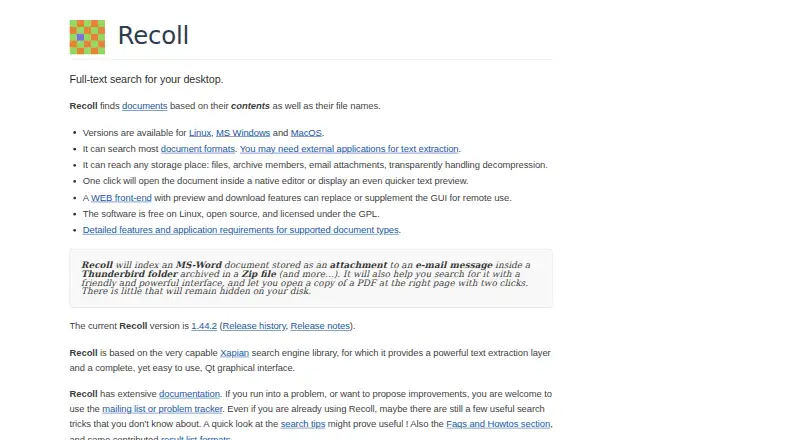
What Recoll is
Recoll is free desktop full-text search software for finding documents by their content and file names. It indexes common document types and compressed files, including email attachments nested inside archives. Queries can use Boolean operators, phrases, proximity and wildcards, with filters for file type or directory tree. Indexing can run periodically as a batch job or continuously for real-time updates. Search interfaces include a Qt desktop GUI, browser-based Web UI, command line, GNOME Shell search provider, KDE KIO and KRunner. A Python 3 extension can query or update an index. Recoll can index PDF attachments and annotations, extract custom XMP metadata, and OCR image-only PDFs using Tesseract or ABBYY FineReader. It supports multiple languages and UTF-8, with query-time selection of stemming language. The Windows page says user data stays on the computer and Recoll does not connect to external locations. The Windows port lacks some features, including multithreaded execution; on Linux and macOS, some formats require external applications or libraries for text extraction.
Who it suits
Recoll suits people who want to search document contents across local or computer-accessible storage. Its range of interfaces may also suit users who prefer browser, command-line or desktop searches.
What it does well
- Searches document contents and file names.
- Indexes compressed files and nested email attachments.
- Supports Boolean, phrase, proximity and wildcard queries.
- Can OCR image-only PDFs with specified tools.
- Offers desktop, browser, command-line and other interfaces.
What to know first
- Windows port lacks multithreaded execution.
- Some Linux and macOS formats need external extraction tools.
- Windows plan requests a contribution but lists no amount.
Limits
The Windows port lacks some features, including multithreaded execution. On Linux and macOS, some file formats require external applications or libraries for text extraction. A small contribution is requested for the Windows binary, but no amount is stated.
Plans
| Plan | Billed and limits | Price |
|---|---|---|
| Recoll (Linux and source) | Free and open source under the GPL | Free |
| Linux | Free software on Linux · GPL licensed | Free |
| Recoll for Windows | A small contribution is requested; no amount is stated · Windows binary download; source code is free under the GPL | On request |
| Windows binary | Small contribution requested; fee amount not stated · Self-contained installer · Windows 10/11 supported · Windows 7 only with older versions | On request |
As recoll.org lists them, read 30 Sept 2026. The maker's own page has the final word.
Getting started
- Visit https://recoll.org/.
- Choose the Windows binary or the free Linux and source plan.
- Install or run Recoll on Windows, Linux, or macOS.
- Set the indexer to run periodically or continuously.
- Search the index in the desktop GUI, Web UI, command line, GNOME Shell, KDE KIO, or KRunner.
Overview
Recoll is a full-text search tool for people who need to find documents across more than one folder, drive, or accessible shared volume. Its breadth of search methods and interfaces suits technically comfortable users who want control over indexing and queries; it is less compelling if you need a consistent feature set across operating systems.
It searches document contents and filenames, including email and OCR-searchable PDFs. You can query an index from a desktop app, browser, command line, or desktop-environment integration.
For a wider category view, browse Desktop Search Software.
Key features
Search and indexing
Boolean queries, exact phrases, proximity searches, wildcards, and filters by file type or directory tree give users more ways to narrow a search than filename matching alone. Recoll indexes many common document formats and compressed files, including email attachments inside nested archives. That makes it useful for collections spread across local files, removable volumes, and shared storage the computer can access.
Indexing can run periodically as a batch job or continuously for real-time updates. The choice is useful for both users who prefer a scheduled refresh and those who need a more current index, though the result still depends on having appropriate text-extraction software for some formats on Linux and macOS.
Interfaces and extension
Recoll offers a Qt desktop GUI, browser-based Web UI, command-line interface, GNOME Shell search provider, KDE KIO, and KRunner integration. The browser interface queries a Recoll index; it is not a substitute for setting one up. A Python 3 extension can query or update that index, and underpins both the Web UI and Joplin notes indexer, making it relevant to users building on Recoll as well as those searching through its ready-made interfaces.
PDF, OCR, and languages
PDF attachments and annotations can be indexed, custom XMP metadata extracted, and image-only PDFs searched through OCR using Tesseract or ABBYY FineReader. OCR broadens coverage to scanned documents, but requires one of those OCR tools. Unicode UTF-8 support covers multiple languages and character sets, and users can select the stemming language at query time.
Pricing
Recoll (Linux and source): free. It is free and open source under the GPL, a straightforward fit for Linux users and anyone working from the source code.
Recoll for Windows: custom pricing; a small contribution is requested for the Windows binary download, while the source code is free under the GPL. The Windows port lacks some features, including multithreaded execution, so users who need the fullest feature set should consider another platform. No paid recurring plan or seat-based tier is described.
Platforms
Recoll is available for Linux, macOS, and Windows, and its Web UI provides browser access to an index. Android and API are also named among the platforms. The Windows page says user data stays on the computer and Recoll does not connect to external locations, a useful privacy property for local search. Download files are signed with GPG and checksummed. On Linux and macOS, some formats need external applications or libraries for text extraction, so format coverage can depend on the surrounding software.
Who it's for
Recoll suits people with large or mixed document collections who value content search, deep query controls, archive and email coverage, or OCR for scanned PDFs. It is also a strong fit for users who want scheduled or continuous indexing and multiple ways to access one index. It is a weaker choice for Windows users who need feature parity, or for anyone unwilling to manage extraction dependencies on Linux or macOS.
Pros and cons
- Pros: Search syntax combines Boolean logic, phrases, proximity, and wildcards, with file-type and directory filters for precise queries.
- Pros: Indexing spans common formats, compressed files, nested email attachments, PDFs, and OCR-searchable image-only PDFs.
- Pros: Desktop, browser, command-line, and GNOME/KDE integrations provide several access paths to an index.
- Cons: Windows lacks some features, including multithreaded execution, making it a less complete option there.
- Cons: Some Linux and macOS formats require additional extraction software or libraries, adding setup work.
Alternatives
DocFetcher is another free, open-source desktop search option for Linux, macOS, and Windows; choose it if creating indexes for folders yourself matches your workflow.
Open Semantic Desktop Search is free for Linux, macOS, self-hosted, web, and Windows use, but requires VirtualBox and is supplied as a virtual machine image for one desktop or notebook. It fits users comfortable with that setup.
Precision File Search is a free, open-source alternative for Linux, macOS, and Windows.
DocFinder is a free AGPL-3.0-licensed desktop application for Linux, macOS, web, and Windows.
EasyFind is a free macOS option, with version 5.0.2 requiring OS X El Capitan or later.
Agent Ransack is a Windows-only freemium alternative, with a free Lite edition for personal or commercial use and no support.
Searchmonkey III is a freemium option for Linux, macOS, and Windows, with one-time PDF Extractor at 9.00 USD and Office Documents at 14.00 USD.
Buddi is a free GPLv2 budgeting application, rather than a document-search counterpart.
Verdict
Choose Recoll if you want a free, flexible index for searching documents, email, archives, and scanned PDFs across accessible storage, with several query and access options. Look elsewhere if Windows feature parity matters, or if you want format extraction without extra dependencies on Linux or macOS.
Verdict
Recoll offers broad document indexing and several ways to query an index, including OCR for image-only PDFs. Note the Windows feature gap and possible extraction dependencies on Linux and macOS.
Questions
Is Recoll free?
The Linux and source plan is free and open source under the GPL. A small contribution is requested for the Windows binary, with no amount stated.
Which platforms does Recoll support?
The listed platforms include Android, API, Linux, macOS, self-hosted, web, and Windows. Supported platform details also name web, Windows, macOS, and Linux.
Can I search email and scanned PDFs?
Recoll indexes email attachments, including those inside nested archives. It can OCR image-only PDFs using Tesseract or ABBYY FineReader.
Can I search an index in a browser?
Yes. The Recoll Web UI lets users query a Recoll index from a web browser.
Is Recoll open source?
The Linux and source plan is free and open source under the GPL.
Facts from Recoll's own pages
- Android companion
- RecollDroid is an Android front end using a thin REST server, Recoll's Python API and FastAPI. · f-droid.org, 20 Oct 2026
- Android licence
- RecollDroid is licensed under GNU GPL version 3 or later. · f-droid.org, 20 Oct 2026
- Android requirements
- RecollDroid version 1.1 requires Android 8.0 or newer and supports arm64, armeabi-v7a, x86 and x86_64. · f-droid.org, 20 Oct 2026
- Android security model
- RecollDroid supports basic authentication over HTTPS through a reverse proxy, with Nginx recommended for authentication. · f-droid.org, 20 Oct 2026
- API users
- The Python search API is used by the GNOME Shell provider, WebUI, upmpdcli and other scripts. · recoll.org, 20 Oct 2026
- Browser integration
- A Firefox extension can add visited web-page history to the index. · recoll.org, 20 Oct 2026
- Build requirements
- Source builds require a C++ compiler, Xapian development libraries, Qt 5.3 or newer, zlib, X11 and usually Python3 development files. · recoll.org, 20 Oct 2026
- Dataset scale
- The project reports a user managing 11 million documents with a 250 GB index. · recoll.org, 20 Oct 2026
- Document coverage
- It indexes common document formats, compressed archives, email stores and nested attachments. · recoll.org, 20 Oct 2026
- Download integrity
- Official downloads are accompanied by GPG signatures and SHA-256 checksums. · recoll.org, 20 Oct 2026
- Extensibility
- Developers can add document input handlers for new formats and customize metadata fields. · recoll.org, 20 Oct 2026
- File coverage
- Recoll indexes many common document types and compressed files, including email attachments inside nested archives. · recoll.org, 30 Sept 2026
- Format dependencies
- On Linux and macOS, some file formats require external applications or libraries for text extraction. · recoll.org, 30 Sept 2026
- Indexing
- The indexer can run periodically as a batch job or continuously for real-time indexing. · recoll.org, 30 Sept 2026
- Index scheduling
- Indexing can run as periodic batch work or as a continuously running real-time task. · recoll.org, 20 Oct 2026
- Interfaces
- Interfaces include a Qt desktop GUI, web browser UI, command line, GNOME Shell provider, KDE KIO and krunner. · recoll.org, 20 Oct 2026
- Languages
- The index uses Unicode UTF-8 and supports multilingual and multi-character-set searching. · recoll.org, 20 Oct 2026
- Language support
- Recoll supports multiple languages and character sets using Unicode UTF-8, and stemming language can be selected at query time. · recoll.org, 30 Sept 2026
- Licence
- Recoll source is free software distributed under the GPL; a public repository identifies GPL-2.0. · github.com, 20 Oct 2026
- Limit: interface age
- It's FOSS says Recoll is not especially modern or flashy despite its strong search capabilities. · itsfoss.com, 20 Oct 2026
- Limit: manual updates
- TechRadar notes that the default index is static, so users must update it manually or configure scheduled monitoring. · techradar.com, 20 Oct 2026
- Limit: setup
- TechRadar says dependency requirements can discourage users and that external helpers are needed for several file formats. · techradar.com, 20 Oct 2026
- Limit: storage
- Heise reports that the Xapian index can become roughly as large as the original documents and larger when archives or mailboxes are included. · heise.de, 20 Oct 2026
- Local privacy
- The Windows page states Recoll does not connect to external locations and that user data stays on the computer. · recoll.org, 30 Sept 2026
Where Recoll stands on Freedom251
- Desktop Search Software#2 of 57