Freedom251 › Desktop Search Software
Precision File Search
What Precision File Search is
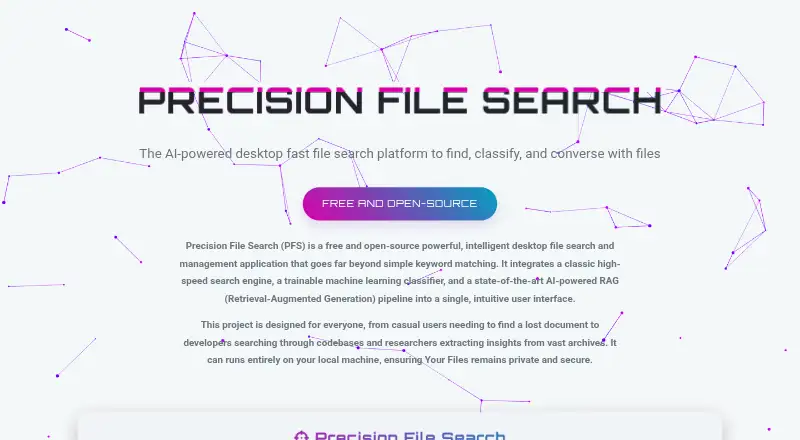
Precision File Search is a free desktop application for finding, classifying, and understanding files stored locally on Windows, macOS, and Linux. It combines classic search with semantic search through a RAG pipeline, and can answer natural-language questions with summarized responses. A trainable machine-learning model can sort scattered documents into categories chosen by the user. The maker says the application and AI models can run on the local machine, and that the tool works offline without cloud dependency. An internet connection is needed on first run to download multilingual AI models; later runs can be offline. The project lists 18 languages, including English, Arabic, Chinese, French, German, Hindi, Japanese, and Spanish. It also supports OpenAI-compatible inference URLs, including online providers and local engines such as Ollama and LM Studio. The README lists 8 GB of RAM as sufficient for the core platform on most modern consumer hardware; local LLM use calls for a dedicated GPU, with at least 4 GB VRAM for smaller models. The license is MPL-2.0.
Who it suits
It may suit researchers, students, developers, legal and business professionals, writers, and others managing large local document collections. Users who want local, offline file search may also find its stated operating model relevant.
What it does well
- Search includes classic and semantic modes.
- Natural-language questions receive summarized answers.
- Trainable model sorts files into user-tailored categories.
- Maker says files and queries are not uploaded.
- Available for Windows, macOS, and Linux.
What to know first
- First-run model download needs an internet connection.
- Local LLM use requires a dedicated GPU.
- At least 4 GB VRAM is listed for smaller models.
Limits
The first run needs an internet connection to download AI models. Local LLM use is listed as requiring a dedicated GPU, with at least 4 GB of VRAM for smaller models.
Plans
| Plan | Billed and limits | Price |
|---|---|---|
| Free and open-source | No paid tiers or usage limits stated on the opened pages | Free |
As pfs-ai.github.io lists them, read 3 Oct 2026. The maker's own page has the final word.
Getting started
- Visit the PFS website.
- Choose the download for your operating system.
- On Windows, use the project's .exe installer.
- Connect to the internet on first run to download multilingual AI models.
- Optionally configure an OpenAI-compatible inference URL, such as Ollama or LM Studio.
Precision File Search is a desktop app for finding, classifying, and querying files stored on your computer. It suits people with large document collections who want semantic and natural-language search alongside conventional search. Its local-first design is a strong fit for privacy-conscious work, but setup requires an initial model download and local LLM use calls for a dedicated GPU.
Overview
PFS brings three approaches to local files: high-speed classic search, semantic search through a retrieval-augmented generation pipeline, and natural-language questions that return summarized answers. Its trainable classifier can sort scattered documents into categories tailored by the user, making it more than a filename or keyword search tool.
The maker says files and queries are never uploaded and personal data is not sent to external servers. The application and AI models can run locally, and it can work offline after the initial multilingual model download. That is useful for sensitive collections or unreliable connectivity, though it is not a no-internet-from-first-launch setup.
Key features
Search and classification
Classic search offers a fast route to known files; semantic search and natural-language questions are aimed at finding relevant material when users do not know the precise wording or location. Summarized answers can help make a large collection easier to navigate. The trainable classifier adds a way to organize documents around categories that match a user's own work.
Privacy, security, and language support
PFS is designed to keep files and queries on the local machine. Its stated security measures include path-traversal prevention, XSS sanitization, and prompt-injection hardening. The project lists 18 supported languages, including English, Arabic, Chinese, French, German, Hindi, Japanese, and Spanish.
For integrations, PFS supports OpenAI-compatible inference URLs, including online providers such as OpenAI and Together.ai, as well as local engines such as Ollama and LM Studio. Users seeking a fully local workflow should choose a local engine; connecting an online provider is a different privacy trade-off from relying only on local models.
Pricing
PFS is free and open source under the Mozilla Public License 2.0 (MPL-2.0). The Free and open-source plan costs nothing. No paid tiers or usage limits are stated, so there is no paid upgrade to weigh against the core app.
Organizations can request custom feature development, enterprise integrations, priority support and maintenance, on-premise deployment consulting, and AI/RAG consulting; these services have custom pricing. This route is better suited to teams needing implementation or ongoing support than to individuals looking for a packaged paid plan.
Platforms
PFS supports Linux, macOS, and Windows, with local indexing and content search. The project README directs Windows users to an installer with an .exe extension. The core platform is said to run on most modern consumer hardware with at least 8 GB of RAM; local LLM use requires a dedicated GPU, with at least 4 GB of VRAM for smaller models.
An internet connection is needed on first run to download multilingual AI models. After that, subsequent runs can be fully offline. The initial download is a practical constraint for air-gapped machines and users who need offline operation from the outset.
Who it's for
PFS is aimed at researchers, students, developers, legal and business professionals, writers, and anyone organizing a large local document collection. It is especially compelling for users who want tailored document classification and meaning-based or question-driven search without sending files to a service. Those who expect to use local LLMs should first check for a dedicated GPU; users without one can still consider the core platform, but the published hardware guidance specifically associates the GPU requirement with local LLM use.
Pros and cons
Pros
- Several ways to find information: classic, semantic, and natural-language search serve different search habits, while summarized answers can reduce the work of locating relevant material.
- Local-first operation: files and queries are not uploaded, and offline use is possible after the initial model download.
- Flexible organization: the trainable classifier can sort documents into user-tailored categories rather than imposing a fixed scheme.
- Free, open-source availability: the MPL-2.0 license and stated absence of paid tiers or usage limits make it accessible across the supported desktop platforms.
Cons
- Not offline at first launch: downloading multilingual AI models requires an internet connection, a drawback for air-gapped setups.
- Local LLMs need suitable hardware: the dedicated-GPU requirement, with at least 4 GB VRAM for smaller models, may rule out some local-model workflows.
- Online integrations change the privacy equation: OpenAI-compatible URLs include cloud providers as well as local engines, so users seeking local-only processing need to select accordingly.
Alternatives
For a broader comparison, browse Desktop Search Software.
- Recoll is another free option for users who want a GPL-licensed search tool; it supports Linux, macOS, Windows, Android, web, API, and self-hosted platforms.
- Open Semantic Desktop Search is a free alternative across Linux, macOS, Windows, web, and self-hosted platforms, but its single-desktop virtual machine image requires VirtualBox.
- Buddi is free budgeting software for Linux, macOS, and Windows, rather than a file-search alternative.
- DocFetcher is a free, open-source desktop search tool for local files on Linux, macOS, and Windows; users must create indexes for folders.
- Microsoft Quick Assist is a free option for support interactions: the Windows app is available through the Microsoft Store, while its macOS and web versions are for Microsoft Support interactions.
- Agent Ransack offers a free Windows Lite version for personal or commercial use, with no support; a single-user support option costs $20, paid once for 12 months of technical support.
- DocFinder is a free AGPL-3.0-licensed desktop application for Linux, macOS, Windows, and web.
- EasyFind is a free macOS option from DEVONtechnologies, requiring OS X El Capitan or later.
Verdict
Choose Precision File Search if you want a free desktop tool that combines conventional search, semantic discovery, natural-language answers, and customizable document classification while keeping files local. Its main advantage is that breadth of search and organization without a paid tier; its main caveats are the first-run model download and the dedicated-GPU requirement for local LLM use. If you need a strictly offline first launch or cannot meet that GPU requirement for local models, consider a simpler desktop search alternative instead.
Verdict
Precision File Search combines local file search, classification, and natural-language querying in a free desktop application. Its offline operation follows an initial model download, while local LLM use has a dedicated-GPU requirement.
Questions
How much does Precision File Search cost?
It is free, with no paid tiers stated.
Is there a free plan or trial?
The project describes PFS as free and lists no free trial.
Which operating systems does it support?
Windows, macOS, and Linux.
Does PFS work offline?
The maker says it can run locally and offline after the initial model download, which requires an internet connection.
Is Precision File Search open source?
Yes. The project README states that it is licensed under the Mozilla Public License 2.0.
Can it use external AI services or local engines?
It supports OpenAI-compatible inference URLs, including online providers such as OpenAI and Together.ai and local engines such as Ollama and LM Studio.
Facts from Precision File Search's own pages
- AI integrations
- The README says PFS supports OpenAI-compatible inference URLs, including online providers such as OpenAI and Together.ai and local engines such as Ollama and LM Studio. · github.com, 3 Oct 2026
- AI model setup
- The release page says an internet connection is needed on first run to download multilingual AI models, after which subsequent runs can be fully offline. · github.com, 3 Oct 2026
- Business services
- The README offers organizations custom feature development, enterprise integrations, priority support and maintenance, on-premise deployment consulting, and AI/RAG consulting. · github.com, 3 Oct 2026
- Classification
- Its trainable machine-learning model can classify scattered documents into user-tailored categories. · pfs-ai.github.io, 3 Oct 2026
- Hardware requirements
- The README says the core platform runs on most modern consumer hardware with at least 8 GB of RAM; local LLM use is listed as needing a dedicated GPU, with at least 4 GB VRAM for smaller models. · github.com, 3 Oct 2026
- Intended users
- The project README names researchers, students, developers, legal and business professionals, writers, and people organizing large local document collections as intended users. · github.com, 3 Oct 2026
- Languages
- The site lists support for 18 languages, including English, Arabic, Chinese, French, German, Hindi, Japanese, and Spanish. · pfs-ai.github.io, 3 Oct 2026
- License
- The project README states that PFS is licensed under the Mozilla Public License 2.0 (MPL-2.0). · github.com, 3 Oct 2026
- Local operation
- The maker says the application and AI models can run entirely on the local machine, and that it works offline without cloud dependency. · pfs-ai.github.io, 3 Oct 2026
- Maintainer
- The README says PFS was developed by Aran Kazemi and describes him as an IBM Certified AI Engineer. · github.com, 3 Oct 2026
- Privacy
- The maker says PFS never uploads files or search queries and that personal data is not sent to external servers. · pfs-ai.github.io, 3 Oct 2026
- Search modes
- It combines high-speed classic search, semantic search using a RAG pipeline, and natural-language questions with summarized answers. · pfs-ai.github.io, 3 Oct 2026
- Security
- The maker lists path-traversal prevention, XSS sanitization, and prompt-injection hardening as security measures. · pfs-ai.github.io, 3 Oct 2026
- What it does
- Precision File Search is a desktop application for searching, classifying, and understanding local files. · pfs-ai.github.io, 3 Oct 2026
- Windows download
- The project README directs users to download a Windows installer with an .exe extension. · github.com, 3 Oct 2026
Where Precision File Search stands on Freedom251
- Desktop Search Software#13 of 57