Freedom251 › Desktop Search Software
FileSeek
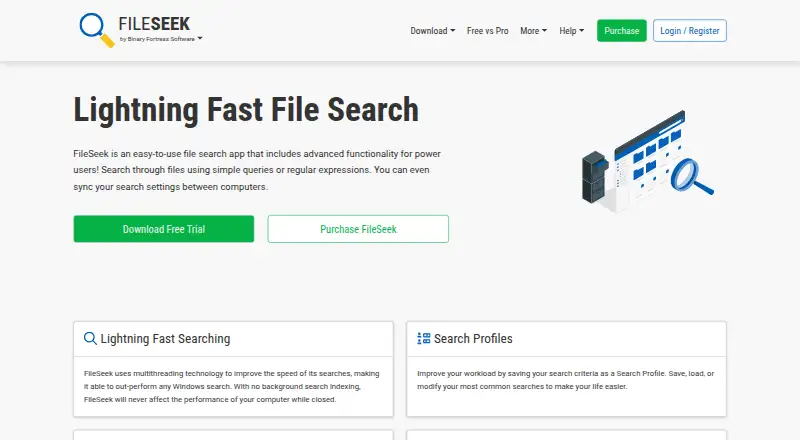
What FileSeek is
FileSeek is a Windows app for searching files with simple queries, regular expressions, or advanced text queries. It uses multithreading and does not rely on background search indexing. Searches can cover local paths, network shares, and synced cloud folders such as Dropbox and OneDrive. Advanced IFilters let it process non-text files, including Excel and PDF. Pro adds saved search profiles that can sync between computers, multiple search tabs, and CSV or HTML result exports. The free license is for personal use and omits multiple tabs, profile saving and syncing, and result exports. Pro licenses are lifetime purchases: Pro Standard costs $19, paid once for one computer; other license options cover personal computers, a company computer, a site, or company-owned sites. The current release supports Windows 10 version 1607 or higher, Windows 11, and Windows Server 2016, 2019, and 2022. Downloads include an installer, ZIP build, and MSI installer; the site also says it can be installed with WinGet. SHA1 hashes are published to help check downloads. Support is included with free and Pro licenses.
Who it suits
FileSeek suits Windows users who need to search file contents across local paths, network shares, or synced cloud folders. Pro may suit users who want saved profiles, multiple search tabs, or exported results.
What it does well
- Searches local paths, network shares, and synced cloud folders.
- Supports simple queries, regular expressions, and advanced text queries.
- IFilters can search Excel and PDF files.
- Pro includes saved profiles, multiple tabs, and result exports.
- Support is included with free and Pro licenses.
What to know first
- Free license is for personal use only.
- Free omits multiple tabs, saved profiles, and exports.
- Current release requires Windows 10 version 1607 or later, or listed Windows Server versions.
Limits
The free plan is for personal use and does not include multiple search tabs, saved or synced search profiles, or results export. Pro Standard covers one computer; the other Pro licenses specify their own computer or site limits.
Plans
| Plan | Billed and limits | Price |
|---|---|---|
| Free | Personal use only · no multiple search tabs · no search profile saving or sync · no results export | Free |
| Pro Standard | Lifetime license · Personal or company use · 1 computer | $19, paid once |
| Pro Site | Lifetime license · Unlimited computers at 1 site | $199, paid once |
| Pro Personal | Lifetime license · Unlimited personal computers · 1 company computer that only you use | $29, paid once |
| Pro Enterprise | Lifetime license · Unlimited computers at unlimited company-owned sites | $899, paid once |
As fileseek.ca lists them, read 9 Oct 2026. The maker's own page has the final word.
Getting started
- Visit the FileSeek website
- Choose the installer, ZIP build, or MSI installer from the download page, or use WinGet
- Install on a supported Windows release
- Choose the free plan or a Pro license based on your use and computer coverage
- Start a search using a simple query, regular expression, or advanced text query
Verdict
FileSeek offers several query styles and can search text in supported non-text formats across local and shared locations. The free license has clear feature limits, while Pro licenses are lifetime purchases with different device and site scopes.
Questions
Is FileSeek free?
Yes. Its Free plan costs nothing and is for personal use. A 30-day trial is also available.
What does Pro Standard cost?
Pro Standard costs $19, paid once and is a lifetime license for personal or company use on one computer.
What platforms does FileSeek support?
FileSeek supports Windows. The current release supports Windows 10 version 1607 or higher, Windows 11, and Windows Server 2016, 2019, and 2022.
What does Pro add?
Pro includes multiple search tabs, saved search profiles that can sync between computers, and CSV or HTML result export.
Can FileSeek search inside PDF and Excel files?
Yes. FileSeek can use advanced IFilters to process non-text files such as Excel and PDF.
How can I install FileSeek?
The download page offers an installer, ZIP build, and MSI installer. FileSeek can also be installed using WinGet.
Facts from FileSeek's own pages
- Download options
- The download page offers an installer, a ZIP build, and an MSI installer for deployment. · fileseek.ca, 9 Oct 2026
- File support
- FileSeek can use advanced IFilters to process non-text files such as Excel and PDF. · fileseek.ca, 9 Oct 2026
- Headquarters
- Kanata, Ontario, Canada · fileseek.ca, 28 Sept 2026
- Integrations
- The site says FileSeek can be installed using Microsoft's WinGet command-line tool. · fileseek.ca, 9 Oct 2026
- Purpose
- FileSeek searches files using simple queries, regular expressions, or advanced text queries. · fileseek.ca, 9 Oct 2026
- Refunds
- The purchase page says customers can request a refund within 30 days of purchase. · fileseek.ca, 9 Oct 2026
- Search performance
- FileSeek uses multithreading and does not use background search indexing. · fileseek.ca, 9 Oct 2026
- Search profiles
- Pro users can save search criteria as profiles and sync profiles between computers. · fileseek.ca, 9 Oct 2026
- Search results
- Pro includes multiple search tabs and exporting results as CSV or HTML. · fileseek.ca, 9 Oct 2026
- Security
- The download page publishes SHA1 hashes to help check whether downloads were corrupted or modified. · fileseek.ca, 9 Oct 2026
- Support
- The license comparison says support is included with the free and Pro licenses. · fileseek.ca, 9 Oct 2026
- Who it is for
- The maker describes FileSeek as an easy-to-use file search app with advanced functionality for power users. · fileseek.ca, 9 Oct 2026
- Windows requirements
- The current release supports Windows 10 version 1607 or higher, Windows 11, and Windows Server 2016, 2019, and 2022. · fileseek.ca, 9 Oct 2026
Where FileSeek stands on Freedom251
- Desktop Search Software#10 of 57